


WP Login Lockdown Review: The Pros and Cons
Protecting your WordPress site from malicious attacks is no longer optional—it's a necessity. Cyber threats are constantly evolving, and if you're not taking security seriously, your site is at risk. That's where WP Login Lockdown comes in. This powerful security plugin is designed to keep your WordPress site safe from brute-force attacks, unauthorized access, and bots trying to compromise your login credentials.
With WP Login Lockdown, you don’t need to be a security expert to safeguard your site. It offers easy-to-use features like GDPR-compliant CAPTCHA, honeypots to trap bots, a firewall, and two-factor authentication to add an extra layer of protection. Whether you’re a small business, a web design agency, or an IT security firm, WP Login Lockdown helps you secure your WordPress site without the hassle of complex security settings.

In this review, I’ll take you through the key features, pros and cons, and why WP Login Lockdown is an excellent choice for website security. If you're tired of dealing with spam, unauthorized logins, and potential data breaches, this plugin might be exactly what you need.
TL;DR
-
Secure your WordPress site with WP Login Lockdown without dealing with complicated security settings.
-
Block malicious attacks using bot protection, blacklists, and two-factor authentication.
-
Enhance site security with GDPR-compliant features, a firewall, and CAPTCHA options.
Sponsored
Best For
-
IT/security agencies
-
Small businesses
-
Web design agencies
Integrations
-
WooCommerce
Sponsored
-
WordPress
Key Features
-
GDPR-compliant security measures
-
AI-powered bot protection
-
White-label options for agencies
Sponsored
-
Centralized dashboard for managing multiple sites
Block Malicious Traffic with Cloud-Based Blacklists
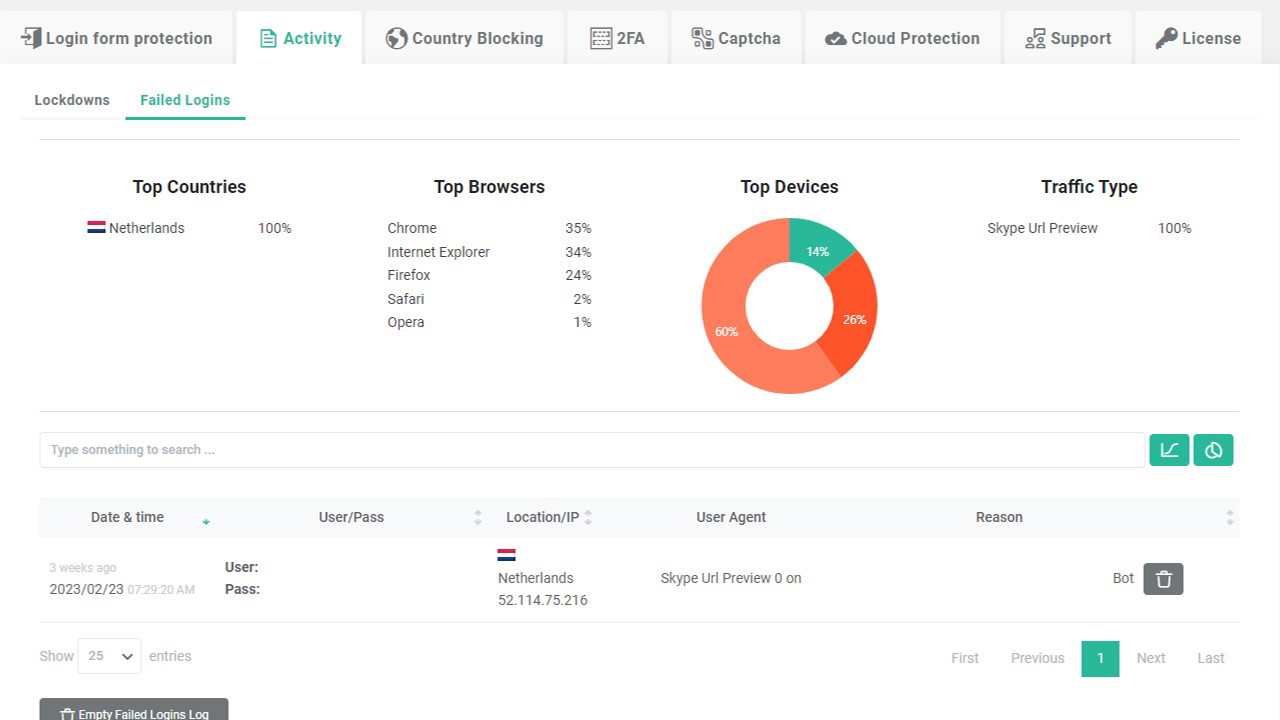
One of the standout features of WP Login Lockdown is its Cloud IP blacklist and whitelist functionality. If you manage multiple sites, you can maintain a network-wide IP blacklist, automatically blocking known malicious actors before they even reach your login page. This is a game-changer for IT security professionals who want to proactively prevent attacks rather than react after a breach.
With detailed analytics, you can also monitor login attempts and block entire countries if necessary. If your business doesn’t cater to certain regions, restricting access can significantly reduce the risk of cyberattacks.
Keep Bots Away with GDPR-Compliant CAPTCHA and Honeypots
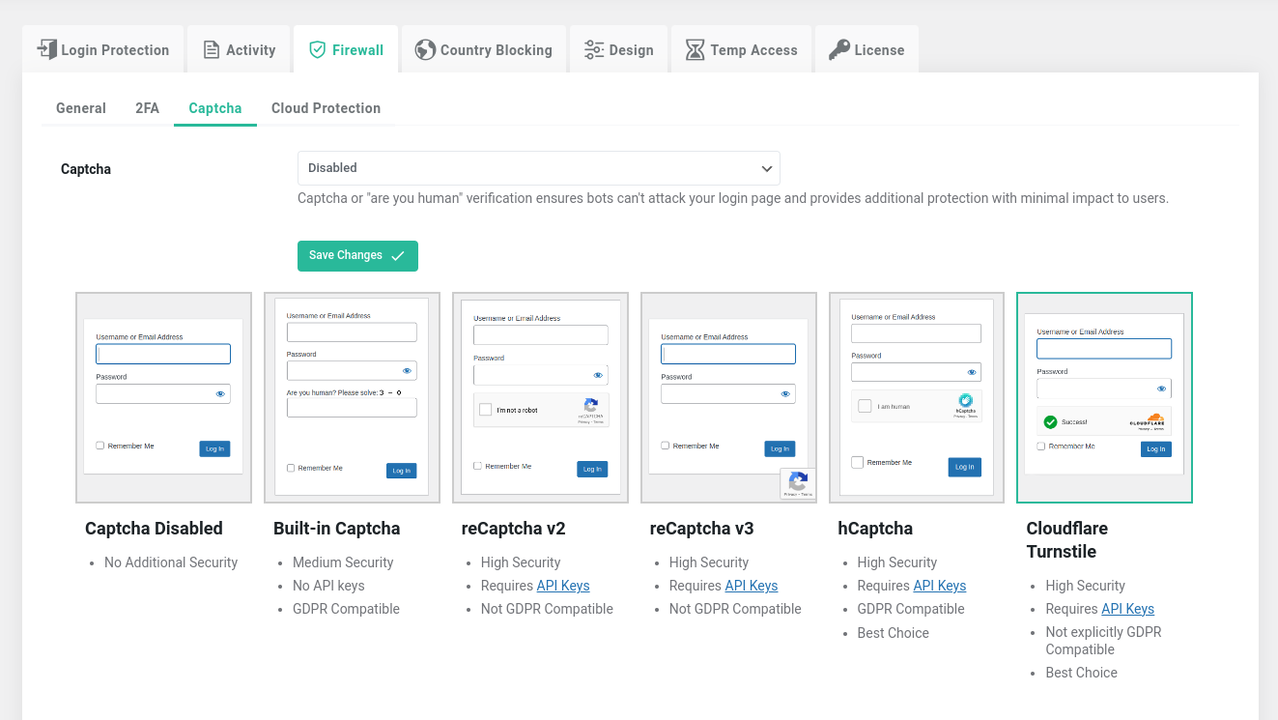
Spam bots and brute-force attacks are constant threats to WordPress sites. WP Login Lockdown combats this with a range of CAPTCHA options, including Google’s reCAPTCHA, hCaptcha, and Cloudflare Turnstile CAPTCHA. These tools distinguish between real users and bots without requiring unnecessary actions from legitimate visitors, improving the overall user experience.
Additionally, WP Login Lockdown includes a built-in CAPTCHA that doesn’t rely on third-party services, ensuring full GDPR compliance. This is particularly important for businesses that operate in Europe or handle sensitive user data.
Manage Security Effortlessly with a Centralized Dashboard
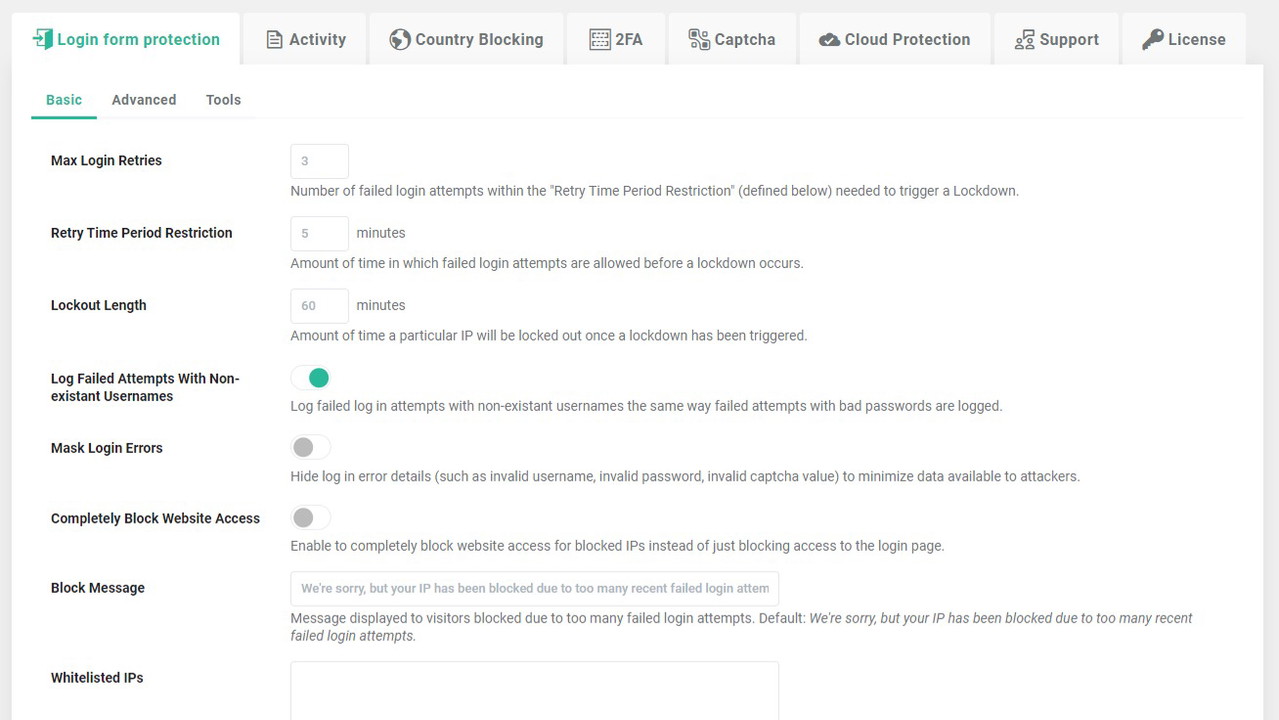
Managing multiple WordPress sites can be a challenge, especially when it comes to security. WP Login Lockdown simplifies this by offering a centralized dashboard where you can control all your purchases, licenses, sites, and Cloud Blacklists from one place.
Whether you're handling security for a single business or managing a portfolio of client websites, this feature saves time and ensures consistency across all your sites. Plus, premium support from the developers means you’ll always have expert help when you need it.
Pros of WP Login Lockdown
-
Easy to use – Even beginners can quickly configure security settings.
-
Comprehensive protection – Blocks brute-force attacks, bots, and unauthorized logins.
-
Multiple CAPTCHA options – Ensures GDPR compliance while keeping bots away.
Sponsored
-
Cloud-based blacklist – Blocks known threats before they reach your site.
-
Centralized management – Perfect for agencies and IT professionals managing multiple sites.
Cons of WP Login Lockdown
-
Limited free version – Some advanced features require a paid plan.
-
May block legitimate users – If not configured correctly, some real users might be denied access.
-
Learning curve for beginners – While it’s user-friendly, complete beginners may need time to understand all the settings.
Final Verdict: Is WP Login Lockdown Worth It?
If you're looking for a simple yet powerful security solution for your WordPress site, WP Login Lockdown is an excellent choice. With its bot protection, blacklists, two-factor authentication, and GDPR-compliant features, it provides robust security without overwhelming you with complicated settings.
For businesses, agencies, and IT professionals managing multiple sites, the centralized dashboard and Cloud Blacklist are game-changers. However, beginners may need some time to learn the settings, and the free version has limitations.
Overall, WP Login Lockdown is a must-have for anyone serious about WordPress security. Don't wait until your site is compromised—take action today and secure your login pages with WP Login Lockdown.







