


Formberry Review: Everything You Should Consider
If you're running a small business, managing a marketing agency, or looking for an easy way to collect data through forms, surveys, or quizzes, Formberry is a solution you should consider. This online form builder offers an intuitive and customizable platform that makes creating mobile-optimized forms quick and easy, without the need for any coding knowledge.
With a user-friendly interface and a range of features, Formberry is a powerful alternative to more well-known form builders like Typeform, SurveyMonkey, and Jotform. Whether you need to collect basic information or manage complex workflows, Formberry allows you to create everything from simple contact forms to in-depth surveys and quizzes.

In this review, I’ll walk you through what Formberry offers, why it's worth considering, and how it can help you streamline data collection for your business.
What Is Formberry?
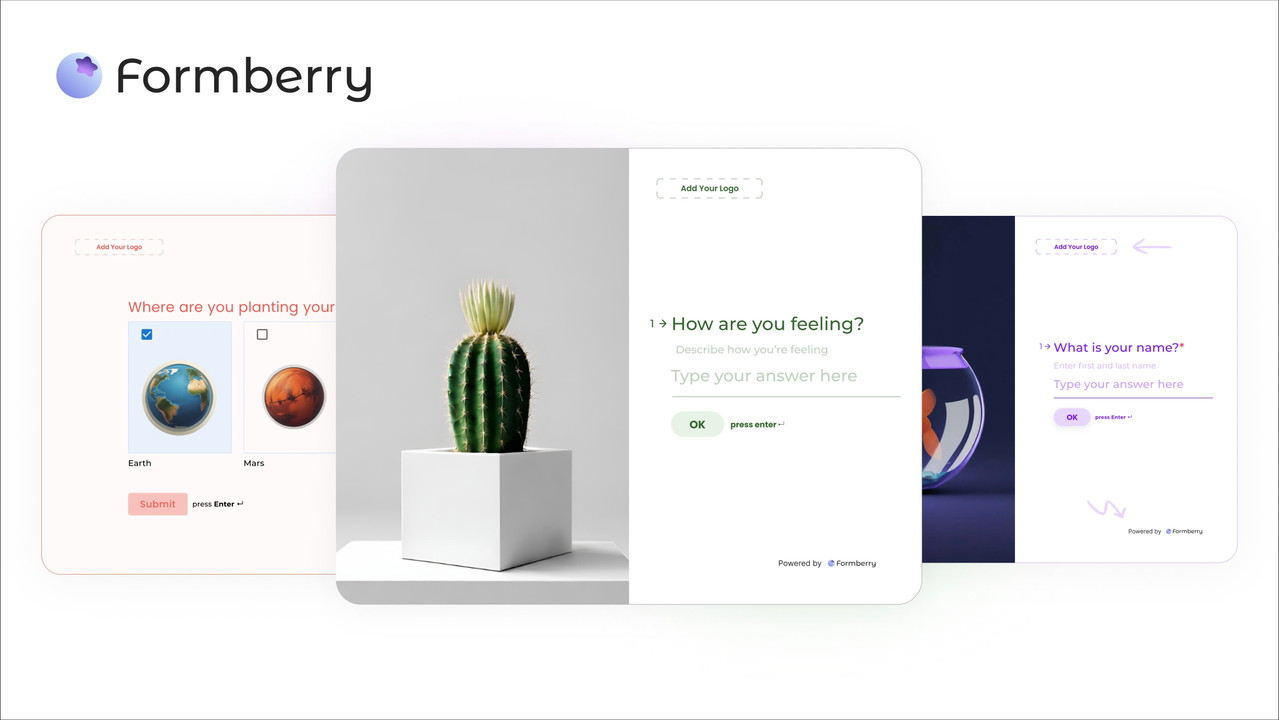
Formberry is an intuitive form builder that allows you to create custom forms for various purposes such as surveys, quizzes, contact forms, and feedback requests. It’s designed for users who need a flexible and affordable solution to collect data and insights without dealing with complex or expensive tools.
With Formberry, you get access to both basic and advanced customization options to design forms that match your brand. You can add custom logos, colors, and fonts, or even create multi-step forms that are ideal for more complex data collection tasks. Whether you’re running a marketing campaign or setting up a feedback survey for your clients, Formberry has the tools you need to make the process effortless.
Key Features of Formberry
1. Easy Form Creation & Customization
Formberry’s primary strength lies in its simplicity. With its drag-and-drop builder, you can create forms, quizzes, or surveys in minutes. But don't let the simplicity fool you—Formberry offers plenty of customization options that make your forms look professional and cater to your specific needs.
-
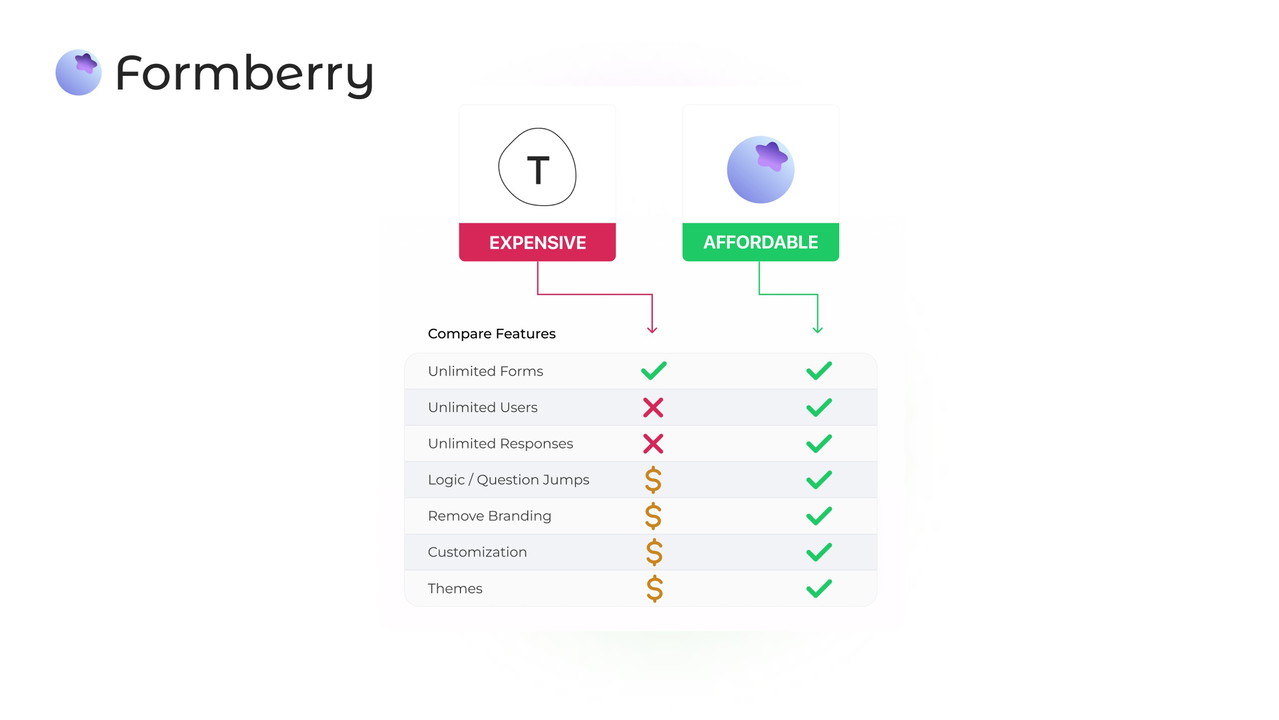
Unlimited Forms & Responses: Create as many forms as you need and collect as many responses as you want without hitting limits.
-
Custom Branding: Add your logo, customize colors, change fonts, and adjust button shapes to match your brand’s style.
2. Advanced Features for Power Users
While Formberry is great for beginners, it also has advanced features to cater to more experienced users. With options like conditional logic and question jumps, you can tailor the form-filling experience to your audience’s responses. This makes it a versatile tool for creating anything from simple contact forms to complex surveys or quizzes with specific outcomes.
-
Conditional Logic: Show or hide questions based on previous responses, creating a personalized experience for each user.
Sponsored
-
File Uploads: Allow respondents to upload files up to 10MB, which is useful for applications, feedback, or file-sharing forms.
3. Multi-Step and Linear Forms
Formberry gives you the flexibility to design forms in either a multi-step or linear view. A multi-step form is ideal for longer surveys or applications, as it breaks the process into manageable chunks, making it easier for users to complete. If you prefer a single-page design, the linear view keeps things straightforward and direct.
-
Multi-Step Forms: Break complex forms into steps to improve user experience and completion rates.
-
Linear Forms: Use a single-page layout for simple, quick forms.
Sponsored
4. Integrations and Automation
For those who need seamless workflows, Formberry integrates with popular tools like Slack, Airtable, and Notion, allowing you to automate responses and store data in your favorite apps. You can also use webhooks to send form data to any platform that supports them.
-
Airtable Integration: Automatically sync form responses with Airtable to manage and organize your data efficiently.
-
Slack Notifications: Receive notifications in Slack whenever someone submits a form, making it easier to stay on top of your data.
5. Affordable Pricing
Formberry stands out as an affordable alternative to other form builders like SurveyMonkey or Typeform. With no monthly fees for unlimited forms and responses, it’s an excellent choice for small businesses or individuals looking to cut down on costs without sacrificing quality.
-
Lifetime Access: Purchase once and get lifetime access, which is a great option for businesses on a budget.
-
Free Version Available: Try out the basic version to test the platform before committing to a paid plan.
Pros of Formberry
1. User-Friendly Interface
The most notable feature of Formberry is its ease of use. The drag-and-drop builder makes it easy for anyone to create and design forms, regardless of technical expertise. Even if you’ve never used a form builder before, you’ll find Formberry intuitive and straightforward.
2. Customizable Branding
If you’re looking for a tool that aligns with your brand, Formberry lets you customize forms with your own logo, colors, and fonts. This is essential for maintaining a professional image across all your customer touchpoints.
3. Affordable Plans
Unlike other form-building platforms, Formberry offers a flexible pricing structure with affordable plans that cater to businesses of all sizes. The free version offers basic functionality, and the paid plans are reasonably priced for those who need more advanced features.
4. Robust Integrations
The ability to integrate with other apps like Airtable, Notion, and Slack enhances Formberry’s functionality. These integrations are particularly valuable for teams that rely on these tools to streamline their workflows and automate tasks.
Cons of Formberry
1. Limited Advanced Analytics
While Formberry provides basic form insights, it doesn’t offer as comprehensive analytics as some other platforms like SurveyMonkey or Jotform. For businesses that need deep insights and analytics from their surveys or forms, this could be a limitation.
2. No Built-In Payment Options
Unlike some form builders that allow you to collect payments through forms, Formberry lacks direct payment integration. If you need to collect payments or donations, you may have to rely on third-party integrations or other tools.
Who Should Use Formberry?
Formberry is best suited for a variety of users, including:
-
Small Businesses: If you need a simple yet powerful tool to create contact forms or feedback surveys, Formberry is a cost-effective and user-friendly option.
-
Marketing Agencies: Easily create and manage forms for clients, customize them to match branding, and automate responses.
-
Web Design Agencies: Use Formberry to collect feedback from clients, manage applications, and gather data for projects.
Final Thoughts
In conclusion, Formberry is an excellent form builder for small businesses, marketing agencies, and other users who need to collect data quickly and efficiently. With its affordable pricing, customization options, and integrations, it provides a lot of value without the complexity of other tools. Whether you're creating simple contact forms or more detailed surveys, Formberry makes it easy to manage and automate data collection. If you're looking for an alternative to Typeform or SurveyMonkey, Formberry is definitely worth considering.







