


Vocal Review: The Inside Scoop
Revolutionizing Communication with Voice Messages
In today’s fast-paced digital world, effective communication is key. While emails and text messages are standard, they often lack the personal touch and clarity that voice conveys. That’s where Vocal comes in—a powerful tool that allows you to send voice messages via email effortlessly.
With asynchronous work on the rise, businesses and individuals are seeking more efficient ways to collaborate. Vocal simplifies this by enabling you to record and send voice messages directly within Gmail, Outlook, or through a standalone web app. Your voice and tone help build trust, improve relationships, and ensure clearer communication, all without the hassle of typing lengthy messages.

In this review, I’ll take you through how Vocal works, its key features, best use cases, and whether it’s the right tool for your needs.
What Is Vocal?
Vocal is a simple yet effective voice messaging tool designed for seamless integration into everyday communication. Whether you need to send quick audio notes, explain complex ideas, or personalize messages, Vocal makes it easy by embedding voice recordings directly into emails. Recipients can listen to messages within their email client or via a unique link, complete with transcription for accessibility.
How Does Vocal Work?
Using Vocal is incredibly straightforward:
-
Install the Vocal extension – Available for Chrome, Gmail, Outlook, and as a web app.
Sponsored
-
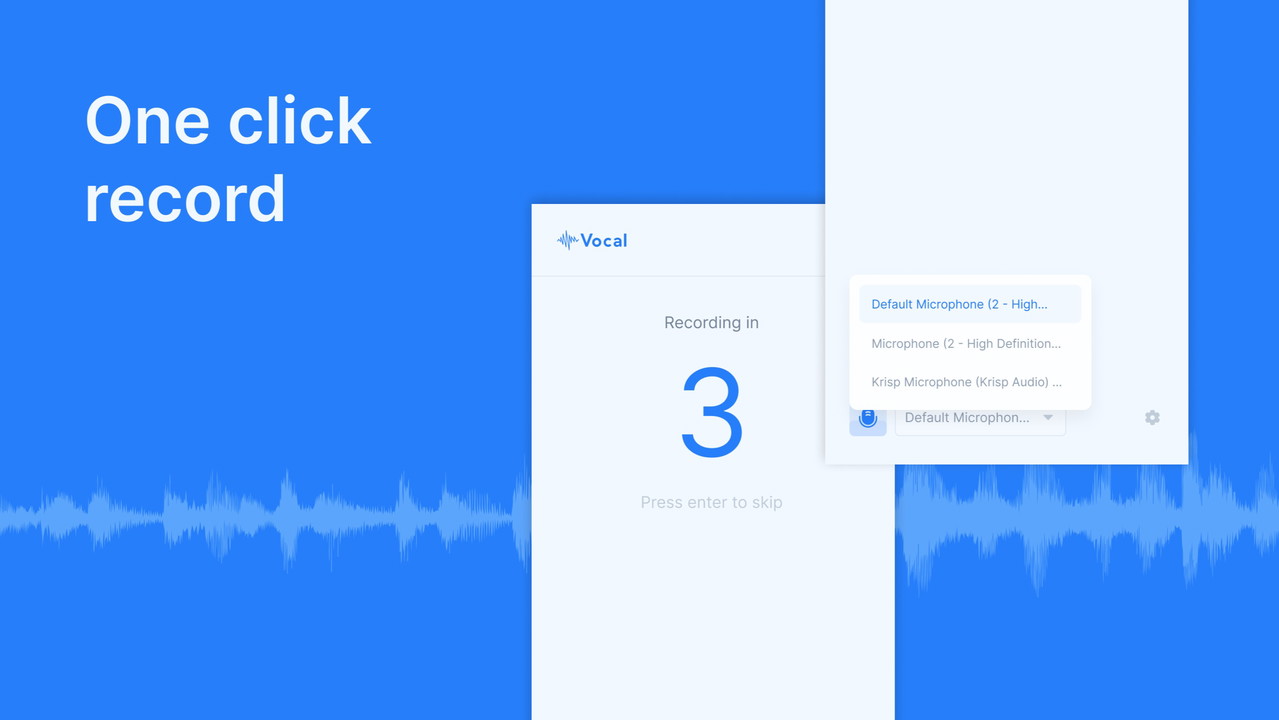
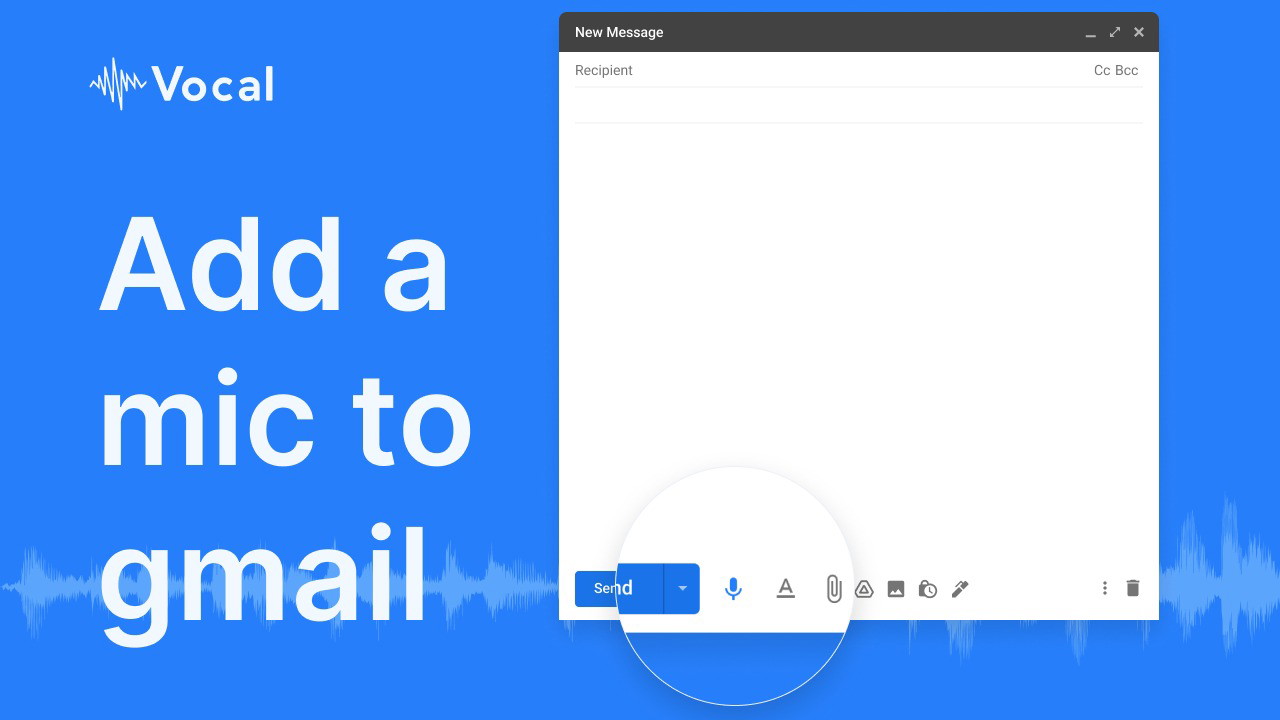
Start recording – Click the microphone icon and speak your message.
-
Customize your message – Edit text, change colors, or personalize with your profile picture.
-
Send your voice note – Your recipient can listen directly within the email or via a shareable link.
-
Transcription included – Every voice message is automatically transcribed for easy reference.
Sponsored
This intuitive process eliminates the back-and-forth of written emails while ensuring that nothing gets lost in translation.
Key Features of Vocal
Seamless Email Integration
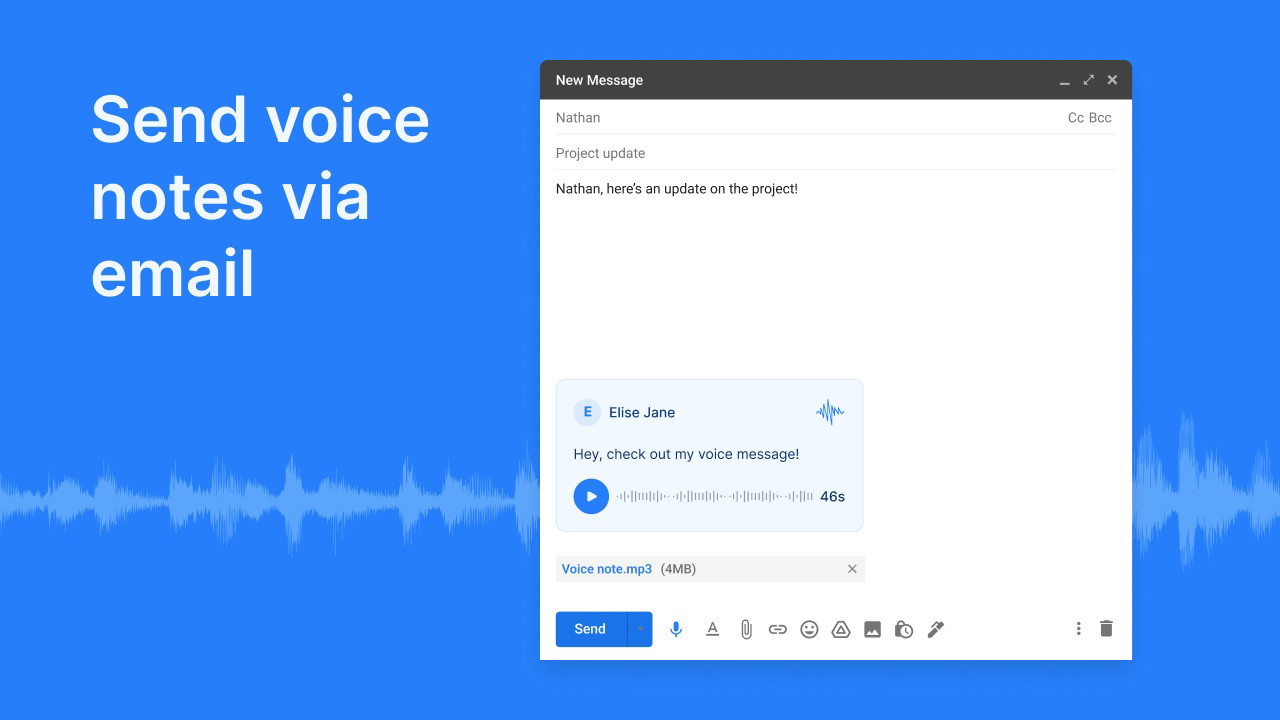
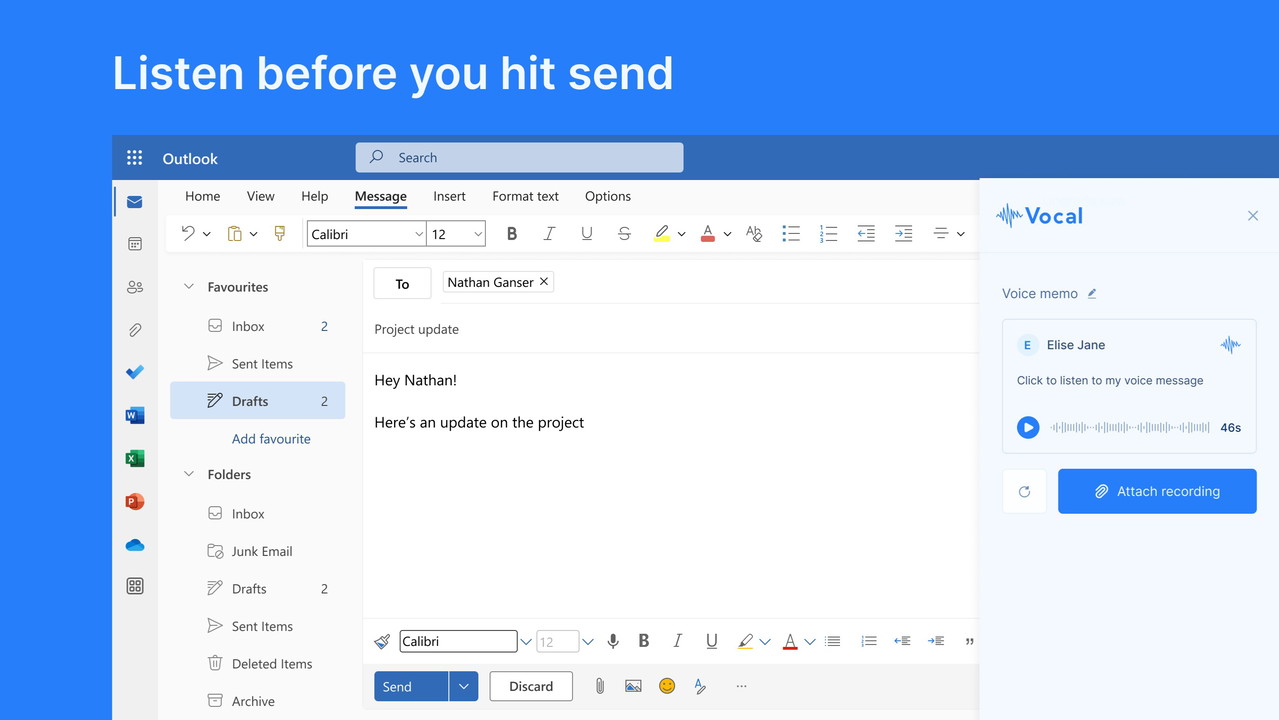
Vocal integrates directly into Gmail and Outlook, allowing you to send voice messages without switching between apps. With just one click, you can start recording and attach your message as an MP3 file, an embedded link, or an image preview.
Customizable Voice Notes
To make communication more personal and engaging, Vocal allows users to customize their messages:
-
Change the color of the embedded image
-
Edit the text accompanying your voice note
-
Add a profile picture for brand recognition
-
Include a custom call-to-action (available in premium plans)
Sponsored
Multi-Platform Accessibility
You can use Vocal across various platforms, including:
-
Gmail (browser and mobile app)
-
Outlook (browser and desktop app)
-
Chrome extension for quick recordings
Sponsored
-
Standalone web app for recording and sharing links
Advanced Sharing Options
Each voice message can be shared in multiple formats:
-
As an email attachment (MP3 file)
-
As an image with an embedded audio player
Sponsored
-
As a direct link to a beautifully designed webpage with transcription
This flexibility ensures that your recipient can access the message in the way that best suits them.
New Business Features (2024 Update)
Vocal has recently introduced several new features tailored for business users:
-
Embed voice messages on websites – Perfect for testimonials, customer reviews, or announcements.
-
Transcription support in 33+ languages – Making communication even more accessible.
-
Reply-enabled messages – Recipients can respond via voice without needing an account.
-
Microsoft Teams integration – Send voice messages within your workflow.
Who Should Use Vocal?
Vocal is an excellent tool for anyone looking to enhance communication and productivity. It’s particularly beneficial for:
Best For:
-
Customer Support – Reduce response times and provide clearer explanations.
-
Influencers & Content Creators – Engage audiences with personalized messages.
-
Small Businesses – Strengthen relationships with clients and team members.
-
Remote Teams – Improve collaboration with asynchronous voice communication.
Pricing: Is Vocal Worth It?
Vocal offers both free and premium plans, with advanced features available in higher-tier plans. Paid plans include:
-
Custom domains for branded messages
-
Analytics to track voice message engagement
-
Team management dashboard for collaborative use
-
Unlimited voice storage and message folders
Compared to typing lengthy emails or using expensive voice communication tools, Vocal is an affordable and efficient solution for modern communication needs.
Pros and Cons of Vocal
Pros:
-
No typing required – Send messages faster with voice.
-
Transcription included – Increases accessibility and clarity.
-
Easy email integration – Works inside Gmail, Outlook, and Chrome.
-
Custom branding options – Enhance professionalism with branded messages.
-
Multi-platform support – Use across devices and applications.
Cons:
-
Limited free plan – Advanced features require a paid subscription.
-
Requires an extension or add-in – Some users may prefer a built-in solution.
-
Internet connection needed – Voice messages are cloud-based.

Final Verdict: Should You Use Vocal?
If you’re looking for an efficient way to send voice messages via email, Vocal is a fantastic tool. It saves time, improves clarity, and adds a personal touch to your communications. With its seamless Gmail and Outlook integration, transcription capabilities, and easy-to-use interface, Vocal is well worth considering for businesses, remote teams, and professionals looking to streamline their workflow.
Ready to enhance your communication? Try Vocal today!







