


SlideFill Review: Revolutionizing Data-Driven Presentations
Are you tired of spending countless hours manually entering data from your CRM or Google Sheets into your presentations? If you’re in sales, marketing, or management, creating personalized, data-driven content for your audience shouldn’t be a time-consuming task. Unfortunately, traditional methods of creating reports and presentations can eat up valuable hours that could be spent on more strategic initiatives. SlideFill offers a solution that allows you to automate this process, saving you up to 40% of your time while ensuring your content is both personalized and data-driven. In this in-depth SlideFill review, I’ll explain how this powerful tool can enhance productivity, streamline your processes, and ultimately drive more revenue by leveraging your existing technology stack. Whether you’re looking to create tailored presentations, business reviews, or marketing content, SlideFill enables you to automate and optimize the content creation process. By integrating directly with Google Drive, Google Sheets, Salesforce, and other essential tools, SlideFill empowers your team to focus on what truly matters—engaging with clients, making data-backed decisions, and achieving business goals. Let’s dive deeper into how SlideFill works, its key features, and the immense value it can bring to your business.

What is SlideFill?
SlideFill is an innovative platform designed to automate the creation of data-driven presentations and personalized content. Whether you're crafting sales pitch decks, business reports, or marketing materials, this tool helps you create content in just a few simple steps—without any coding required.
How Does SlideFill Work?
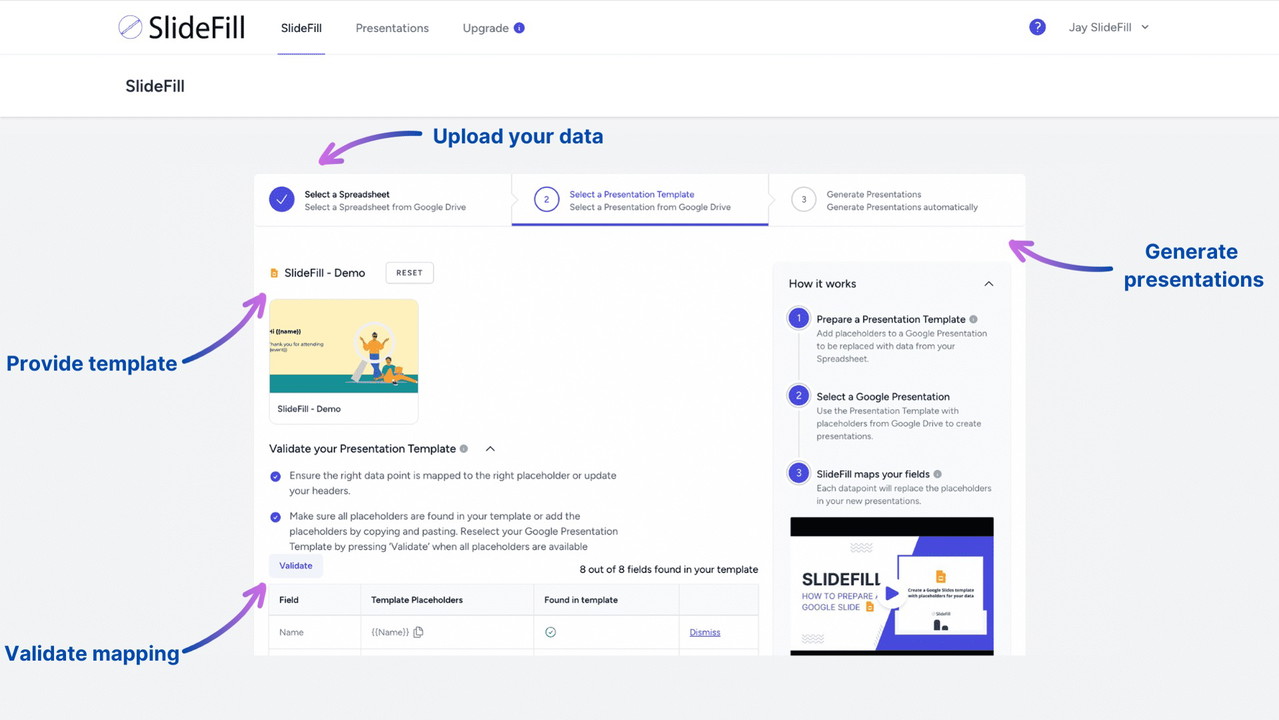
SlideFill streamlines your workflow by allowing you to connect your data sources, upload a presentation template with placeholders, and automatically generate unique presentations tailored to each data row. The entire process can be completed in three simple steps:
-
Connect Your Data Source: Link Google Sheets, Salesforce, or any other CRM platform that houses your customer data.
-
Upload a Presentation Template: Choose from a wide range of pre-designed templates, which include placeholders for your data.
Sponsored
-
Generate Personalized Content: SlideFill automatically fills in the placeholders with your data, producing a customized presentation for each client, lead, or business scenario.
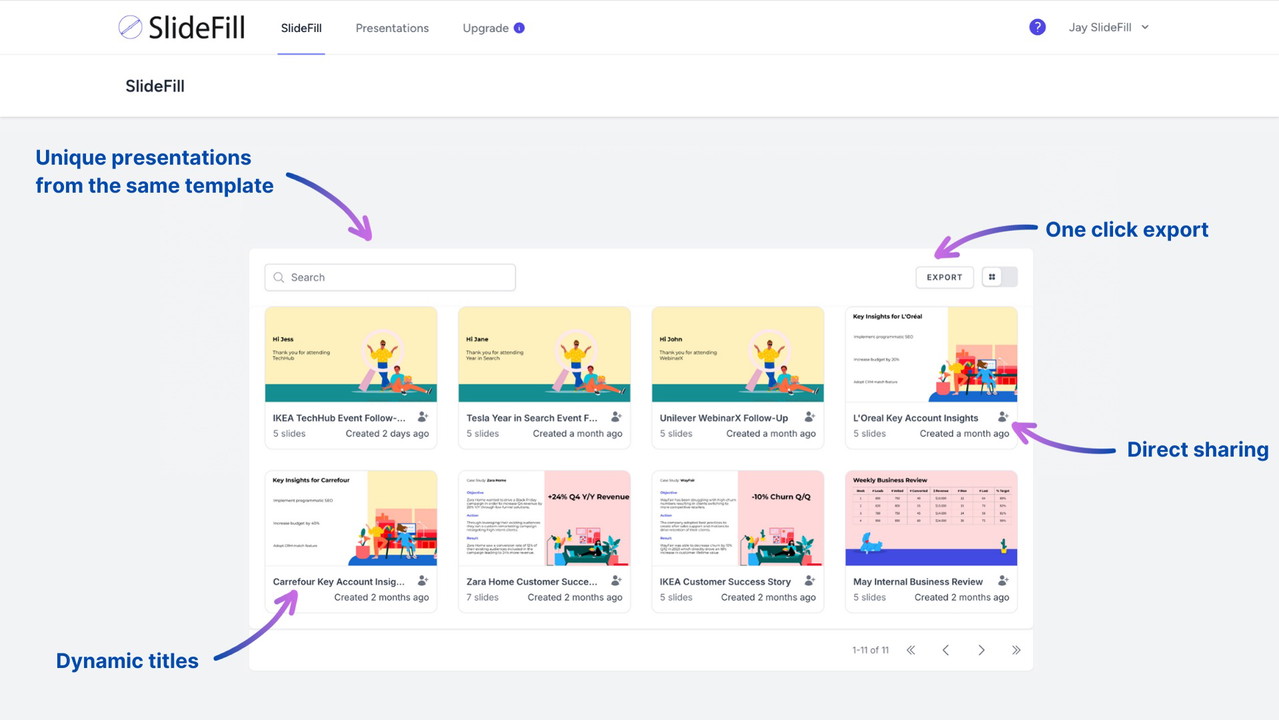
With SlideFill, the days of manually copying and pasting data into presentations are over. This powerful tool not only saves you time but also ensures your content is always up-to-date, relevant, and impactful.
Key Features of SlideFill
1. Seamless Integration with Google Drive and CRMs
SlideFill integrates directly with Google Drive, Google Sheets, and Salesforce, making it incredibly easy to create presentations from your existing data. By syncing your data with these platforms, you can create customized, personalized content without the need for additional software. Your data remains secure within Google’s trusted environment, ensuring that your information stays protected.
2. AI-Powered Personalization
One of the standout features of SlideFill is its ability to automatically personalize content using AI. This means you can tailor every presentation to resonate with your audience, increasing the likelihood of engagement and conversions. Whether you’re creating business reviews, marketing reports, or sales decks, SlideFill ensures your content is both relevant and data-backed.
3. No Coding Required
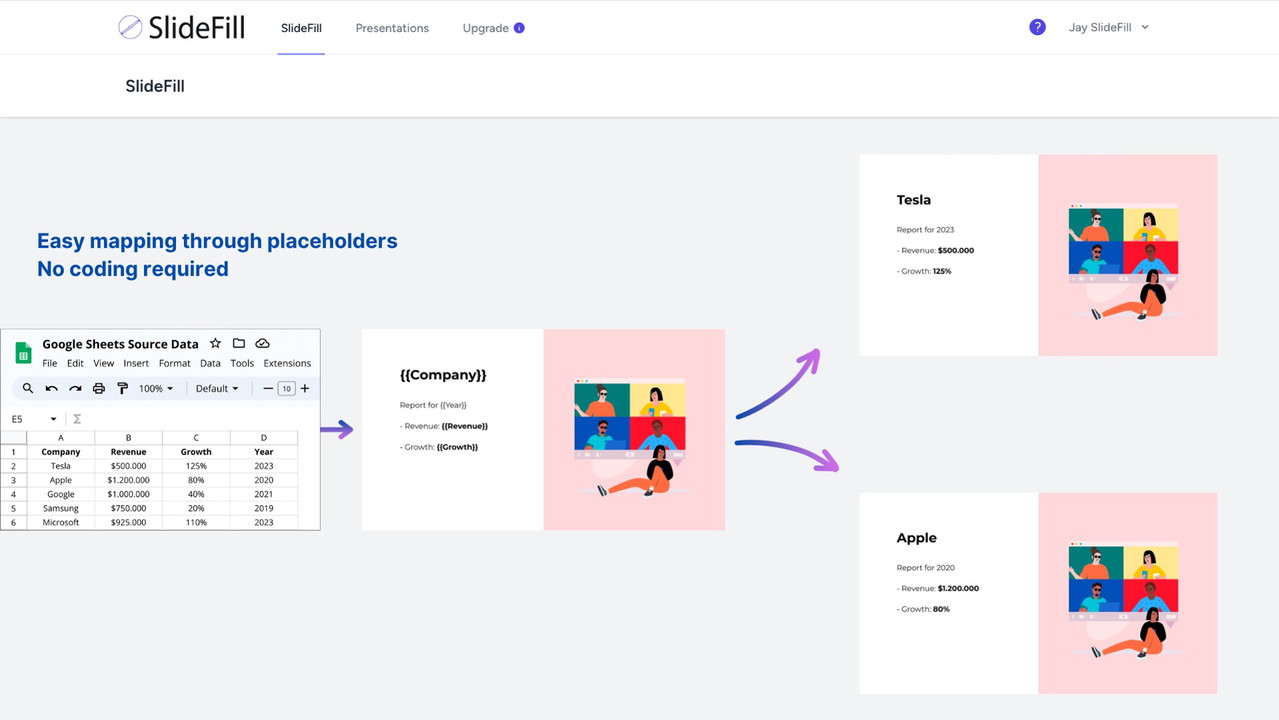
With SlideFill, you don’t need to be a tech expert to create personalized presentations. Simply map the column headers in your Google Sheets to the placeholders in your presentation template, and SlideFill does the rest. This user-friendly feature makes SlideFill accessible to teams with limited technical skills, while still delivering professional, polished results.
4. GDPR-Compliant and Secure
For businesses concerned about data privacy, SlideFill ensures GDPR compliance and data security. All your presentations and customer data are stored securely in Google Drive, so you can rest assured that your sensitive information is protected at all times.
Why SlideFill Is Perfect for Your Business
SlideFill is an incredibly versatile tool that can benefit various departments across your organization, including sales, marketing, and business operations.
Sales Teams
For sales teams, SlideFill is a game-changer. By automating the creation of personalized sales presentations and follow-up emails, sales reps can spend less time creating content and more time closing deals. SlideFill helps ensure that every presentation is tailored to the client’s specific needs, increasing the chances of a successful pitch.
Marketing Teams
Marketing teams can use SlideFill to automate the creation of webinar invites, case studies, and marketing reports. With the ability to generate targeted content at scale, marketers can reach more customers with personalized messages, leading to better engagement and higher conversion rates.
C-Suite Executives
For executives, SlideFill is an excellent tool for creating business reviews and performance reports. The ability to automatically generate customized reports from existing data saves time and ensures that the information presented to stakeholders is both accurate and relevant.
Time-Saving and ROI Benefits
Save Time with Automated Content Creation
SlideFill’s automation feature enables your team to create presentations up to 40% faster than traditional methods. This time savings can be reinvested into more strategic activities, such as meeting with clients, analyzing market trends, or improving your product offerings.
Earn Back Your Investment Quickly
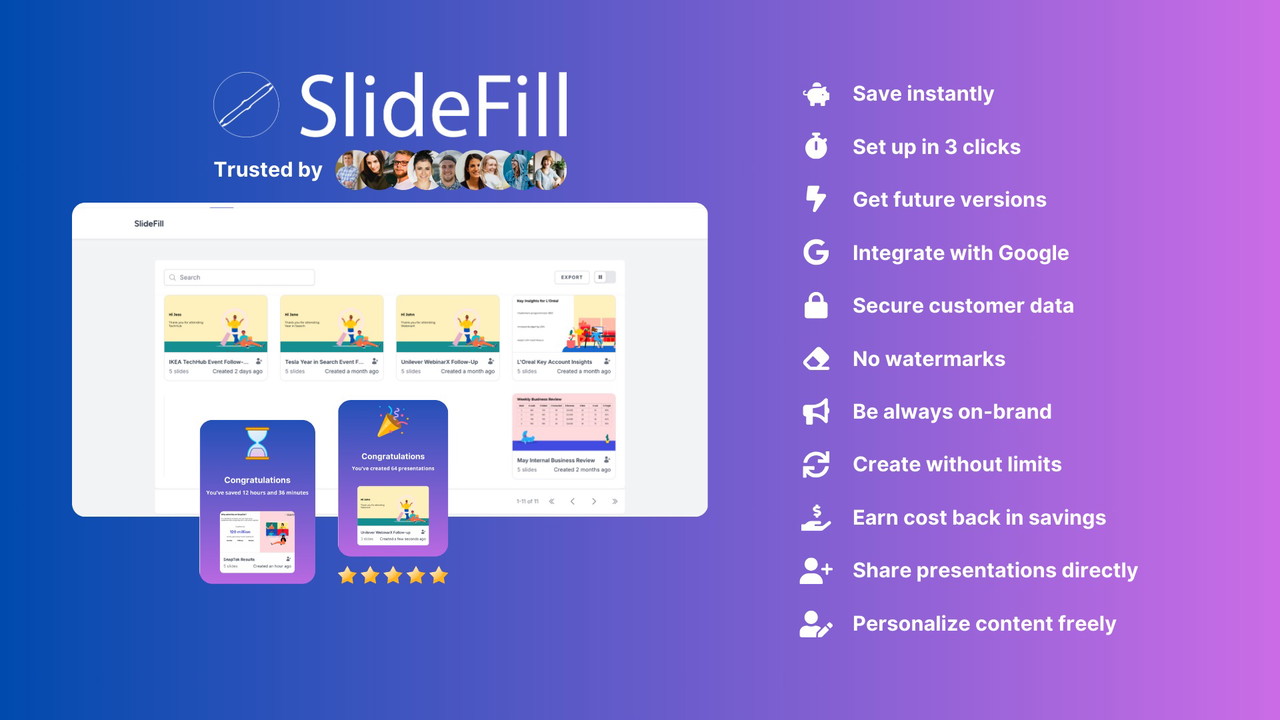
One of the most compelling reasons to use SlideFill is its ROI potential. Many users report that they recoup their investment after creating just four presentations. The time savings, coupled with the ability to generate personalized content at scale, means that SlideFill quickly pays for itself.
Increased Revenue through Personalization
Personalization is key to driving higher engagement and conversions. According to McKinsey, companies that master personalization can see up to a 40% increase in revenue. SlideFill enables you to leverage this powerful tool by helping you create customized presentations that speak directly to your audience’s needs, ultimately driving more revenue.
Conclusion: Why SlideFill Is Essential for Modern Businesses
In today’s fast-paced business world, efficiency and personalization are key to success. SlideFill enables you to automate presentation creation, leverage your existing data, and personalize content at scale, all while saving valuable time and resources. Whether you're in sales, marketing, or executive leadership, this tool helps you create impactful presentations that resonate with your audience and drive results. By integrating seamlessly with Google Drive, Google Sheets, and Salesforce, SlideFill ensures your data remains secure, while its AI-powered features help you create more relevant and engaging content. With SlideFill, you can focus on what truly matters—building relationships, improving performance, and driving revenue. If you’re ready to embrace the power of personalized, data-driven content, get started with SlideFill today and take your business to the next level.







