


PromptBox Review: The Smartest Way to Organize and Paste Repetitive Text
If you’re like me, managing and reusing repetitive text is a daily necessity—whether it’s email replies, calendar links, or Loom videos. That’s where PromptBox comes in. It’s more than just a clipboard manager—it's a beautifully organized text management tool designed to help you store, organize, and paste frequently used content effortlessly. Whether you're handling GPT-4 prompts, sending quick SMS replies, or dropping Midjourney art prompts, PromptBox saves time and simplifies your digital workflow.
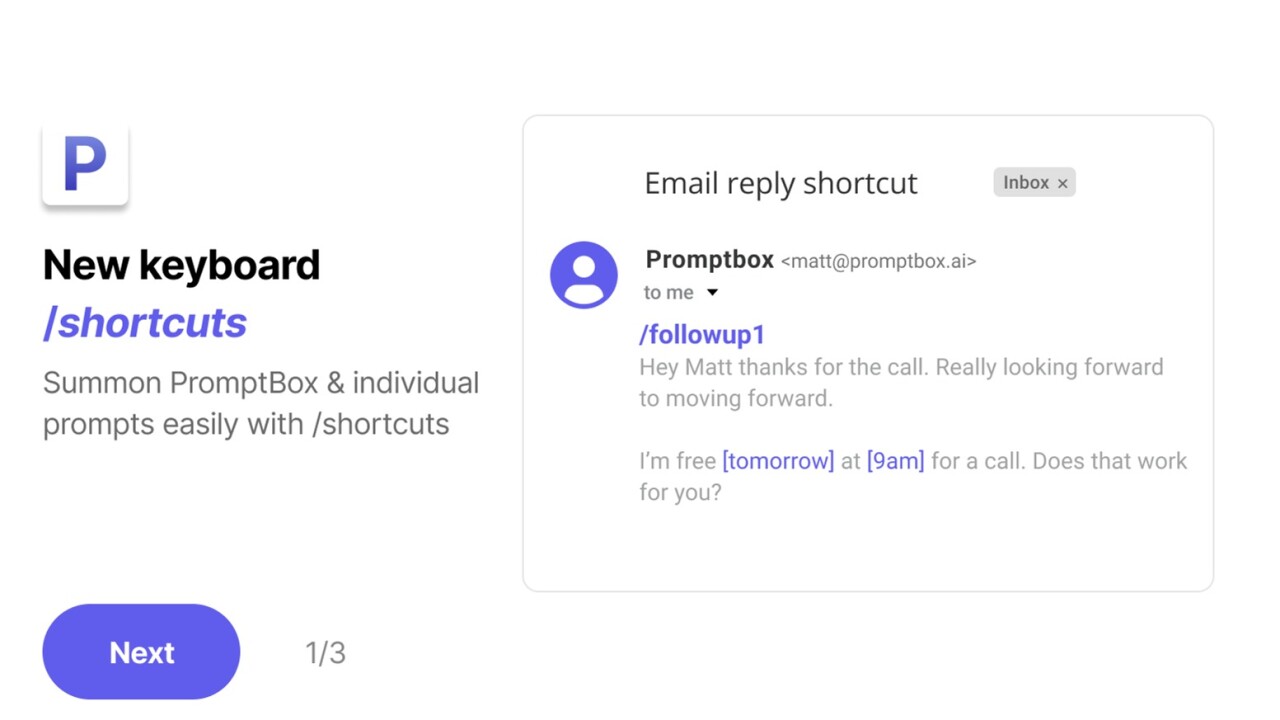
I’ve used a variety of text-saving tools over the years—from TextExpander to Trello boards full of message templates—but none have given me the same level of speed, flexibility, and aesthetic organization as PromptBox. It’s available across Chrome, iOS, and Android, making it easy to access your content from anywhere. You can even color-code your snippets, assign shortcuts like “/reply1,” and customize them with variables for quick edits on the fly.

In this review, I’ll break down how PromptBox works, who it’s best for, how it stacks up to alternatives, and why I personally recommend it for anyone managing a high volume of repeated communication or content.
What Is PromptBox?
A Smart Clipboard Manager Meets Text Organizer
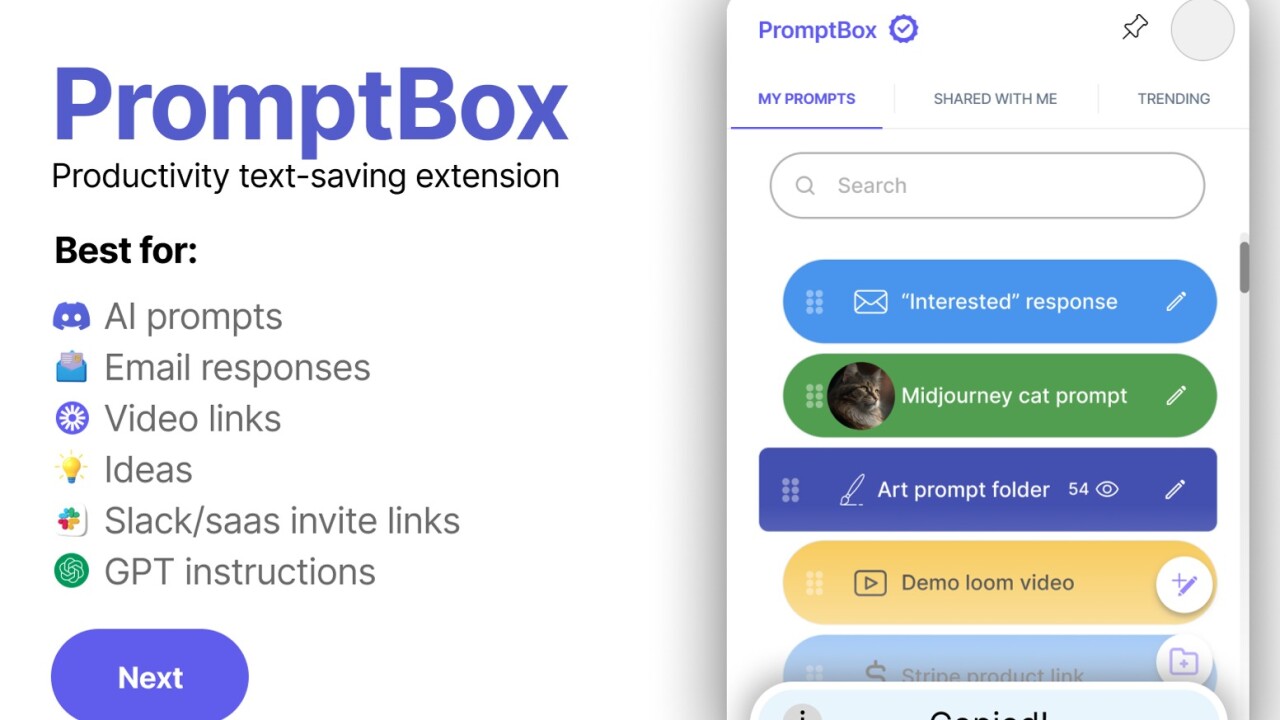
PromptBox is a cross-platform text management tool that lets you store, organize, and instantly paste frequently used text. Think of it like your own personal content library—accessible with a click or a keyboard shortcut. Whether it’s an email intro, a response to a common client question, or a specific Midjourney prompt, you can save it, categorize it, and call it up in seconds.
The real power of PromptBox lies in its ability to handle variables and shortcuts. You can create a template like:
"Hey [Name], thanks for reaching out! Here's the link to schedule a call: [CalendarLink]"
Sponsored
When you're ready to use it, just plug in the values and send. It’s intuitive and designed with real-world use in mind.
Who Should Use PromptBox?
Ideal for Copywriters, Support Teams, and Marketers
PromptBox is tailor-made for:
-
Copywriters who use specific messaging frameworks across projects
Sponsored
-
Customer support teams that send similar responses multiple times a day
-
Marketers managing dozens of links, prompts, and social comments
-
Prompt engineers and AI users needing to reuse structured GPT-4 prompts
-
Content creators who frequently share resources like YouTube links or Loom videos
Sponsored
If you’re tired of flipping between Notion, Google Docs, or email drafts just to find the same line of text you’ve already written 20 times—PromptBox is for you.
Key Features That Make PromptBox Stand Out
1. Variables for Dynamic Content
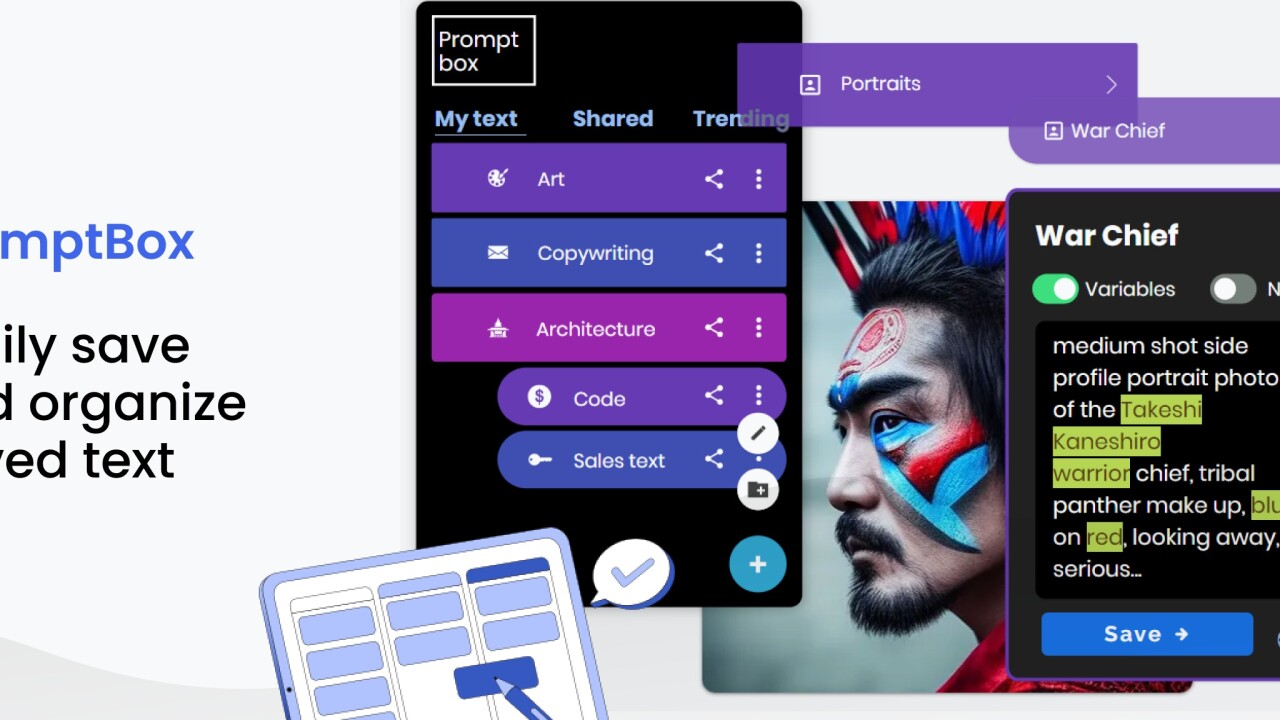
PromptBox supports variables, which is a game-changer. You can insert placeholders like [Name], [Link], or [Topic] into your saved text so that when you're pasting it, you only have to fill in the blanks. This works beautifully for personalized email templates, prompts, or outreach messages.
2. Slash Shortcuts
Instead of manually copying and pasting from a list, just type something like /followup1 in any text field, and PromptBox pastes your pre-saved message automatically. It feels fast, native, and completely frictionless.
3. Cross-Device Sync
Since PromptBox works on Chrome, iOS, and Android, your text templates are always with you—whether you’re responding to clients from your laptop or sending DMs from your phone.
4. Visual Organization
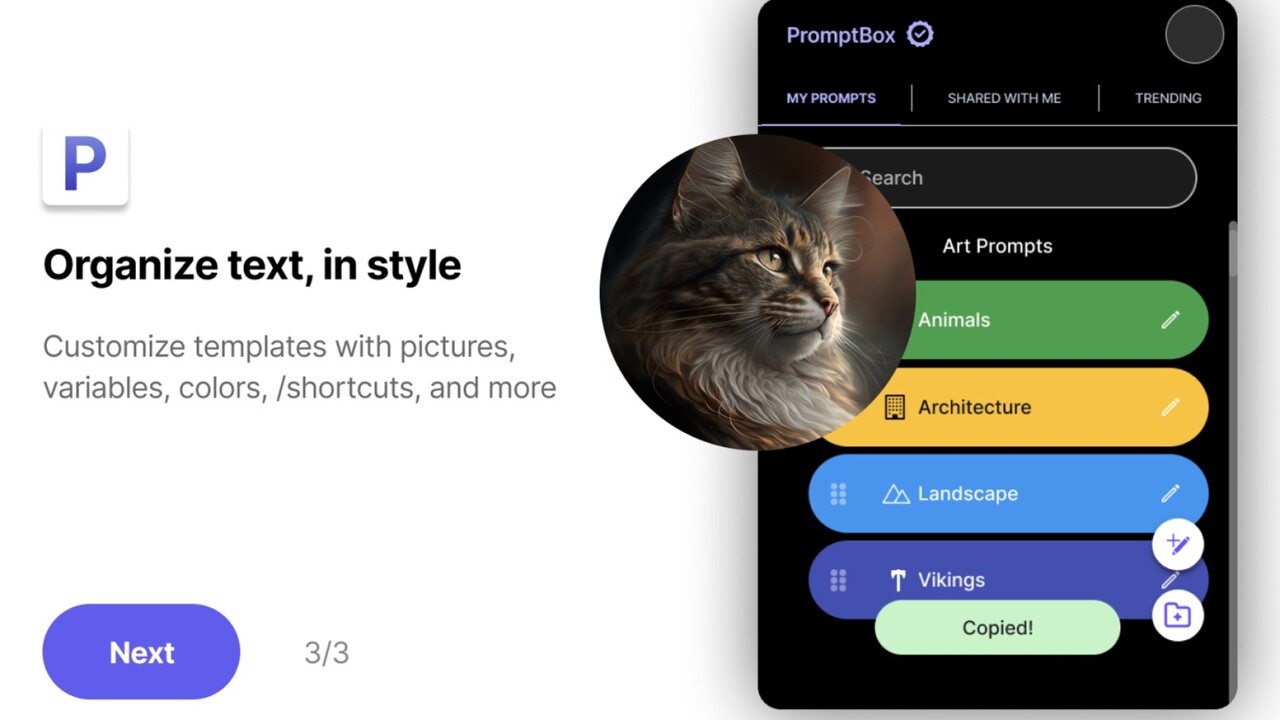
You can color-code, add images, and organize your snippets however you like. This makes a huge difference when you’ve got dozens (or hundreds) of saved pieces of text. It’s easy to scan and find exactly what you need.
5. Use Cases Beyond the Obvious
PromptBox isn’t just for emails and replies. I’ve personally used it for:
-
Saving Midjourney prompts with adjustable parameters
Sponsored
-
Copy/pasting large ChatGPT system prompts with ease
-
Organizing all my social media comments and CTAs
-
Quickly sharing Loom videos and booking links without digging around
PromptBox vs. Other Text Tools
Why It Beats TextExpander, Trello, and 1Password
While tools like TextExpander and 1Password offer similar capabilities, they fall short in user experience and visual organization.
-
TextExpander is powerful, but its interface feels outdated and isn't as intuitive for non-technical users.
-
Trello can be used to store snippets, but accessing and pasting them takes several steps.
-
1Password is great for storing sensitive text, but it’s not ideal for daily-use templates or fast pasting.
PromptBox brings everything together in a tool that’s lightweight, fast, and designed for actual daily use.
How I Use PromptBox in My Daily Workflow
A Real-World Breakdown
Here’s a quick look at how PromptBox has improved my workflow:
-
I manage a list of 30+ GPT-4 system prompts—saved in PromptBox with variables for quick tweaks.
-
I’ve saved all my go-to outreach emails and common replies so I can follow up with leads in seconds.
-
I use slash commands to paste my booking link, saving me from navigating through my calendar app.
-
I even store emoji-filled social comments to use when engaging with my community.
The combination of organization, speed, and personalization has seriously cut down on my repetitive typing. It’s not just convenient—it’s a productivity multiplier.
Final Thoughts: Is PromptBox Worth It?
The Verdict
PromptBox is one of those rare tools that delivers exactly what it promises: a faster, more beautiful way to manage repetitive text. Whether you’re a marketer, content creator, or customer support rep, you’ll find real value in having your most-used text always a shortcut away.
Its flexibility, visual organization, and slash command system make it a true standout in a crowded market. If you’re tired of typing the same thing over and over again, PromptBox could be the simplest way to upgrade your daily workflow.
Give it a try—you’ll save time, stay organized, and wonder how you ever worked without it.







