


NativeRest Review: The Truth Revealed
When it comes to testing and debugging REST APIs, most developers turn to cloud-based tools or complex applications that are often slow, resource-heavy, and require constant internet access. But what if I told you that there’s a faster, lightweight solution that allows you to test your API locally without the hassle of unnecessary bloat? Enter NativeRest—a native, high-performance REST API client that simplifies API testing and debugging, offering a streamlined experience for developers, QA engineers, and freelancers alike.
Unlike many popular alternatives, NativeRest doesn’t rely on cloud-based servers, meaning it works seamlessly offline. Whether you’re testing locally deployed applications or need to work in a completely offline environment, NativeRest has you covered. It’s fast, efficient, and extremely user-friendly, making it a standout option for anyone who needs an API client that gets straight to the point.

With multilingual support, light/dark themes, and the ability to import/export data from other tools like Postman and Insomnia, NativeRest is the all-in-one solution that lets you test, debug, and optimize your APIs in a way that’s both effective and efficient. Let’s dive deeper into what makes NativeRest such a great tool for API developers and testers.
What is NativeRest?
NativeRest is a native desktop application designed specifically for testing and debugging REST APIs. It’s available for Windows, macOS, and Linux, making it a versatile tool for developers and QA teams who need to work across different operating systems. Unlike other popular tools like Postman, NativeRest is lightweight and fast, running smoothly on minimal system resources.
One of the standout features of NativeRest is its ability to function offline. You don’t need an internet connection to get started, and you can use local workspaces to store collections, environments, and requests directly on your computer. If you prefer, you can also create cloud workspaces to collaborate with your team, giving you the flexibility to work in both solo and collaborative environments.
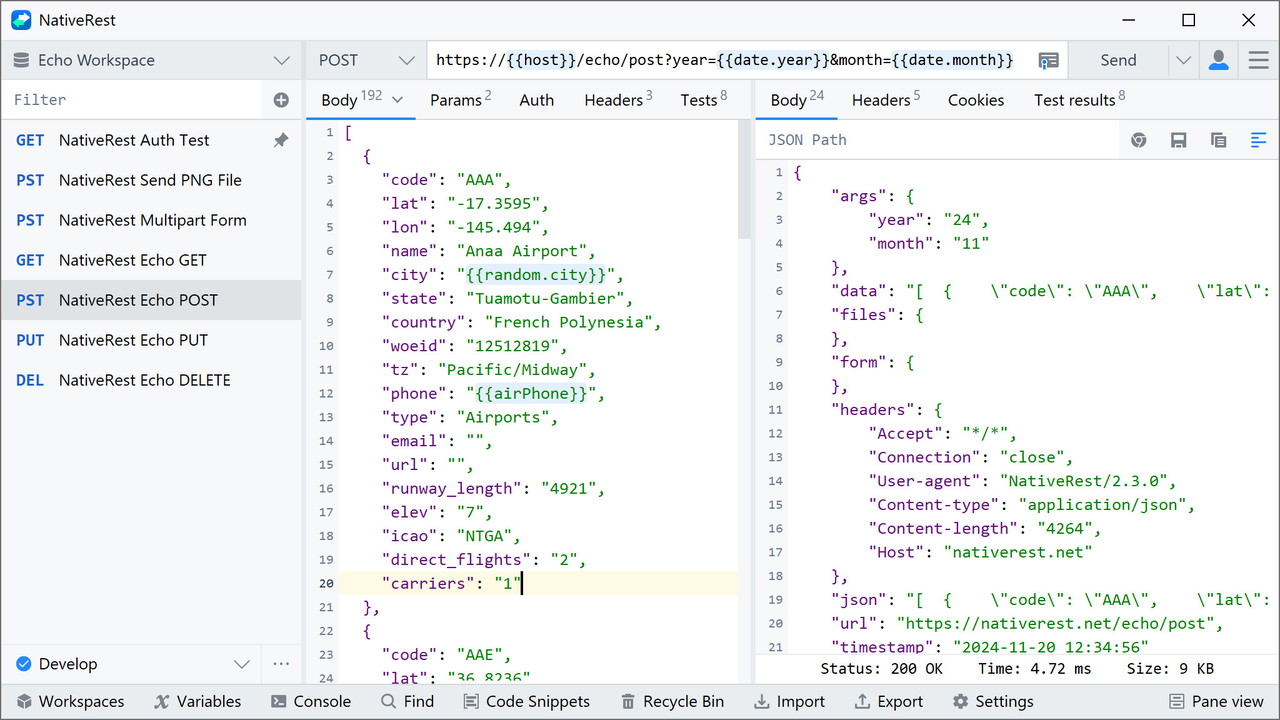
Key Features of NativeRest
1. Fast and Lightweight Performance
The first thing I noticed about NativeRest is its incredible performance. As a native desktop app, it doesn't rely on the Electron framework like other tools, which means it starts quickly, uses less memory, and doesn’t strain your system resources. Whether you're working on a large API or running multiple requests at once, NativeRest maintains smooth performance with minimal lag.
2. Offline Mode and Local Workspaces
Unlike cloud-based tools, NativeRest allows you to work offline without any limitations. You can create and manage local workspaces where all your data, such as collections, environments, and requests, are stored directly on your machine. This is particularly useful for privacy-conscious developers or those working on locally deployed applications. You can choose to work entirely locally or sync your work to the cloud for collaboration, offering the best of both worlds.
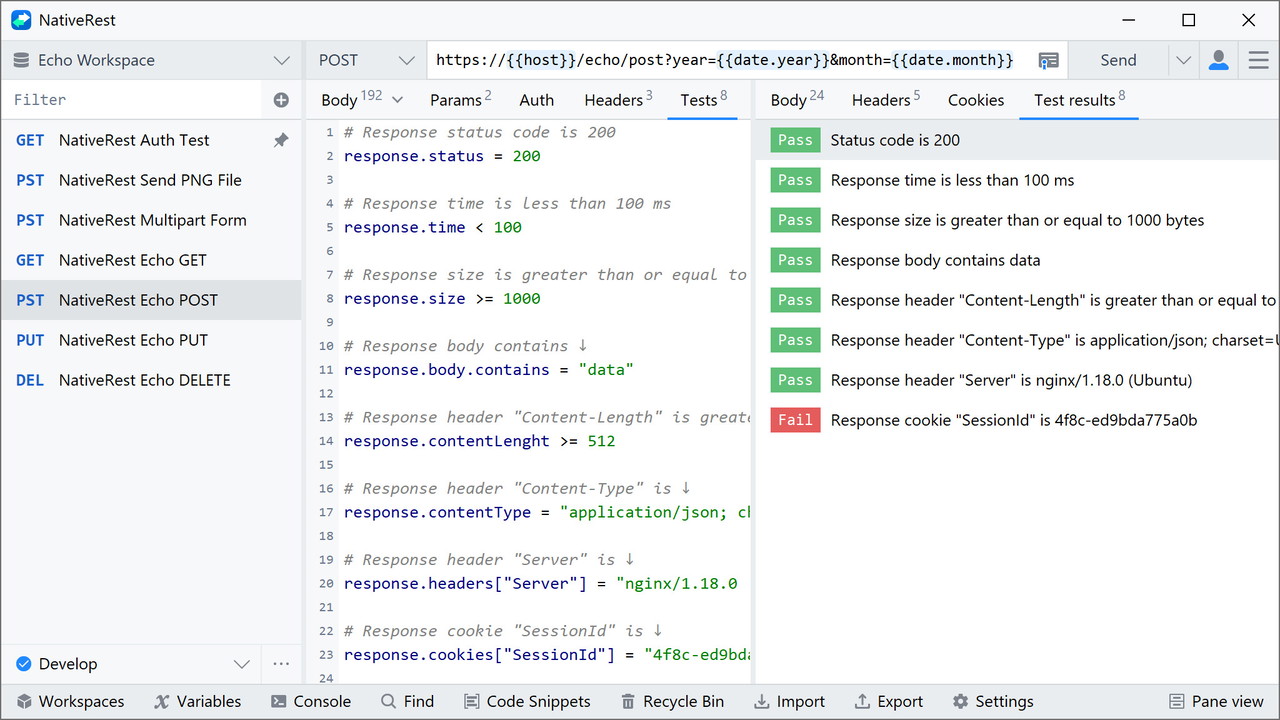
3. Advanced Request Testing with Single-Line Tests
NativeRest makes API testing simpler and more efficient with its single-line tests for requests. You can easily check the status, response time, headers, cookies, and body of a response without writing complex test scripts. This feature allows you to quickly assess the performance and functionality of your API, helping you catch issues early in the development process. The built-in Test Examples window provides commonly-used code snippets, making it even easier to write tests in a variety of languages.
4. Extensive Language and Framework Support
One of the most impressive aspects of NativeRest is its support for over 15 programming languages and frameworks. Whether you’re working with JavaScript, Python, PHP, Ruby, Java, or C#, NativeRest can generate code snippets for you to integrate into your project. You can easily convert your API requests into code, helping you save time and improve consistency across different parts of your application.
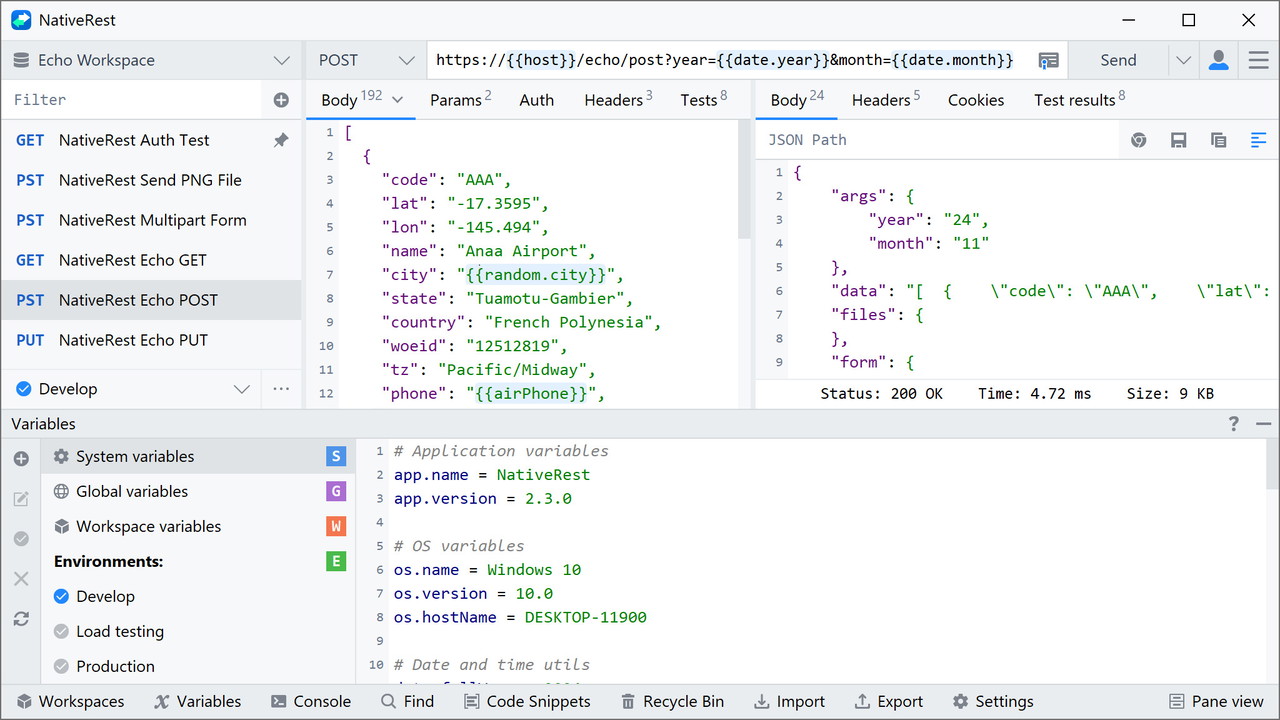
5. Powerful Variables and Environments Management
NativeRest offers advanced variable management capabilities, allowing you to assign variables to various scopes like system, global, workspace, and environment. You can use predefined libraries to generate sample data, including random names, addresses, and email addresses, and apply them to your requests. This is particularly useful when you need to test APIs with dynamic data.
You can also organize your variables into environments, which group related sets of values together. This feature helps manage access to shared data, making it especially valuable for team collaboration.
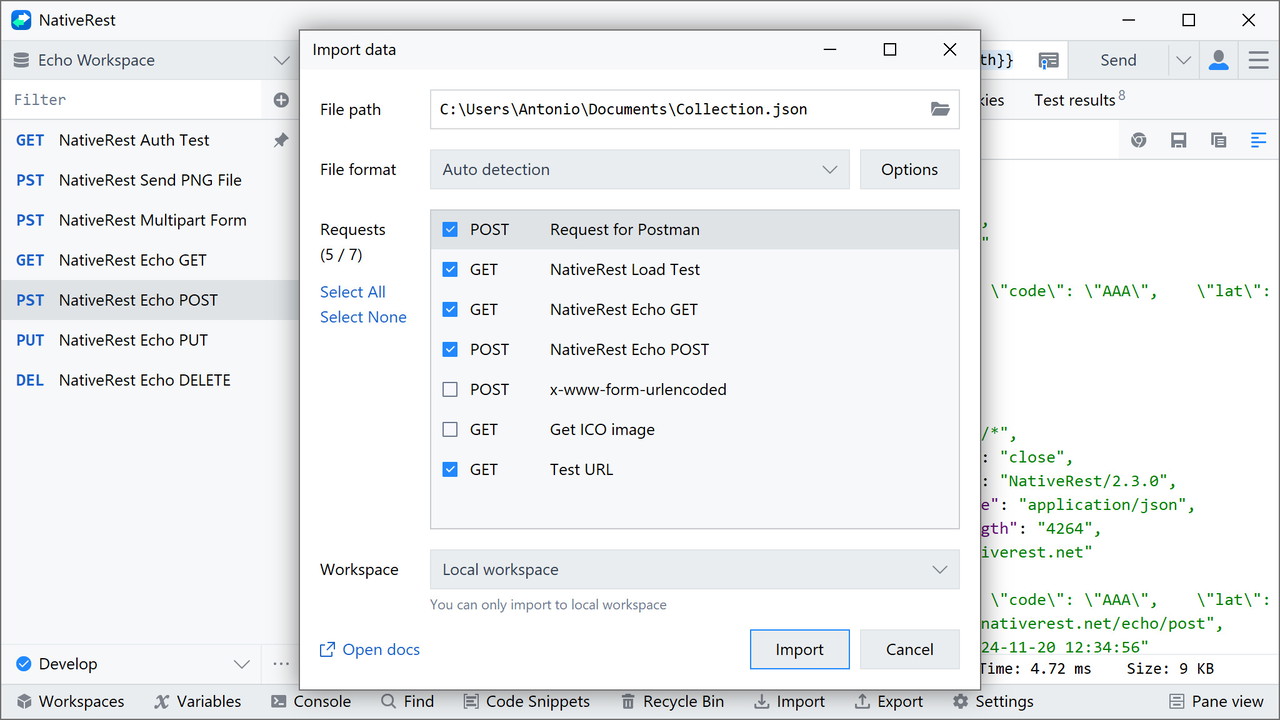
6. Data Import and Export
If you're migrating from another REST API client, NativeRest makes the process easy with its import/export functionality. You can import collections, environments, and requests from tools like Postman or Insomnia without losing any data. Additionally, NativeRest supports a variety of file formats, so you can seamlessly work with other clients and platforms.
7. Proxy Server Configuration
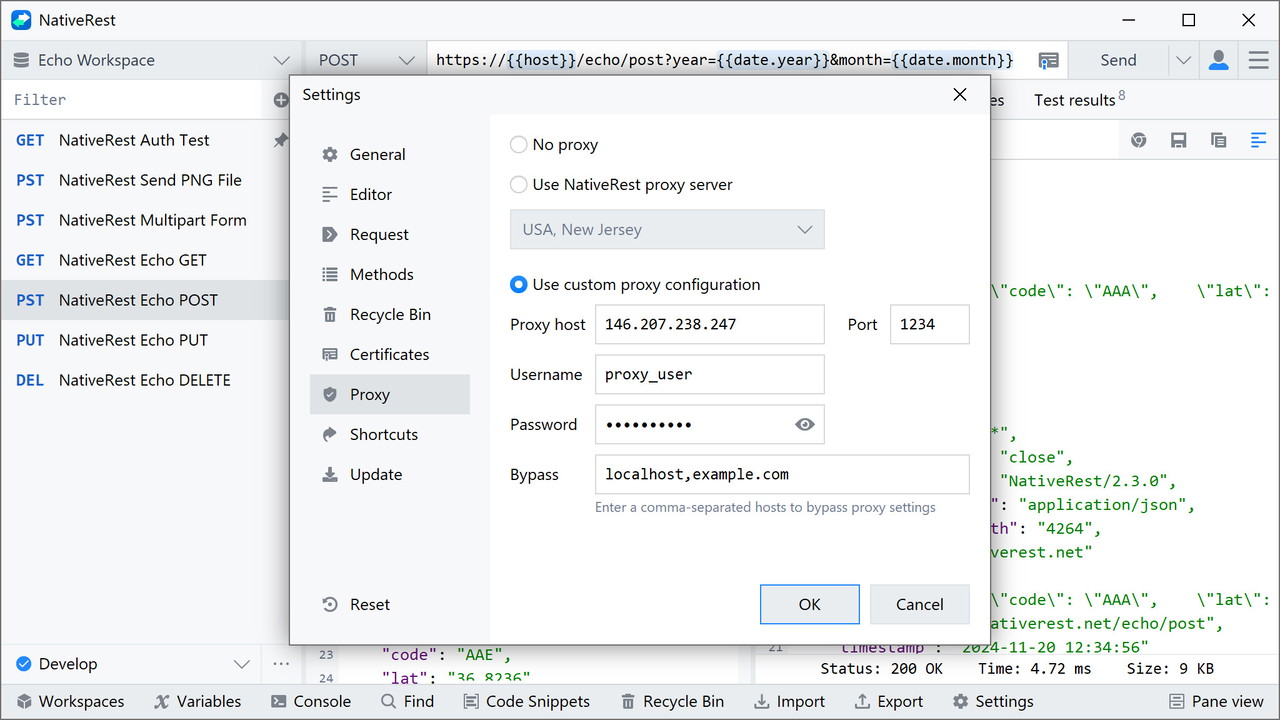
For more advanced users, NativeRest offers a proxy server feature that acts as an intermediary between your computer and the web server. This allows you to test your API requests while concealing your real IP address. NativeRest comes with a preconfigured proxy server, or you can configure your own custom proxy settings.
8. Multilingual Support and Theme Customization
NativeRest supports 10 languages, including English, Spanish, French, Russian, Japanese, and more. This makes it accessible to a global audience, and ensures that users from various regions can utilize it without any language barriers. Additionally, NativeRest offers light and dark themes, which can be customized to match your preferences, helping you work in the environment that suits you best.
9. Portable Version
For those who need a tool that can be used on the go, NativeRest offers a portable version of the app. This version is distributed as a single executable file and doesn’t require administrator privileges to run. It’s perfect for developers who need to carry their API testing tool on a USB drive or work across multiple devices without needing to install anything.
Who Can Benefit from NativeRest?
1. Developers and Freelancers
Whether you're a freelance developer working on personal projects or part of a development team, NativeRest is a powerful tool that can help you manage and test your API requests efficiently. With its offline mode, local workspaces, and extensive language support, it’s ideal for those who need a flexible, fast, and lightweight solution.
2. Quality Assurance (QA) Engineers
For QA engineers, NativeRest provides an easy way to automate the testing of REST APIs with single-line tests and predefined test code snippets. You can quickly verify the functionality of an API without the need for complex scripts, which speeds up the testing process and reduces the chance of errors.
3. Teams and Collaboration
NativeRest’s ability to sync workspaces to the cloud means it’s a great choice for teams. You can create personal and team cloud workspaces, enabling seamless collaboration and version control. This is ideal for development teams working on large projects who need to keep track of changes and updates to their API requests.
Conclusion: Why Choose NativeRest?
If you're looking for a fast, lightweight, and offline-capable API testing tool, NativeRest is a fantastic choice. It combines advanced testing capabilities, multi-language support, and easy-to-use features in one powerful desktop application. Whether you're a solo developer or part of a larger team, NativeRest is designed to help you create, debug, and test your REST APIs with efficiency and ease.







