


Microthemer Review: Unlock Full Design Control for Your WordPress Site
When building a WordPress site, it’s easy to feel limited by the rigid structure of many page builders and plugins. You may find yourself wishing for more control over your designs — especially when those small adjustments you want to make aren’t included in the pre-built options. Microthemer solves this problem by offering an intuitive and powerful tool that gives you complete flexibility to style any WordPress content, whether you’re a seasoned developer, a freelancer, or a novice trying to make your website stand out. In this Microthemer review, I’ll break down its features, ease of use, and how it can help you achieve a beautifully customized WordPress site without hassle.
If you're looking for a CSS editor plugin that provides deep functionality, a visual interface, and responsive design capabilities, Microthemer is the solution you’ve been searching for. It simplifies CSS styling for beginners while giving advanced users full access to HTML and SCSS coding. Let’s dive into the specifics and see why Microthemer is a game-changer for WordPress site design.

What is Microthemer?
Microthemer is a WordPress plugin designed for users of all skill levels who want greater control over their site's styling. With over 150 styling options, it lets you visually design and customize your site without writing complex code. Whether you want to adjust fonts, layout, spacing, or even apply animations and CSS grid techniques, Microthemer provides an intuitive point-and-click interface that simplifies the process. It’s perfect for those who want to go beyond what page builders like Elementor or Divi offer by providing more detailed design options and full control over responsive layouts.
Key Features of Microthemer
1. User-Friendly Visual Interface
One of the standout features of Microthemer is its visual editor, which makes styling your WordPress site easier than ever. Unlike other page builders, which restrict your design options, Microthemer lets you select any element on your page and apply CSS styling instantly. Whether you’re editing typography, adjusting margins, or applying CSS animations, all these customizations can be done directly on the page.
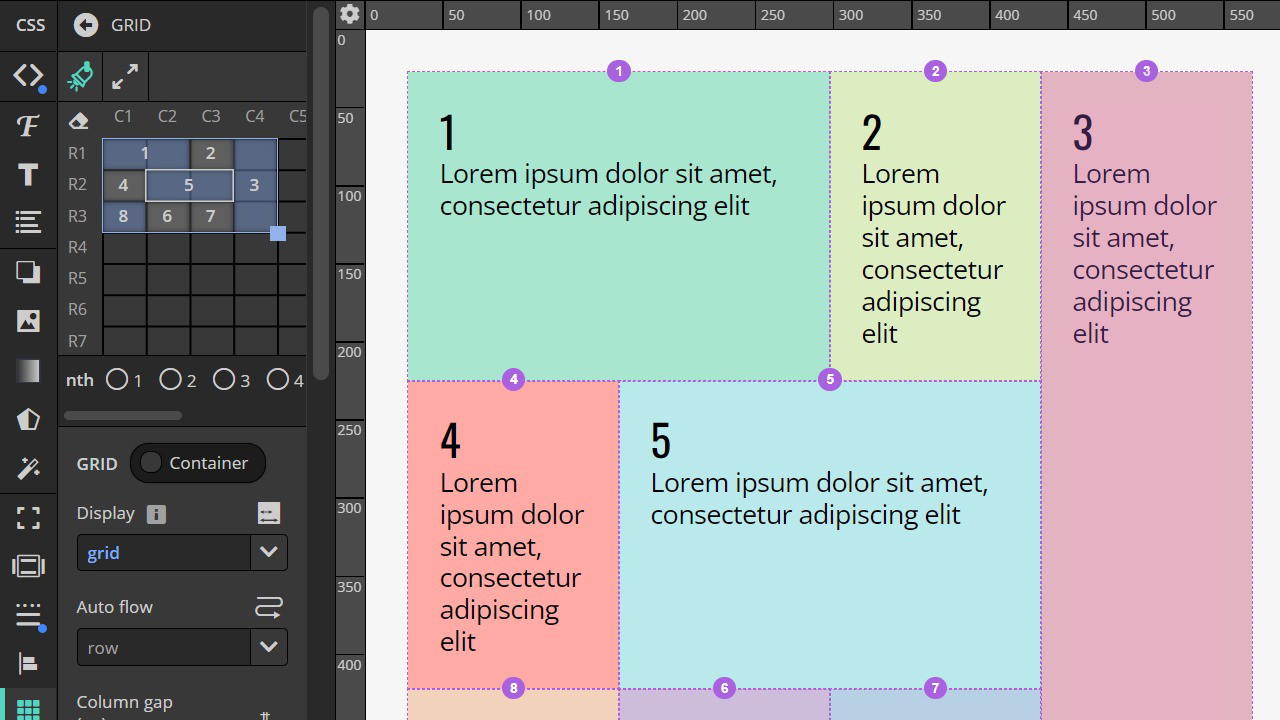
The drag-and-drop functionality for creating grid layouts makes it incredibly easy to build complex designs, even if you’re not a coding expert. You can create rows, columns, and grid items effortlessly and see the changes in real-time.
2. CSS Grid and Flexbox Support
Microthemer offers full support for CSS grid and flexbox, two essential tools for modern web design. CSS grid allows you to create complex grid layouts with minimal effort, and flexbox helps you control the alignment of elements inside those grids. Together, these features provide a lot of flexibility in arranging your content, making it possible to create pixel-perfect layouts that adapt seamlessly to various screen sizes.
3. Deep and Shallow Integration with Page Builders
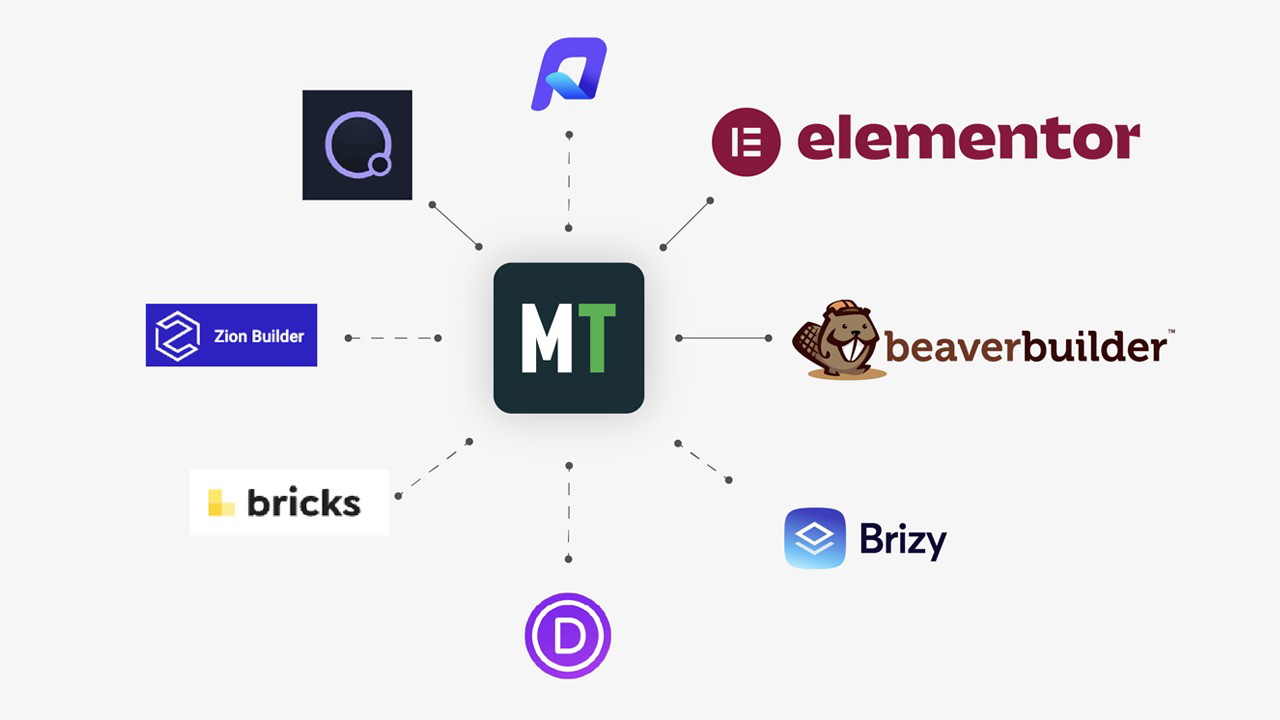
Another reason Microthemer stands out is its integration with popular page builders like Elementor, Beaver Builder, Oxygen, and Divi. There are two types of integrations available:
-
Deep integration: You can load your page builder inside Microthemer and use both at the same time, all within a single browser tab. This seamless workflow is currently supported by Elementor, Beaver Builder, and Oxygen.
-
Shallow integration: For other builders like Divi, Bricks, Brizy, Zion, and WP Page Builder, you can work in separate tabs, but the tabs sync automatically. This makes it easy to style your content without manually refreshing the page to reflect updates.
Sponsored
4. Responsive Design Tools
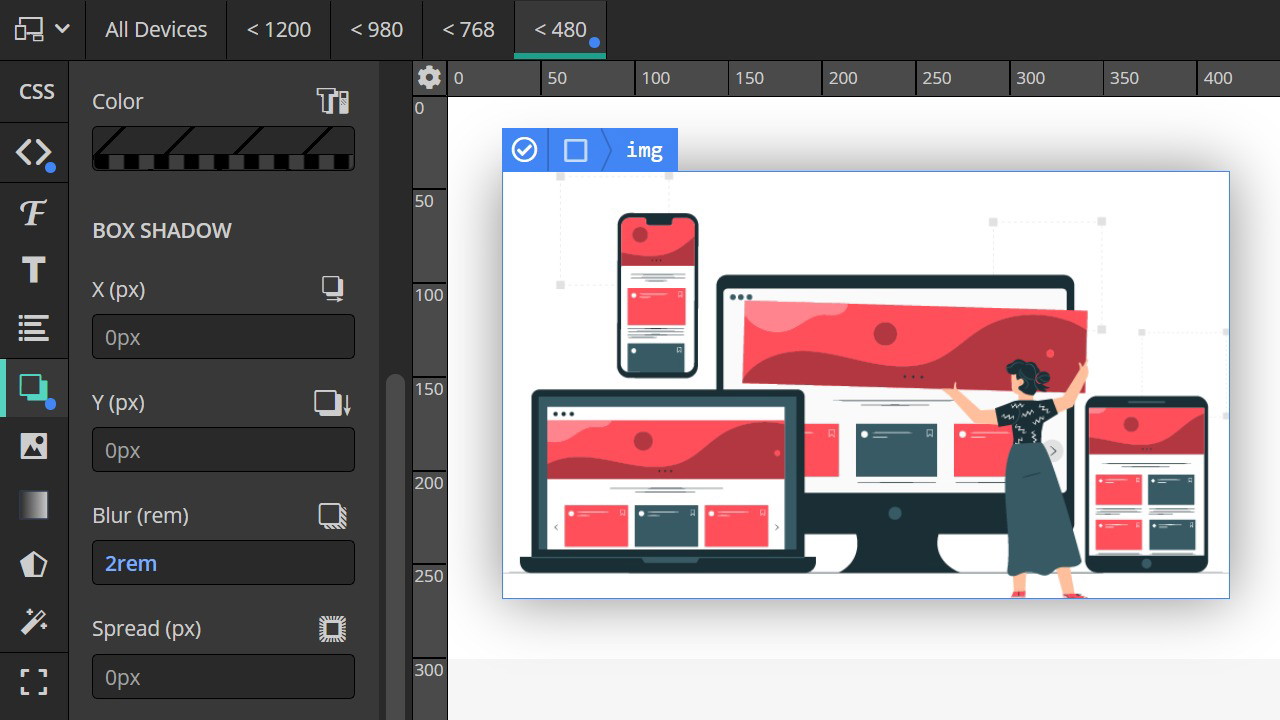
A major challenge for web designers is ensuring that your site looks good across all devices, from desktop to mobile. Microthemer provides powerful responsive design tools, allowing you to customize your design for different screen sizes. The responsive tabs feature lets you adjust styles for specific breakpoints, ensuring your site looks great no matter the device.
You can easily preview how your site looks on mobile, tablet, and desktop views, and fine-tune elements like text size, padding, and margins to achieve a pixel-perfect layout. Microthemer eliminates the need for trial and error when adjusting your design for responsiveness.
5. Empowering Beginners and Pros Alike
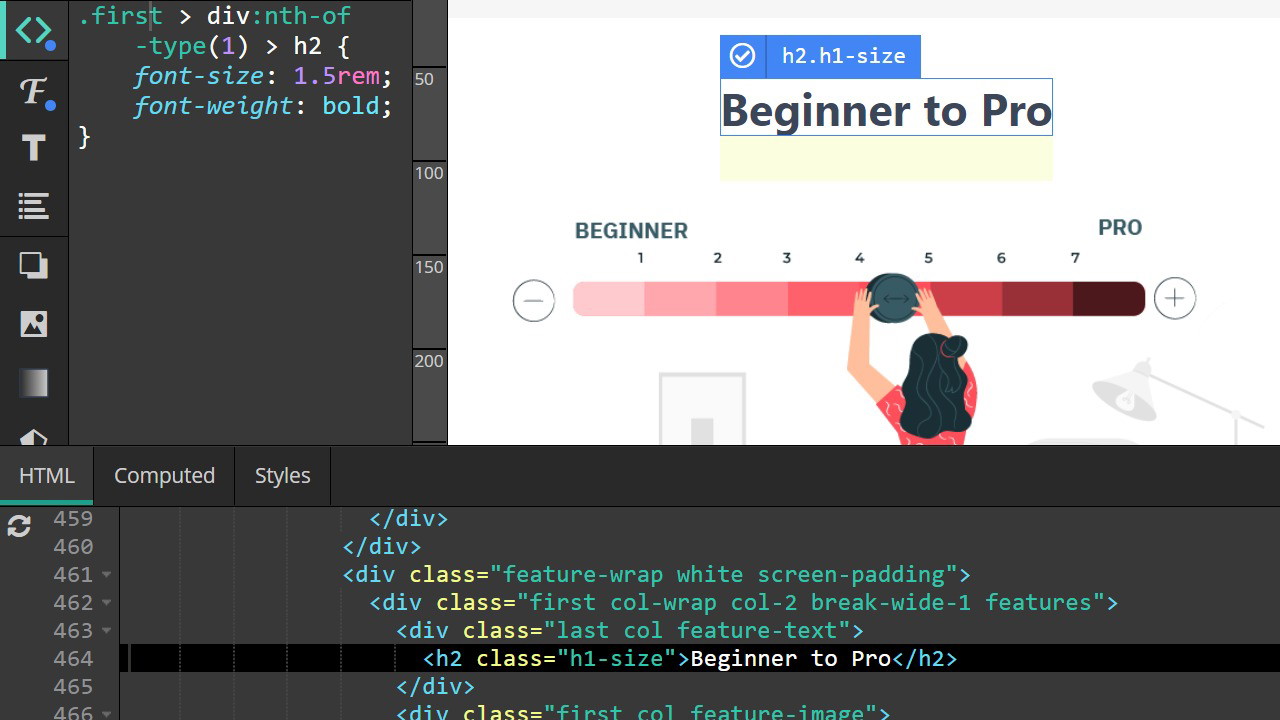
Microthemer is incredibly versatile, catering to both beginners and experienced developers. Beginners will appreciate the visual editor that allows them to make changes without touching a single line of code, while advanced users can dive into the code editor for a more hands-on approach.
For those who want to learn more about web development, Microthemer provides an excellent opportunity to understand how CSS works in conjunction with HTML. You can see exactly what’s happening behind the scenes and gain confidence in your ability to style elements.
For advanced developers, the ability to compile Sass code (SCSS) directly into CSS is a significant time-saver. This feature allows you to streamline your workflow and make your coding process more efficient.
Why Choose Microthemer?
1. Full Design Control
With Microthemer, you have complete control over the styling of your site. No more relying on page builder templates or preset design options. Whether you need to adjust margins, change fonts, or implement advanced CSS effects like transitions or filters, Microthemer gives you the tools to make your vision come to life.
2. Perfect for Developers and Freelancers
Microthemer is an invaluable tool for developers and freelancers who need to quickly and efficiently style client websites. It allows you to fine-tune every aspect of the design without requiring the client to rely on a developer for every small change. Microthemer’s seamless integration with page builders ensures that you can work efficiently, even if your clients are using different tools.
3. Lifetime Access
If you're ready to take your website's design to the next level, Microthemer offers lifetime access to the plugin, ensuring you can continue using it for all your future projects without worrying about recurring fees.
Conclusion
In conclusion, Microthemer is an incredibly powerful tool for WordPress users who want complete design freedom. Whether you’re a beginner looking to experiment with CSS or an experienced developer looking to streamline your workflow, Microthemer offers everything you need to create stunning, responsive websites. From its visual interface and CSS grid support to its deep integration with popular page builders, this plugin is a must-have for anyone serious about WordPress design.
If you’re tired of the restrictions imposed by traditional page builders and want to take control of your site’s design, I highly recommend giving Microthemer a try. Get lifetime access today and start designing like a pro!







