


Internal Linking Related Contents Review: The Verdict—Is It Worth It?
When it comes to SEO, we often hear about backlinks, keywords, and meta tags. But if you're looking to seriously boost your on-page SEO performance, internal linking is the unsung hero. As someone who has built and optimized numerous WordPress sites, I’ve seen firsthand how Internal Linking of Related Contents can increase page views, reduce bounce rate, and dramatically improve user engagement.
The Internal Linking of Related Contents plugin is a game-changing tool for WordPress users. It automatically inserts related articles within the content of your posts—not just at the bottom like most plugins—based on categories, tags, custom keywords, or even post titles. This smart, contextual placement of links feels organic and enhances the reader experience.

With WooCommerce integration, support for custom post types, and AMP compatibility, this plugin isn’t just another related posts widget—it’s an SEO optimization powerhouse. Whether you’re a blogger, content creator, or WordPress developer, this plugin makes it easy to create an internal linking structure that search engines love.
If you’ve been struggling to keep visitors on your site longer, or want to improve your internal SEO without manual effort, here’s everything you need to know about Internal Linking of Related Contents.
What is Internal Linking of Related Contents?
Smart Automation for Better SEO
Internal Linking of Related Contents is a WordPress plugin that automates the process of inserting related content links directly into the body of your blog posts. Unlike many other tools that add links at the end of a post, this plugin places links exactly where readers are most likely to click—within the flow of your article.
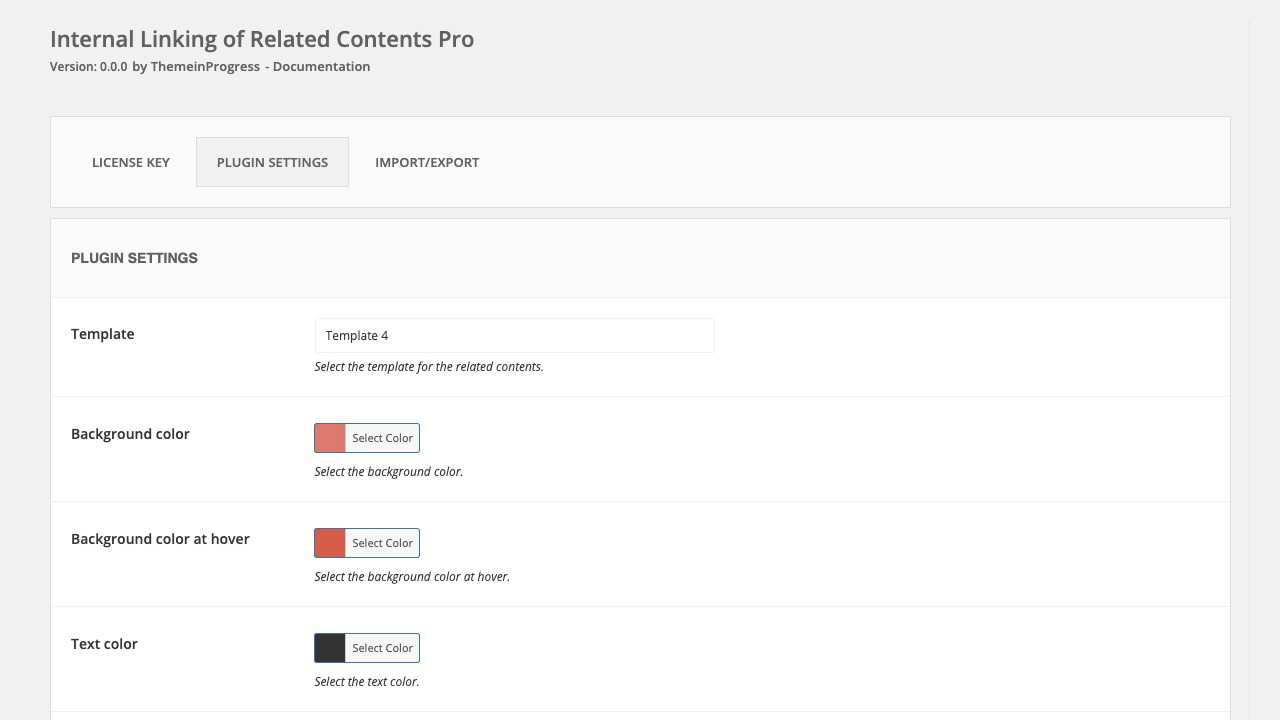
It determines relevance using a variety of factors:
-
Post categories
-
Tags
-
Post titles
-
Custom keywords
Sponsored
This flexibility ensures that the related links it suggests actually make sense contextually and are more likely to encourage a deeper dive into your content.
Why Internal Linking Matters
Effective internal linking is about more than just navigation—it improves crawlability, spreads link equity, and helps search engines better understand the structure of your site. It also boosts dwell time, encourages more clicks, and reduces bounce rates—all of which contribute positively to your site’s search rankings.
Key Features of Internal Linking of Related Contents
In-Content Placement
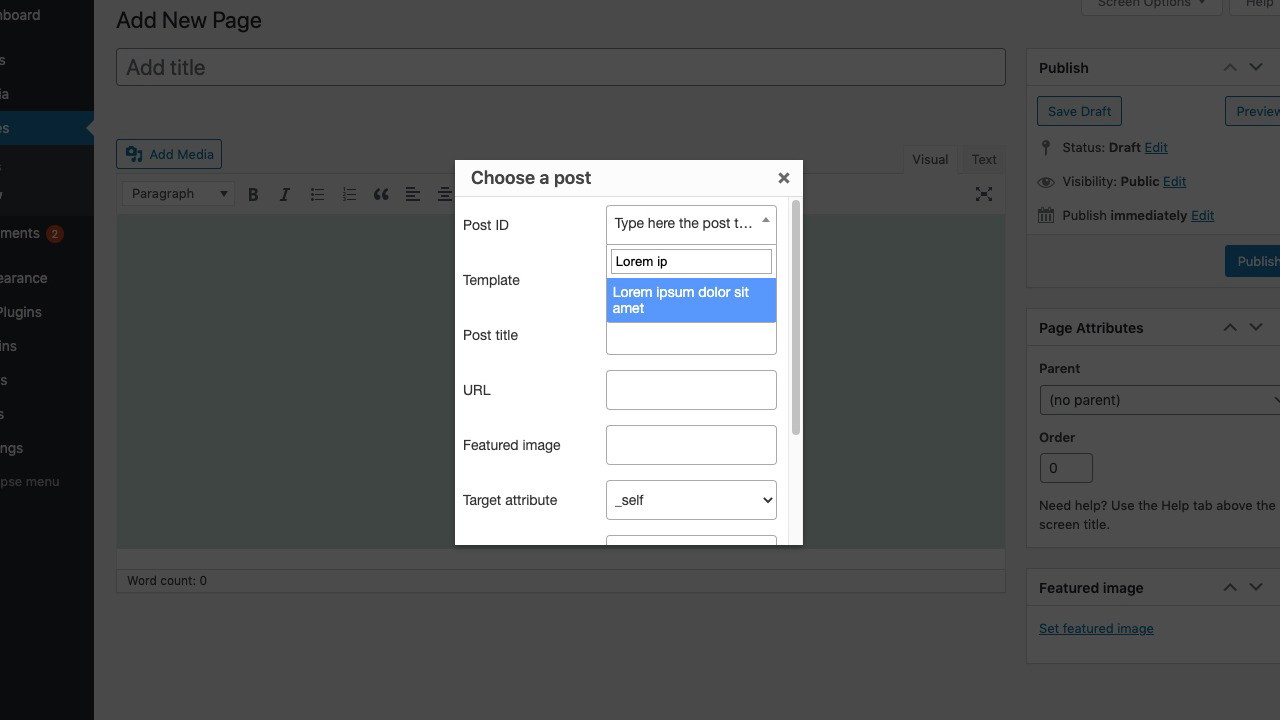
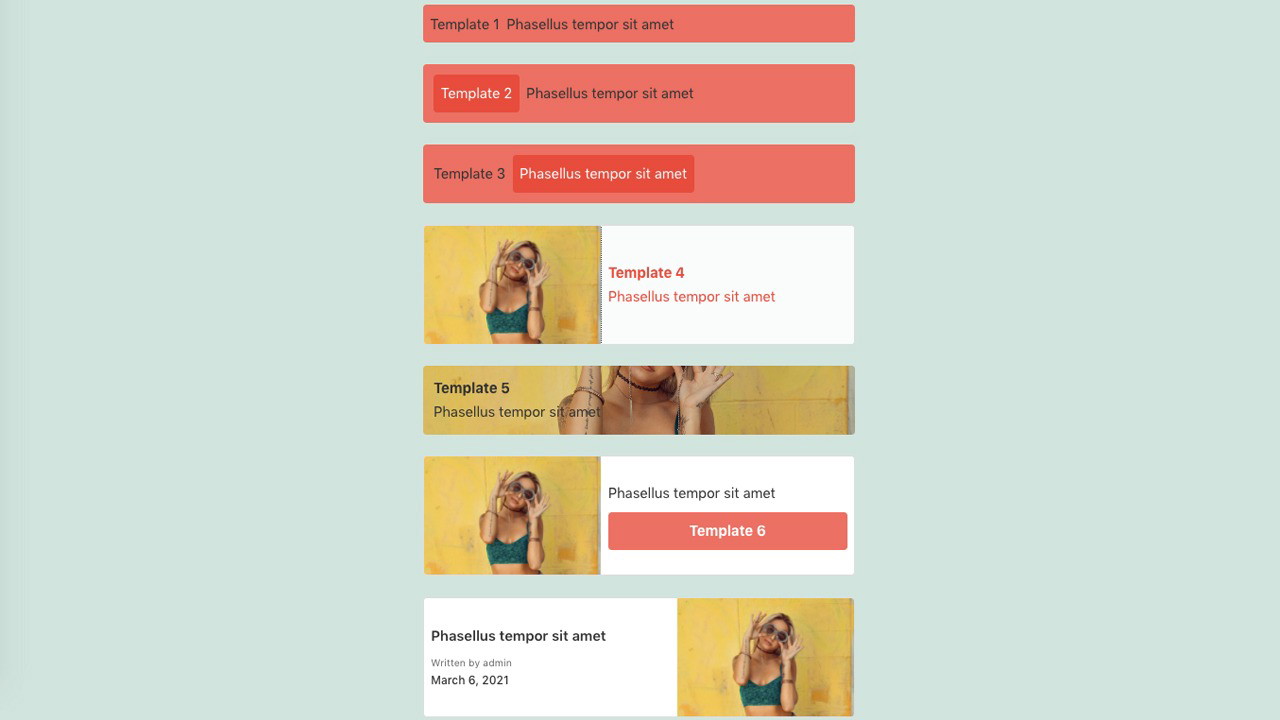
One of the standout features of this plugin is that it inserts links within the content itself, not just as a widget or footer list. This makes the links feel more natural and increases the likelihood that readers will engage with them.
Keyword and Tag-Based Linking
You can customize the way related content is matched—by post tags, categories, both, or even based on custom keywords. This flexibility ensures that every link placed has true contextual relevance.
Compatibility with AMP and Custom Post Types
If you’re using Google’s AMP plugin for WordPress, you’ll be happy to know this internal linking tool is fully compatible. It also works with custom post types, making it suitable for all kinds of content—from product pages to portfolio entries.
WooCommerce Integration
Running an online store? The plugin seamlessly integrates with WooCommerce, allowing you to link related blog posts, product guides, or other useful content directly within your product pages—enhancing both SEO and user experience.
Benefits of Using Internal Linking of Related Contents
Boost SEO Performance
By strategically placing relevant internal links within your articles, you're helping search engines index your site more efficiently. The plugin ensures each link is contextually appropriate, which can significantly improve your on-page SEO.
Improve User Engagement
Visitors are more likely to explore your site when they’re offered interesting, relevant content as they read. The result? Lower bounce rates, longer sessions, and a more engaged audience.
Save Time with Automation
Manually linking to related content can be time-consuming—especially on a large site. This plugin does the heavy lifting for you, allowing you to focus on creating new content instead of constantly optimizing old posts.
Better Content Discovery
Because links are placed directly within the article, readers discover your older or related posts in a natural, non-intrusive way. It’s one of the best strategies for reviving evergreen content and increasing its visibility.
Who Is This Plugin Best For?
This plugin is ideal for anyone producing content regularly:
-
Bloggers who want to improve SEO and increase page views
-
Content marketers looking to keep readers engaged
-
WooCommerce store owners who want to link to educational or upsell content
-
Website developers building feature-rich WordPress experiences
Sponsored
If you’ve got a blog, an online shop, or any kind of content-driven site, this plugin can add serious value.
How It Stacks Up Against Other Tools
Most related posts plugins only display content in sidebars or at the end of articles, where it’s often overlooked. Internal Linking of Related Contents is different—it understands that strategic in-content placement is key to getting more clicks.
Additionally, it offers a level of customization that other plugins don’t, including the ability to control which post types it affects, what keywords to prioritize, and where within the content the links should appear.
Final Thoughts: Is It Worth It?
If you’re trying to build a content-rich WordPress site that performs well on Google and keeps users engaged, Internal Linking of Related Contents is a must-have. From my experience, it saves hours of manual linking while delivering real results in terms of SEO performance, content visibility, and user retention.
It’s lightweight, customizable, compatible with modern WordPress tools like AMP and WooCommerce, and best of all—simple to set up. In my opinion, the return on investment is hard to beat.
If you're serious about your content strategy, I highly recommend giving this plugin a try. It may be the small change that makes a big difference in your site's performance.







