


Gumbamail Review: The Easiest Way to Run Email Marketing Campaigns from Gmail
If you're like me, juggling marketing tasks across multiple platforms can quickly become overwhelming. Between drafting emails, managing contacts, and tracking analytics, it’s easy to get lost in complexity—especially when using traditional email marketing tools. That’s where Gumbamail comes in. With this Chrome extension, you can send mass emails, create personalized campaigns, and track performance—all directly from Gmail.

What makes Gumbamail truly stand out is how it removes the typical headaches associated with email automation, template design, and mailing list management. Whether you're a small business owner, solopreneur, or marketing agency, Gumbamail helps you streamline your email workflow without leaving your inbox.
In this review, I’ll walk you through exactly how Gumbamail works, what makes it different from tools like Mailchimp and MailerLite, and why it might be the most underrated tool in your marketing toolbox. If you’ve ever dreamed of running efficient, professional-grade email campaigns from Gmail—without hitting a sending limit or struggling with design—then keep reading. Gumbamail just might be your new favorite email tool.
What Is Gumbamail?
A Gmail-Based Email Marketing Tool That Just Works
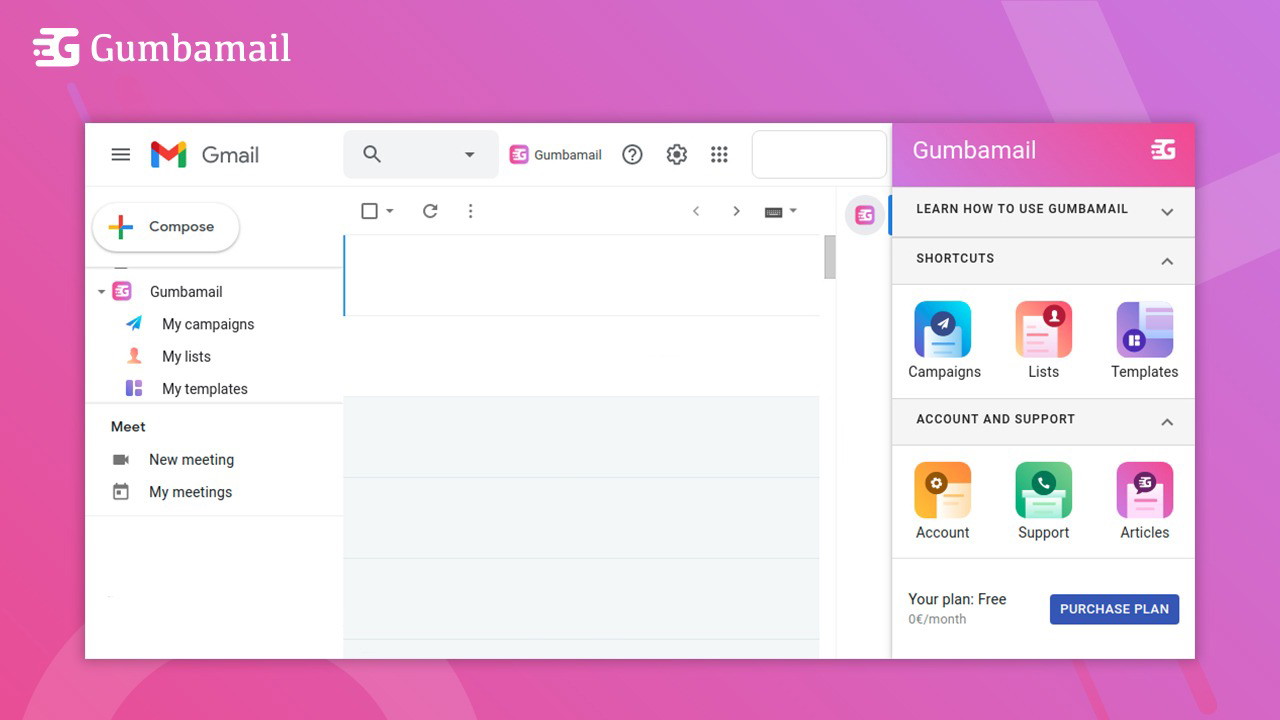
Gumbamail is a mail merge and campaign management tool built as a Chrome extension. It allows users to run fully-featured email marketing campaigns straight from Gmail. Unlike most platforms that cap your sending limits or require external dashboards, Gumbamail keeps everything simple and in one place—your inbox.
Its standout value? You can send unlimited emails without worrying about Gmail’s standard 500-recipient cap, thanks to Gumbamail’s own email distribution infrastructure.
Key Benefits of Using Gumbamail
Effortless Email Marketing Without Leaving Gmail
I’ve used several email marketing tools over the years, and one thing I always struggled with was the learning curve and platform switching. With Gumbamail, that friction is gone. Here’s what I love most:
-
No switching tabs or tools—everything happens inside Gmail
-
You can schedule campaigns for any time
-
You can send mass emails with personalization
Sponsored
-
There are no Gmail sending limits because emails are processed through Gumbamail’s servers
This allows for a fast, no-fuss way to stay in touch with clients, customers, or subscribers.
Standout Features That Make Gumbamail Unique
250+ Professional Email Templates
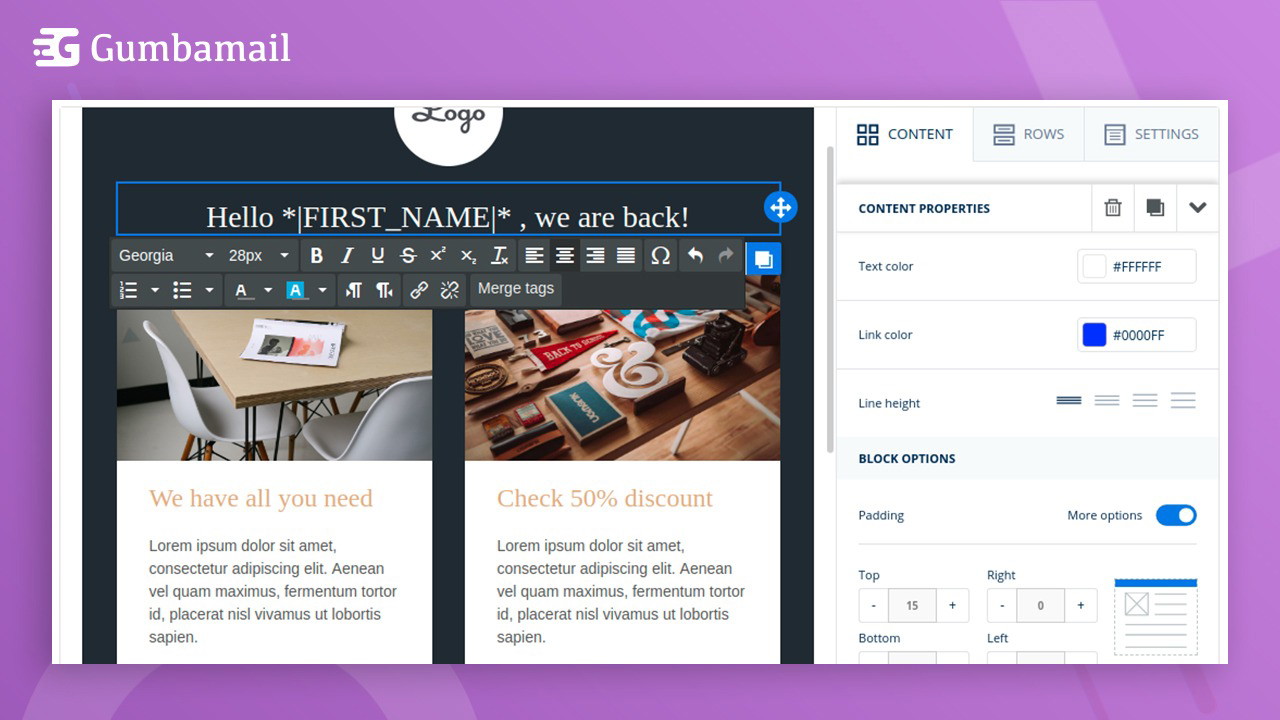
One of my favorite features is Gumbamail’s email template editor. You don’t need to know a single line of HTML to build gorgeous, responsive emails. With over 250 professionally designed templates, you can:
-
Choose layouts for newsletters, promotions, announcements, and more
-
Customize fonts, colors, images, and logos to match your brand
-
Ensure your emails look great on desktop and mobile
I’ve personally used these templates to send out holiday campaigns and product updates, and they’ve always looked polished and professional.
Easy Importing and List Management
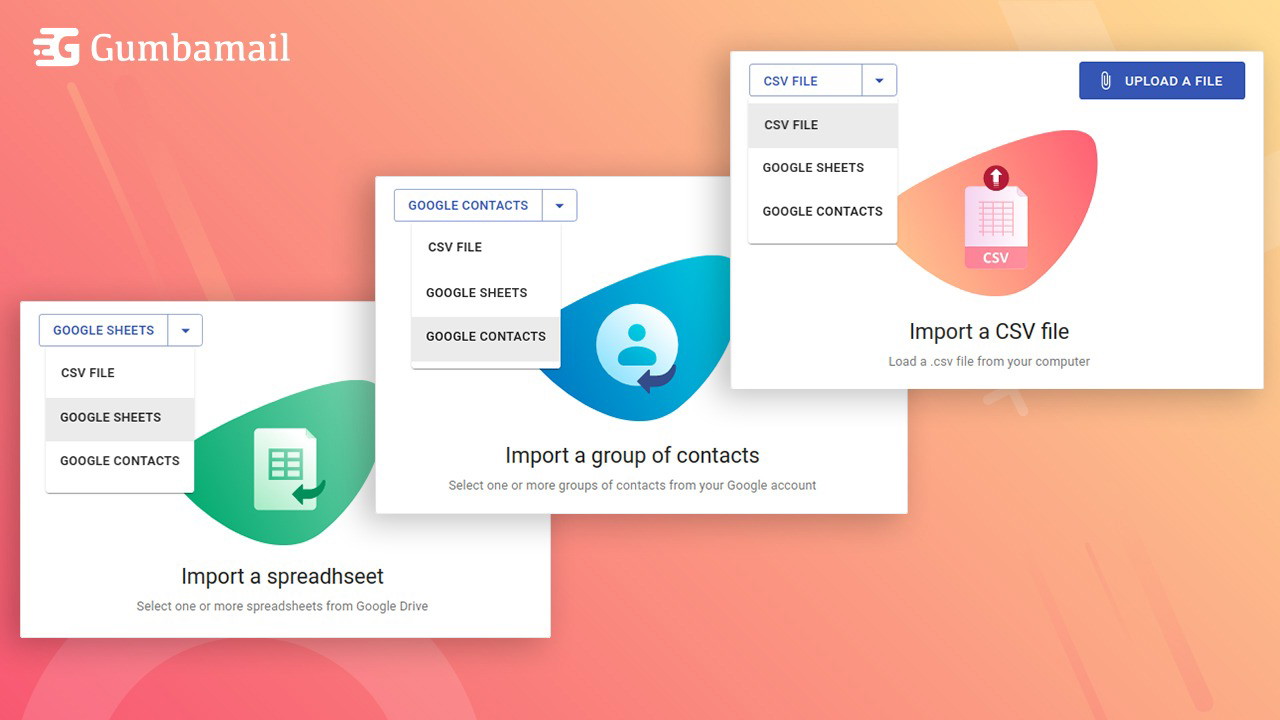
Building and maintaining a mailing list is often more painful than it should be. Gumbamail fixes that with simple importing options. You can upload contacts from:
-
A .csv file
-
Google Drive spreadsheets
-
Your Google Contacts list
Sponsored
Plus, managing subscriptions and unsubscriptions is intuitive, so you’re always in compliance and your lists stay clean.
Personalization and Mail Merge Functionality
Make Every Email Feel Tailored
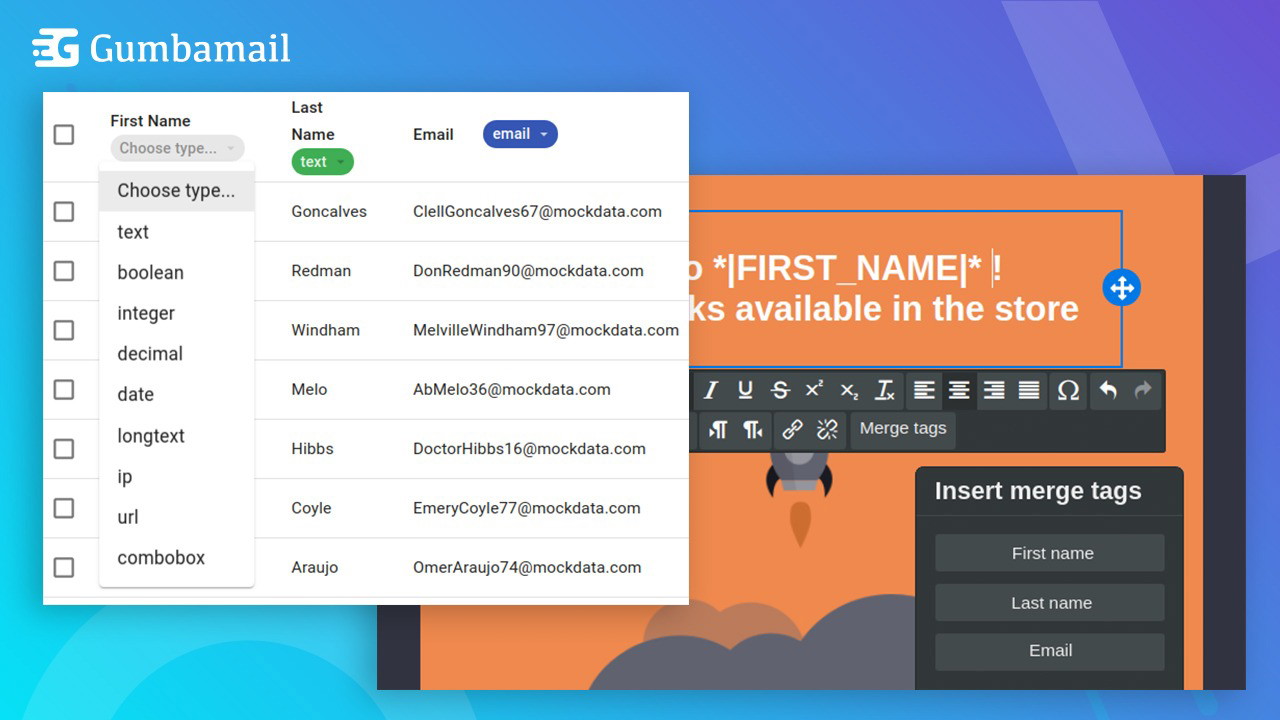
Using Gumbamail’s mail merge feature, I can include personalized elements like first names or job titles in my campaigns. This simple touch boosts engagement and response rates. The platform lets you store additional contact data, which means every email can feel one-on-one—even when you’re sending it to hundreds or thousands of people.
Whether you’re nurturing leads or staying connected with loyal customers, personalized emails help you stand out in busy inboxes.
Real-Time Campaign Analytics
Stay on Top of Your Metrics Without Guesswork
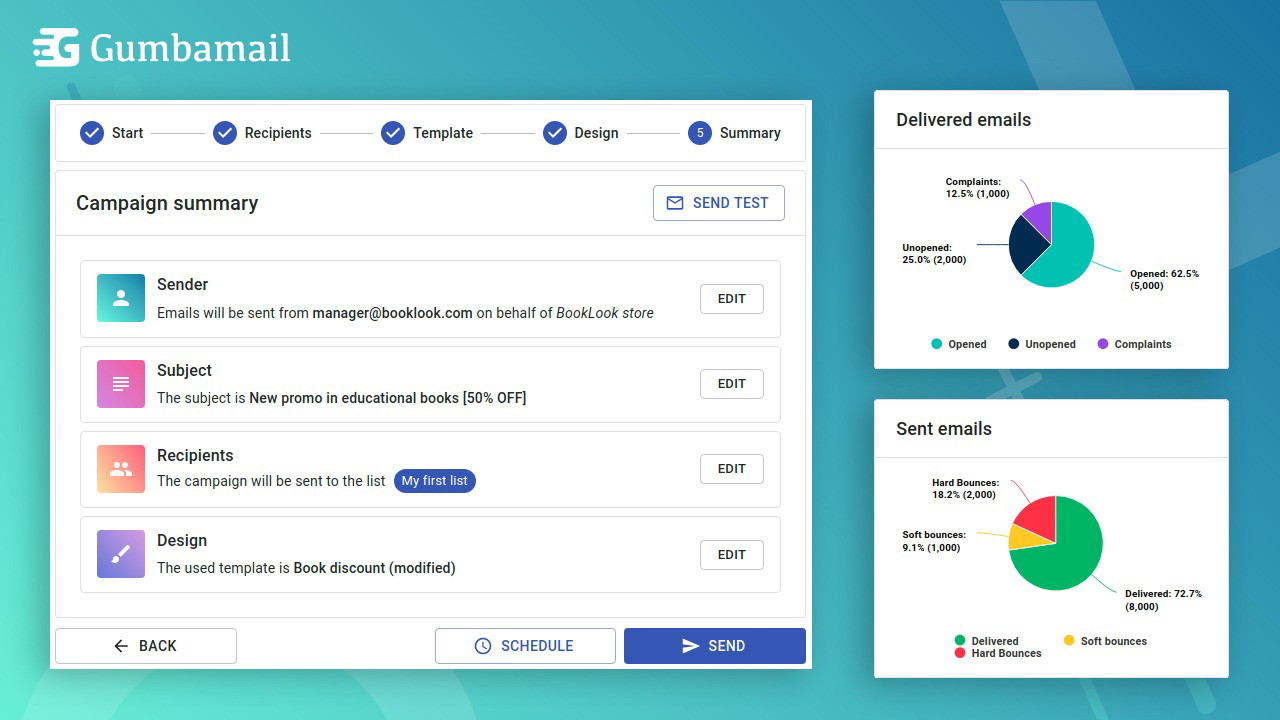
Another standout feature is Gumbamail’s real-time analytics dashboard. After sending a campaign, you get access to key performance data like:
-
Open rates
-
Click-through rates
-
Bounce status
-
Email delivery status
This data is presented clearly and complies with GDPR, so you stay informed while staying privacy-compliant. These insights allow me to tweak future campaigns for better results without any extra reporting tools.
Who Is Gumbamail Best For?
Perfect for Solopreneurs, Agencies, and Small Businesses
If you’re:
-
A solopreneur managing client communications
-
A small business that can’t afford complex email marketing platforms
-
A freelancer or consultant looking for speed and simplicity
-
A salesperson needing quick outreach solutions
Gumbamail is a strong fit. It delivers robust features without the heavy setup or learning curve of larger platforms like Mailchimp or ActiveCampaign.
What Makes Gumbamail Different from Other Tools?
Skip the Complexity and Costs
Here’s a quick comparison:
| Feature | Gumbamail | Mailchimp | MailerLite |
|---|---|---|---|
| Gmail Integration | ✅ Native | ❌ No | ❌ No |
| Sending Limits | ❌ None | ✅ Capped | ✅ Capped |
| Chrome Extension | ✅ Yes | ❌ No | ❌ No |
| Templates | ✅ 250+ | ✅ Limited | ✅ Limited |
| Pricing | ✅ Affordable | ❌ Expensive | ✅ Mid-range |
Gumbamail simplifies the process and cuts the cost while keeping all essential features intact.
Final Verdict: Should You Try Gumbamail?
If your goal is to run efficient email campaigns, personalize your outreach, and get real-time insights—without leaving Gmail—Gumbamail is a must-try.
It eliminates common frustrations like sending limits, expensive subscriptions, and complex interfaces. Plus, with professional templates and AI-friendly analytics, it feels like a full-fledged email marketing suite tucked inside your inbox.
Bottom line: If you want speed, simplicity, and scale, Gumbamail is well worth checking out. I’ve added it to my daily workflow, and I wouldn’t go back.







