


Google Maps Scraper Review: Is It Worth It?
Unlocking the Power of Google Maps Scraper
In today's digital landscape, lead generation is the lifeblood of any business. Whether you’re a marketer, sales manager, or run a marketing agency, having access to accurate business data can make or break your success. This is where Google Maps Places Scraper comes in—a tool designed to extract local business contacts from Google Maps and export them into structured files like CSV, XLSX, JSON, and Parquet. But is it really worth your time and investment? In this in-depth review, I'll break down its features, benefits, and potential drawbacks to help you decide.
With its ability to scrape business data, find companies with negative reviews, and monitor local business trends, this tool has gained traction among professionals looking for data-driven insights. It even integrates seamlessly with platforms like HubSpot and Zapier, making it a valuable asset for those who rely on automation. But how does it stack up in terms of usability, efficiency, and compliance? Let’s dive in.

What is Google Maps Places Scraper?
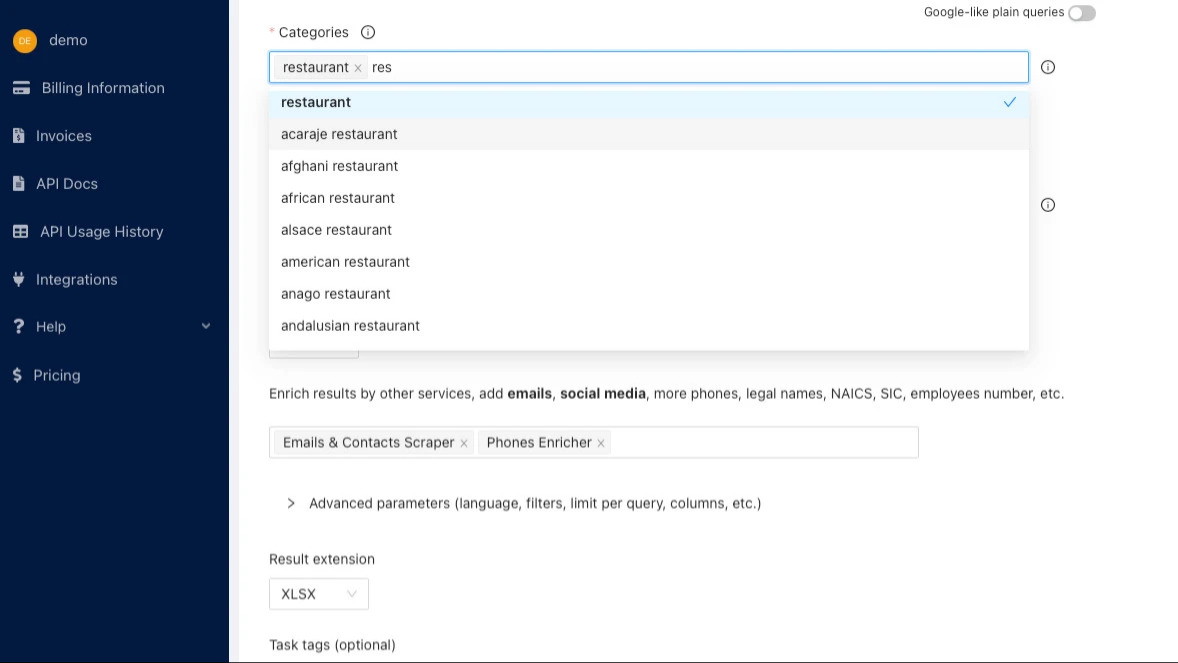
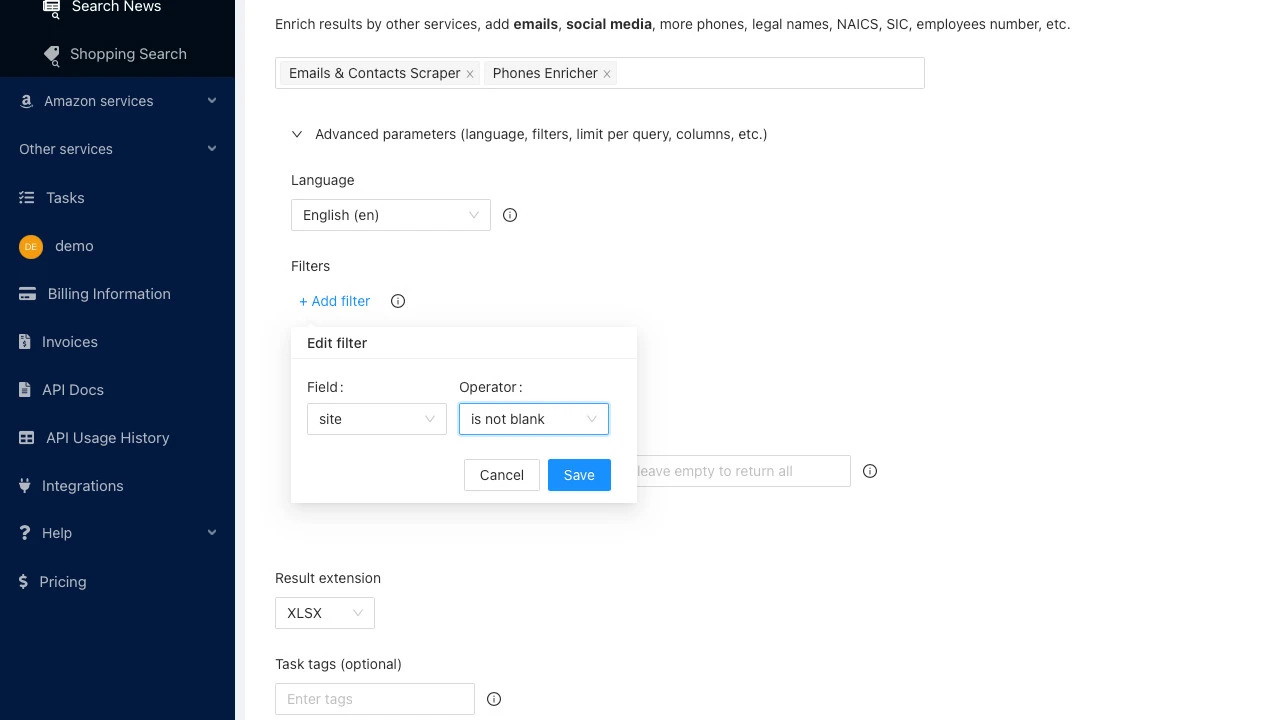
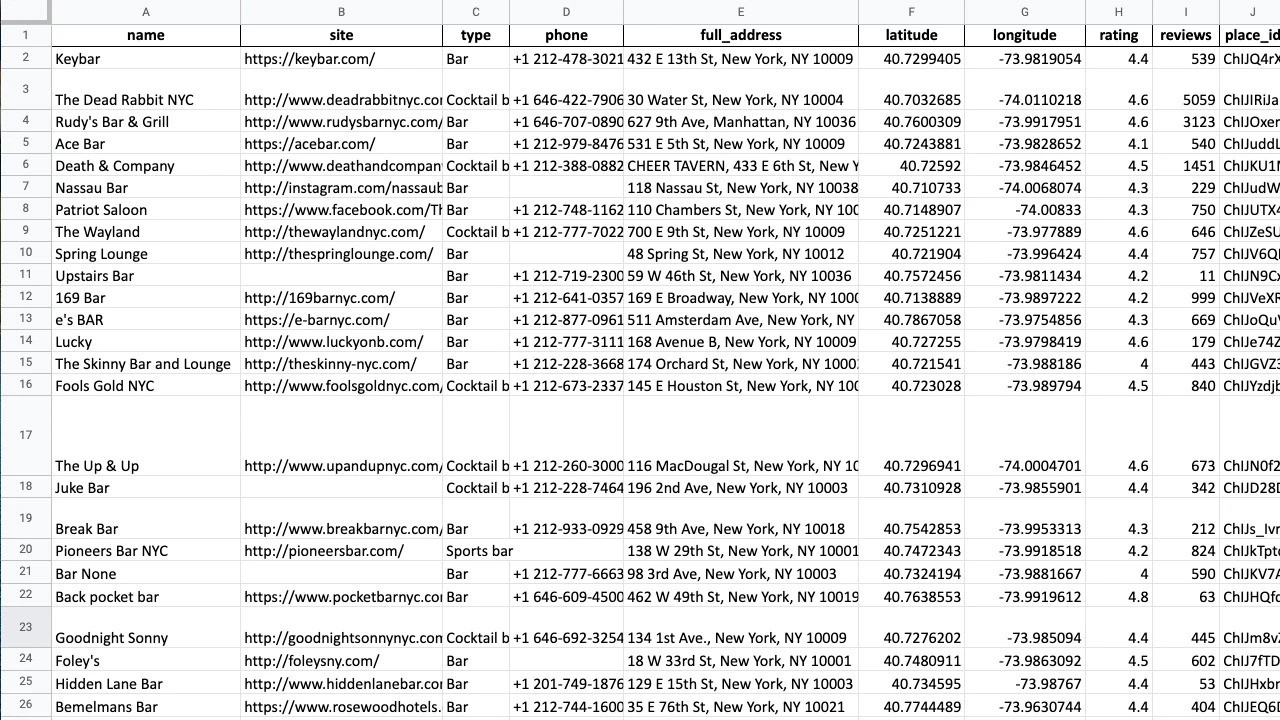
Google Maps Places Scraper is an advanced tool offered by the Outscraper platform, allowing users to extract business information from Google Maps without any manual effort. This data can include business names, addresses, phone numbers, emails, social media links, and more.
Key Features
-
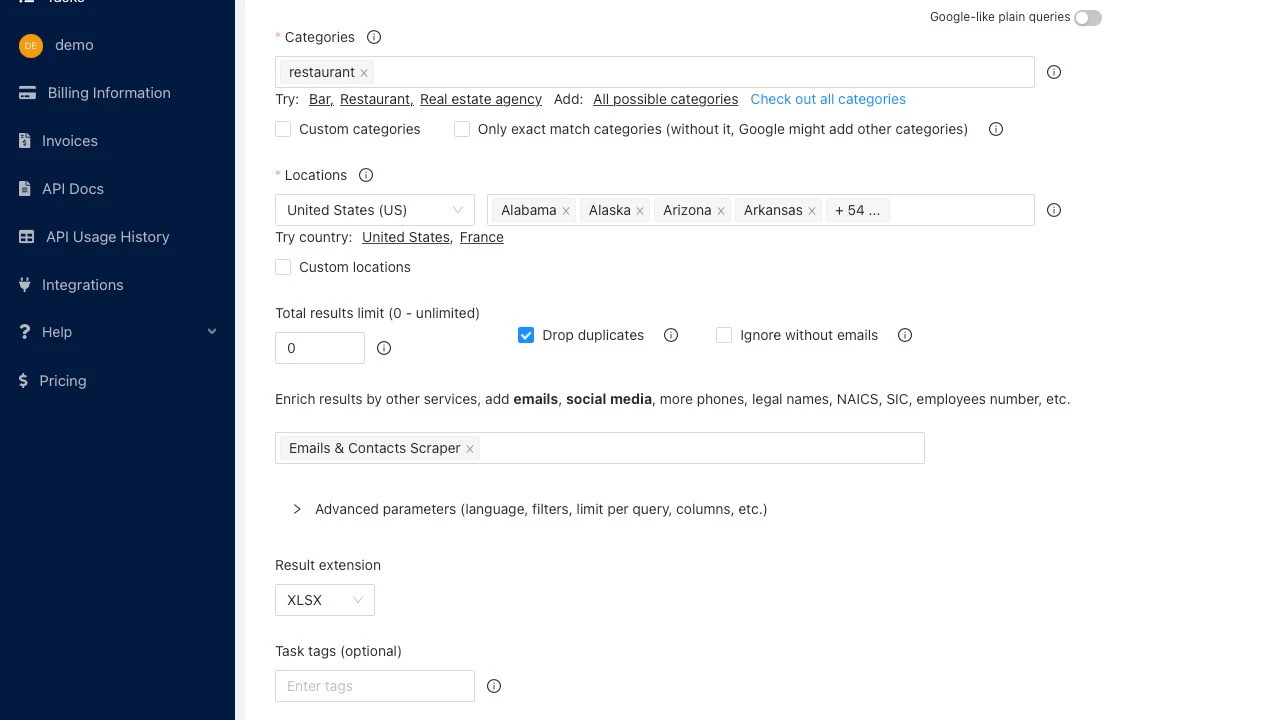
No installation required – Everything is cloud-based, meaning your IP remains safe.
-
Global coverage – Works in all countries where Google Maps is available.
Sponsored
-
Advanced filtering – Scrape businesses based on ratings, location, and status.
-
Data enrichment – Enhance your extracted data using the Email & Contacts Scraper.
-
Duplicate removal – Ensures unique data, even across multiple searches.
Who Can Benefit from Google Maps Scraper?
This tool is particularly useful for:
-
Marketers & Agencies – Easily find and reach out to potential business clients.
-
Sales Managers – Build high-quality lead databases for outreach campaigns.
-
Competitive Analysts – Monitor and analyze competitor data.
Sponsored
-
Reputation Managers – Track and respond to negative reviews effectively.
How to Use Google Maps Scraper
Using the Google Maps Scraper is straightforward, even if you’re not tech-savvy. Here’s a step-by-step guide:
Choose Your Search Criteria
Start by entering the type of business and the location you want to scrape. For example, “dentists in New York” or “digital marketing agencies in Los Angeles.”
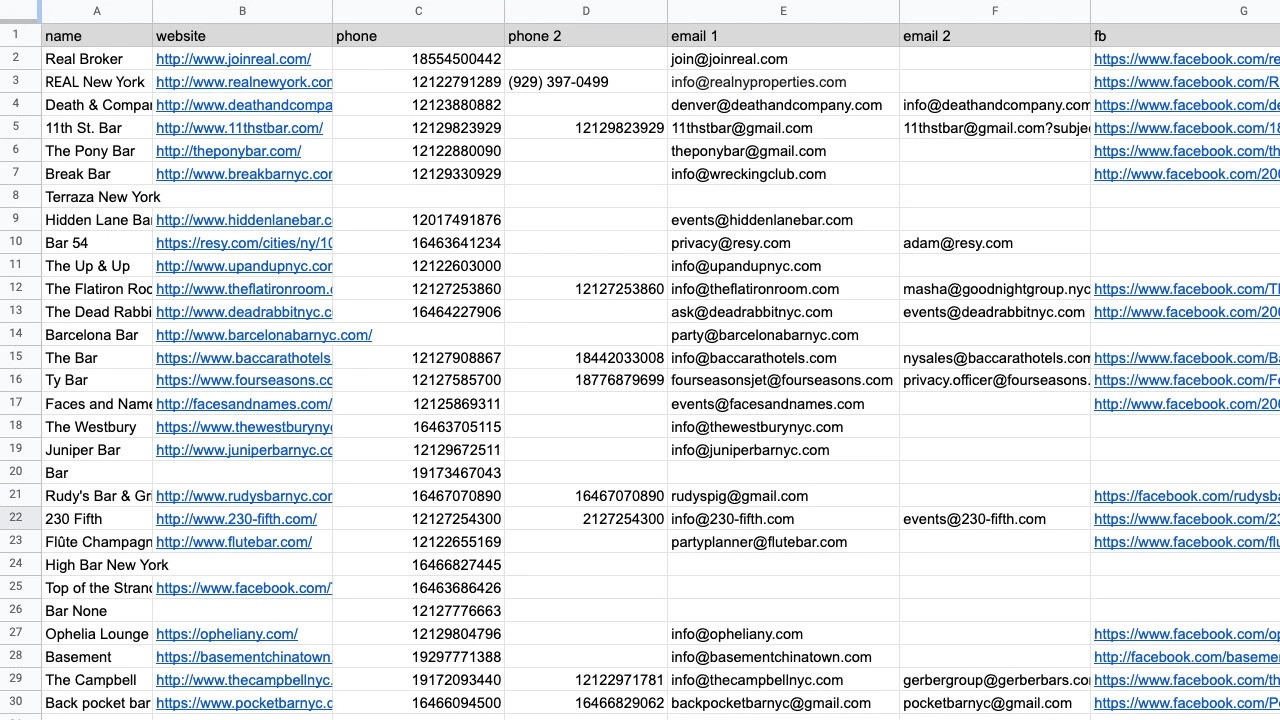
Apply Filters
Use filters to refine your data by:
-
Presence of phone numbers, emails, or websites
-
Business ratings (e.g., only 4-star and above businesses)
-
Postal codes to target specific regions
Sponsored
Start Scraping
Once your settings are configured, initiate the scraping process. The tool will extract relevant business details and provide a downloadable file.
Export & Integrate Data
Download your CSV/XLSX/JSON file and integrate it with your preferred CRM (e.g., HubSpot, Salesforce, or Zapier).
Is Google Maps Scraper GDPR-Compliant?
One major concern when using any data extraction tool is compliance with data protection laws like GDPR. While Google Maps Places Scraper extracts only publicly available data, users must ensure they handle and store this information responsibly. If you plan to use the data for marketing purposes, make sure you adhere to email and data privacy regulations in your region.
Pros and Cons of Google Maps Scraper
Pros
-
No installation needed – Everything runs in the cloud.
Sponsored
-
Saves time – Automates a process that would take hours manually.
-
Data-rich insights – Extracts emails, phone numbers, and social media links.
-
Global reach – Works anywhere Google Maps is available.
-
Scalable – Suitable for both small businesses and large enterprises.
Cons
-
Potential compliance risks – Users must ensure data use aligns with privacy laws.
-
Limited free usage – While there’s a demo, extensive scraping requires a paid plan.
-
Learning curve – Although simple, beginners may need time to optimize filters effectively.
Final Verdict: Is Google Maps Scraper Worth It?
If you rely on business contact data for lead generation, competitive research, or reputation management, Google Maps Scraper is a powerful, time-saving tool. It eliminates the manual effort of searching for business contacts, allowing you to build high-quality lead lists in minutes.
While it comes with some compliance considerations, responsible usage ensures you can leverage its benefits without legal concerns. Plus, with integrations like HubSpot and Zapier, it seamlessly fits into your existing workflow.
Bottom Line: Google Maps Scraper is worth it for marketers, agencies, and sales teams looking to scale their outreach efforts efficiently. If you’re ready to streamline your lead generation process, this tool is definitely worth considering.
Get lifetime access now and start scraping valuable business data today!







