


FlyMSG Review: The Ultimate AI Productivity Tool for Writing, Expanding Text, and LinkedIn Engagement
In today’s fast-paced digital world, productivity is key to staying ahead. As businesses and professionals, we’re all searching for ways to streamline repetitive tasks and optimize our workflows. Enter FlyMSG, an AI-powered writing assistant and text expander that promises to save you hours of work each month. Whether you’re looking to automate email templates, generate social media posts, or enhance your LinkedIn engagement, FlyMSG is designed to help you do more with less effort.
FlyMSG is a unique tool that combines several powerful features into one super-productivity application, including FlyEngage for LinkedIn commenting, FlyPosts for social media content creation, and an intuitive FlyCut feature for text expansion. The platform works as an extension on your browser, allowing you to seamlessly integrate it into your daily tasks. In this review, I’ll break down the good, the bad, and everything in between about FlyMSG to help you decide if it’s the right tool for your business.

What is FlyMSG?
FlyMSG is an all-in-one AI writing assistant, text expander, and social media post generator that aims to automate and simplify various aspects of online communication. It helps you save significant time by creating customizable shortcuts called FlyCuts, which auto-populate forms, emails, social media posts, and more. By automating repetitive writing tasks, FlyMSG can save you up to 20 hours per month, making it an ideal productivity tool for professionals across different industries.
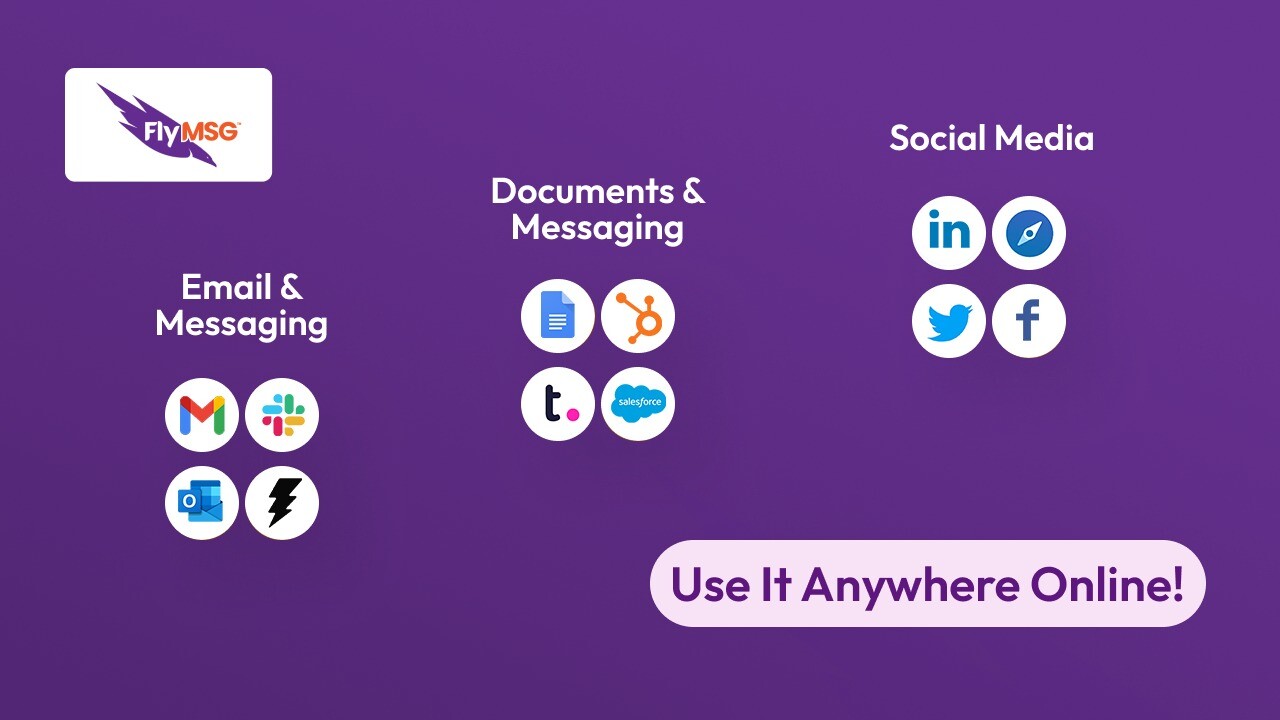
The platform includes several features, such as FlyEngage for LinkedIn commenting, FlyPosts for generating social media content, and the ability to create and store over 400 FlyPlates—pre-written templates for nearly every situation. FlyMSG integrates with platforms like Google Workspace, LinkedIn, Outlook, and Sales Navigator, ensuring a seamless experience across various tools.
Key Features of FlyMSG
1. FlyCuts: The Ultimate Text Expander
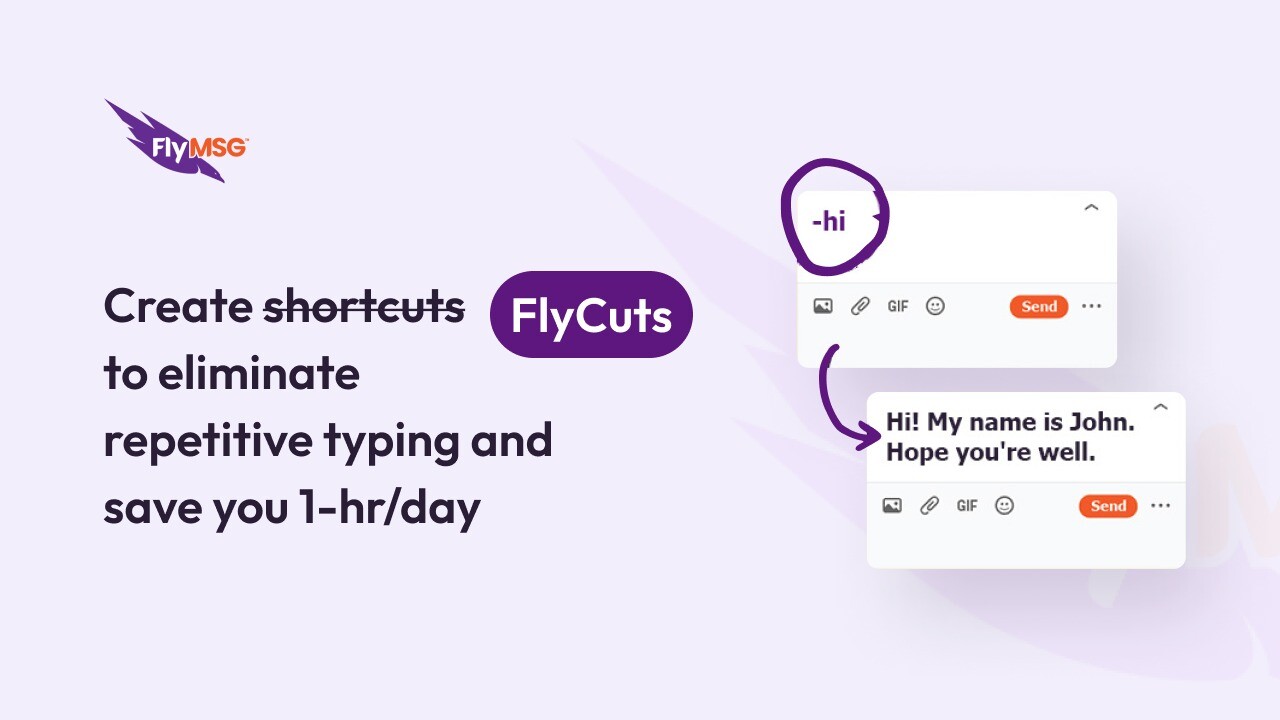
FlyCuts are one of the core features of FlyMSG. These are customizable shortcuts that help you automate the typing process. Whether you're typing emails, responding to customer queries, or filling out online forms, FlyCuts allow you to insert pre-written text with just a few keystrokes.
For example, if you frequently send similar responses or use the same email templates, FlyCuts will save you from typing the same thing over and over again. You can even create FlyCuts for InMail messages or Slack messages, ensuring consistent communication across all your channels. This simple feature can drastically reduce the time spent on manual typing, ultimately improving your efficiency.
2. FlyEngage: AI-Powered LinkedIn Commenting
Engaging with your audience on LinkedIn is crucial for building relationships and driving sales. However, it can be time-consuming to craft thoughtful comments for each post, especially if you want to ensure that your responses are tailored to the context and engage your target audience.
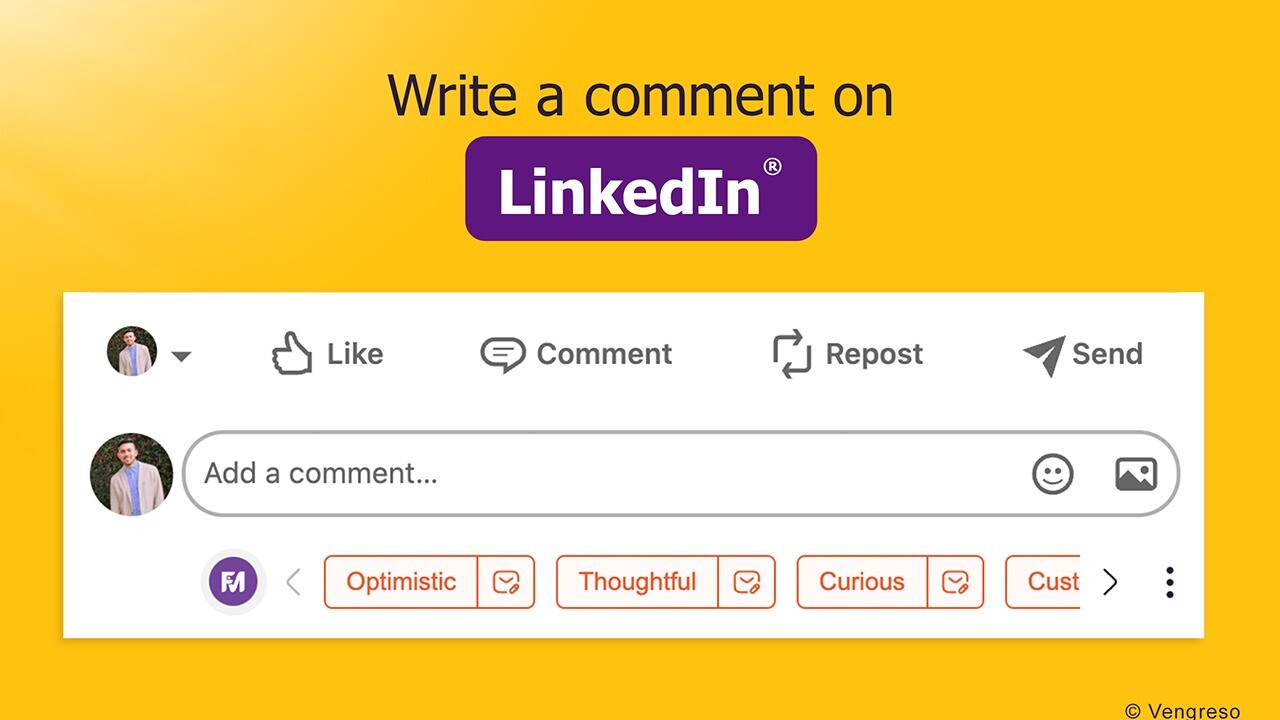
FlyEngage simplifies this process by using AI to generate personalized LinkedIn comments in a matter of seconds. Instead of spending several minutes writing the perfect response, FlyEngage helps you engage with posts in real-time, allowing you to expand your comments and interactions effortlessly. It also supports 39 major languages, making it a versatile tool for global engagement. By using FlyEngage, you can boost your LinkedIn engagement and networking without the time drain.
3. FlyPosts: Social Media Post Generator
Creating social media posts that resonate with your audience is essential for effective social selling and brand building. However, coming up with engaging content regularly can be a challenge.
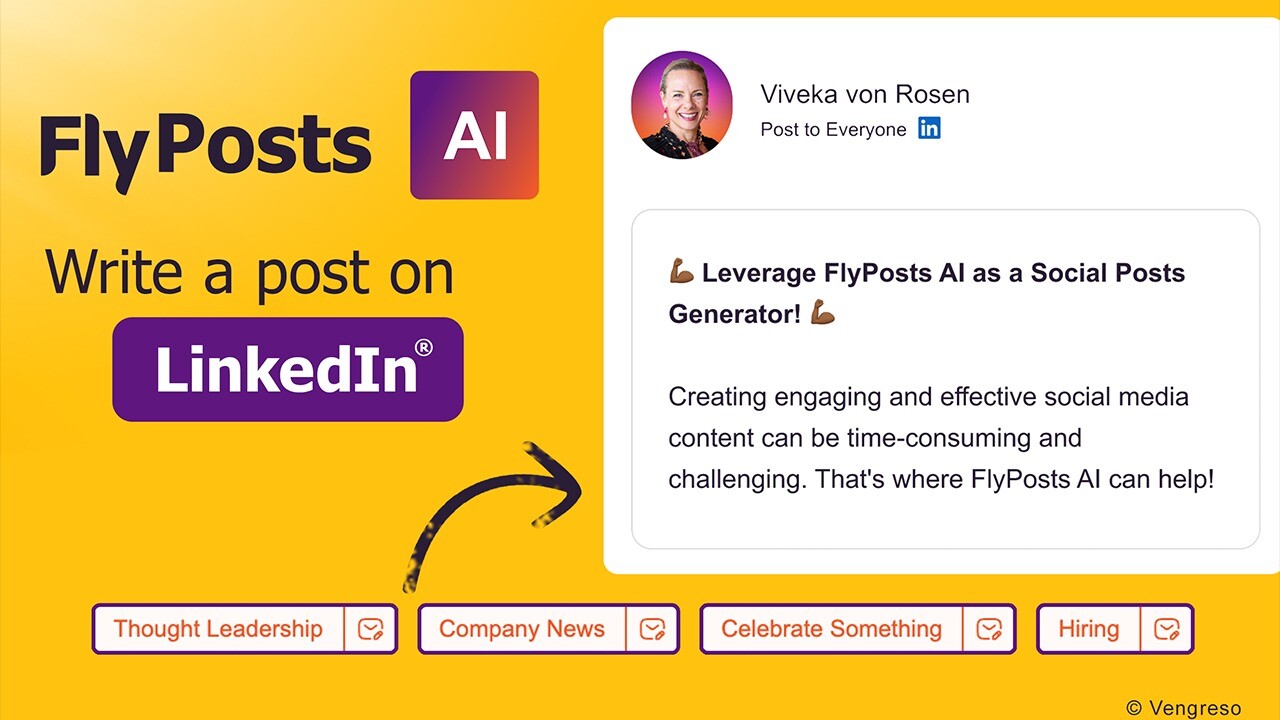
FlyPosts is a built-in feature that enables you to generate LinkedIn posts directly from within LinkedIn’s “Start a Post” feature. With pre-defined prompts for various topics and the ability to create custom AI-powered prompts, FlyPosts makes it easy to create relevant and engaging content for your personal profile or LinkedIn company page. This tool is a great asset for sellers, marketers, and business owners looking to enhance their social media presence while saving time.
4. FlyPlates: Pre-Written Templates for Every Occasion
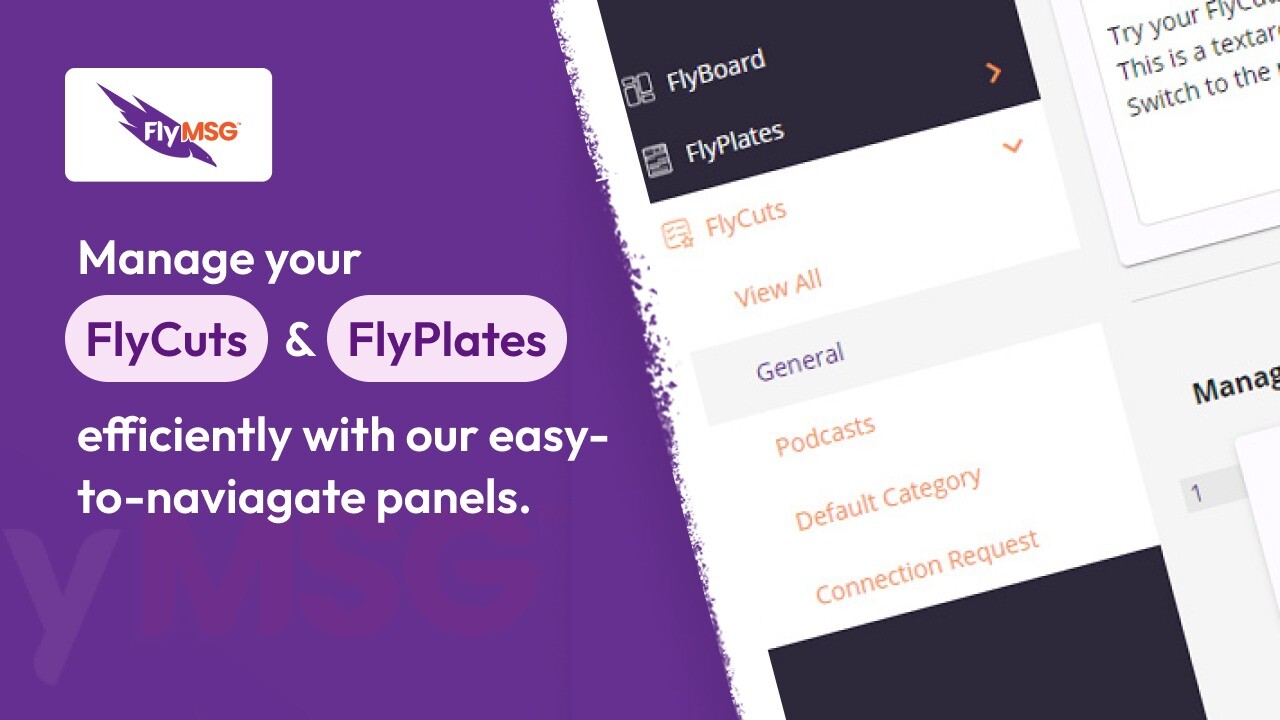
With FlyMSG, you gain access to over 400 FlyPlates, which are pre-written templates for virtually any occasion. Whether you're writing a cold email, creating a sales pitch, or responding to customer support queries, these templates provide a quick and easy way to communicate effectively.
These templates can be customized and saved as FlyCuts for quick reuse, making them ideal for anyone who needs to send standardized messages frequently. The availability of a wide variety of templates saves you time while ensuring that your messaging remains professional and consistent.
The Benefits of Using FlyMSG
1. Boosts Personal Productivity
One of the biggest advantages of FlyMSG is its ability to boost personal productivity. If you’re spending hours each week drafting emails, posting on social media, or responding to customer queries, FlyMSG can help reduce this time significantly. By automating repetitive tasks and offering AI-powered suggestions, you can focus more on strategic activities that grow your business.
2. Improves Communication Efficiency
FlyMSG helps ensure that your communication is not only faster but also more consistent. Whether you're interacting with customers, prospects, or team members, having pre-written templates and customizable shortcuts ensures that you convey your message in a clear and professional manner.
3. Customizable and Scalable
FlyMSG is highly customizable, allowing you to create FlyCuts and templates that fit your specific needs. As your business grows, you can scale the use of FlyMSG to manage more complex workflows or generate more content. The tool is versatile enough to support a wide range of industries, including sales, customer support, and recruiting, making it an excellent choice for businesses of all sizes.
The Drawbacks of FlyMSG
While FlyMSG is an incredibly powerful tool, there are a few things to keep in mind:
-
Limited to Browser Extensions: Currently, FlyMSG is only available as a browser extension for Google Chrome and Microsoft Edge, which may limit its use for those who prefer desktop apps.
-
Learning Curve: Although FlyMSG is designed to be user-friendly, it may take some time to get used to the interface and customize the FlyCuts and FlyPlates to your needs.
-
Browser Dependency: Since FlyMSG operates through a browser extension, it may not work as effectively in other environments outside of your browser.
Sponsored
Who Can Benefit from FlyMSG?
FlyMSG is best suited for professionals who spend significant time writing and responding to messages. Here’s a list of people who can benefit most:
-
Sales Managers: Use FlyPosts for generating social media content and FlyEngage for LinkedIn engagement.
-
Customer Support: Automate repetitive responses to customer queries using FlyCuts.
Sponsored
-
Recruiters: Save time by automating LinkedIn outreach and engagement.
-
Business Owners: Boost productivity by automating email, forms, and messaging tasks.
Conclusion: Is FlyMSG Worth It?
If you're looking for a tool to automate repetitive writing tasks, improve LinkedIn engagement, and boost overall productivity, FlyMSG is a must-try. Its combination of AI-powered writing tools, text expanders, and social media post generators makes it an invaluable asset for anyone looking to save time and improve their digital communication.
By leveraging FlyMSG, you can focus on what truly matters: growing your business and building meaningful relationships. Ready to take your productivity to the next level? Try FlyMSG today and start saving time with every keystroke!







