


Drawtify Review: A Powerful Online Vector Editor You Need to Try
When you're a graphic designer, content creator, or freelancer, having access to fast, intuitive, and affordable design tools is essential. As someone who works with a variety of design platforms, I’m always on the lookout for options that offer both power and accessibility. That’s what drew me to Drawtify, an online vector graphic editor that claims to make professional design easier for everyone.
If you've been frustrated with the steep learning curve of tools like Adobe Illustrator, or if you want something more flexible than Canva, Drawtify might just be the solution. It's an all-in-one platform where you can create everything from animated logos to infographics, business cards, posters, and social media graphics — all from your browser.

What caught my attention initially was how Drawtify balances design flexibility with a user-friendly interface. You don’t have to be a professional designer to get great results. With built-in templates, icons, fonts, photo resources, and even interactive elements like charts and maps, this platform provides you with all the tools you need to design quickly and efficiently.
In this review, I’ll walk you through the features that make Drawtify worth your time, who it’s best for, and whether it’s a real alternative to more expensive and complicated design software.
What Is Drawtify?
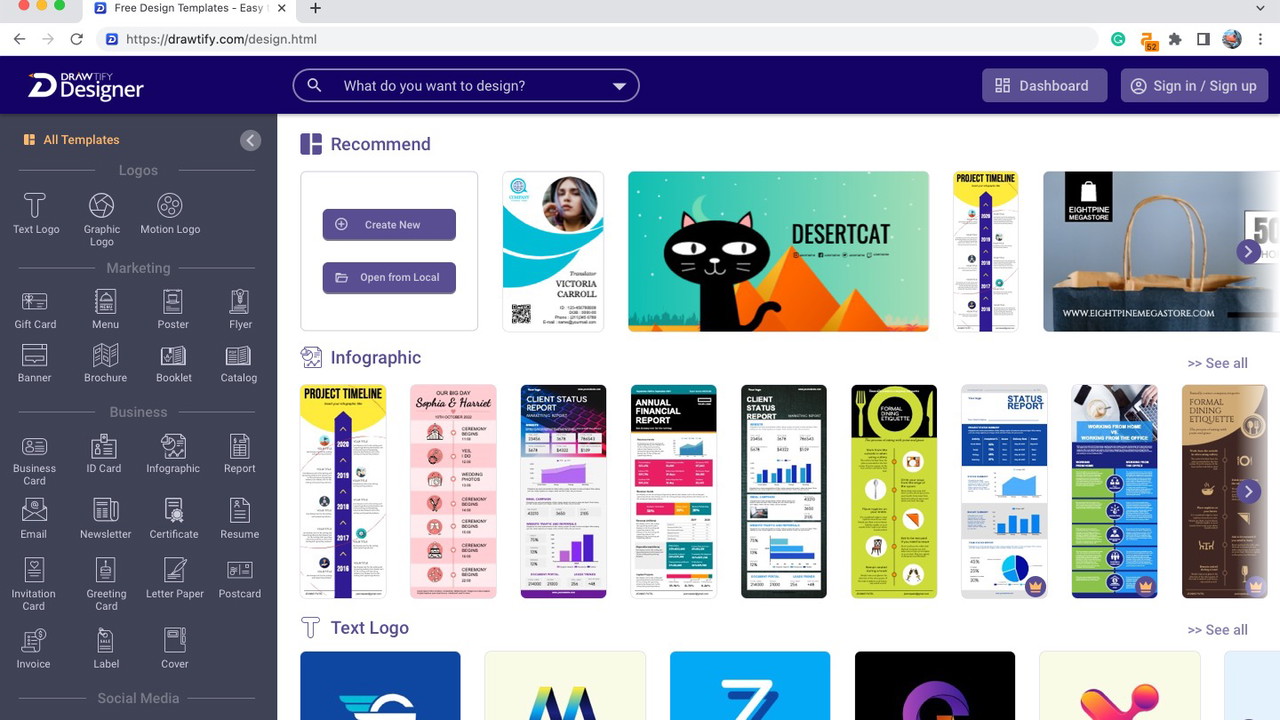
Drawtify is a cloud-based vector graphic design software built for creators of all skill levels. Whether you're a beginner designing your first YouTube banner or an experienced professional working on client projects, Drawtify makes the process intuitive and fast.
You can think of Drawtify as a hybrid between Canva and Adobe Illustrator. It combines the ease of drag-and-drop design with the flexibility of advanced vector editing tools. From static graphics to animated visuals, it's a complete platform for both digital and print designs.
The platform runs entirely in your browser, meaning there’s no need to install heavy software or worry about compatibility. And because it’s online, you can work from anywhere, anytime.
Who Should Use Drawtify?
Designed for Creators at Every Level
Drawtify was made with both non-designers and professionals in mind. If you fall into one of these categories, you’ll likely benefit:
-
Content Creators who need high-quality visuals for videos, blog posts, or social media.
Sponsored
-
Freelancers looking for a fast, efficient way to produce client-ready designs.
-
Small Business Owners who want to DIY marketing materials without hiring a designer.
-
Graphic Designers who want a web-based alternative to Illustrator with vector capabilities.
It’s especially great for projects that require speed, creativity, and flexibility — without sacrificing polish.
Key Features of Drawtify
Vector Graphic Editor
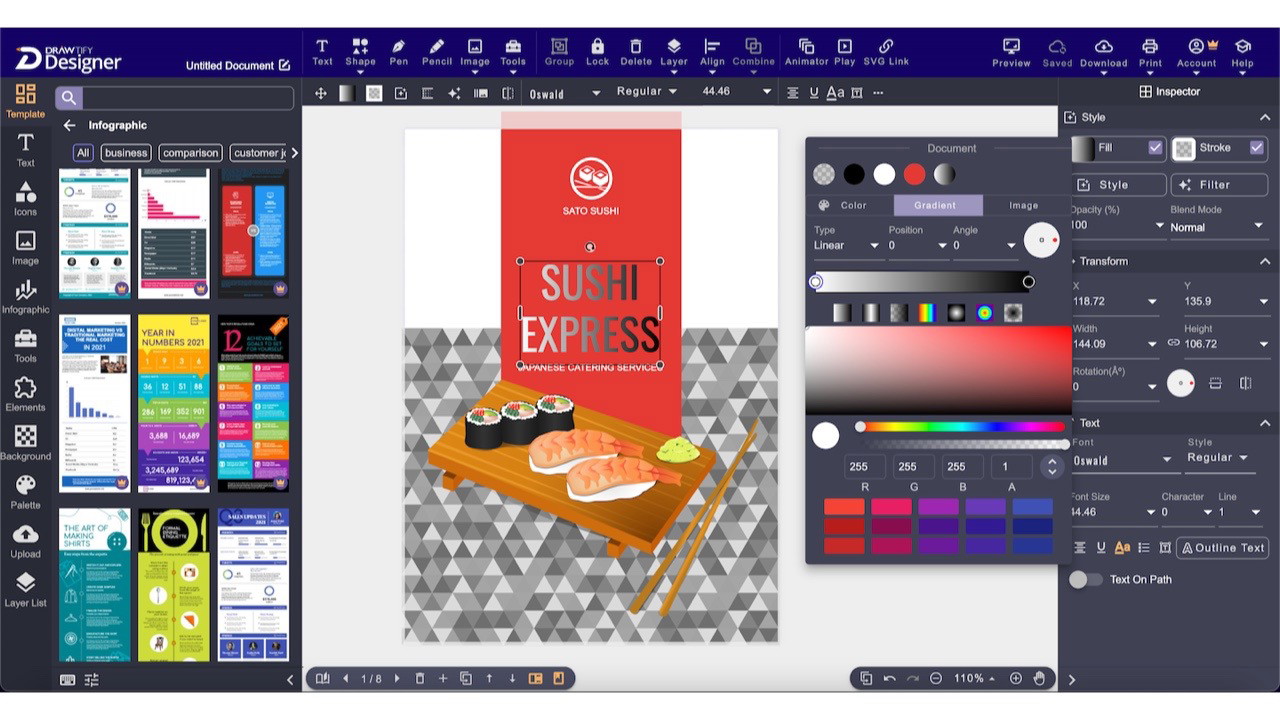
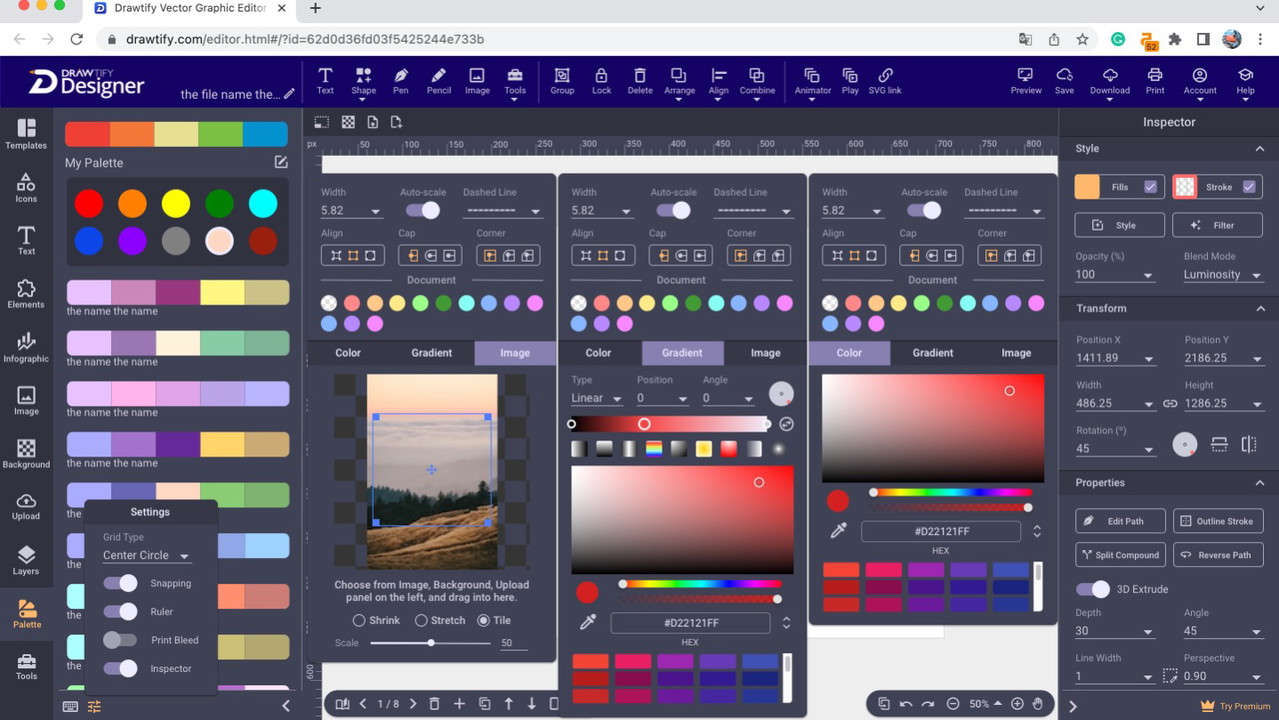
Drawtify offers a full suite of vector editing tools you’d expect from a professional platform. This includes:
-
Pen tool for custom shapes
-
Path editing and transformations
Sponsored
-
Layer and group control
-
Gradients, strokes, and fills
-
SVG file import and export
If you’ve used Illustrator before, the learning curve will be minimal. For beginners, the interface is approachable with plenty of tooltips and visual guidance.
Ready-Made Templates and Design Elements
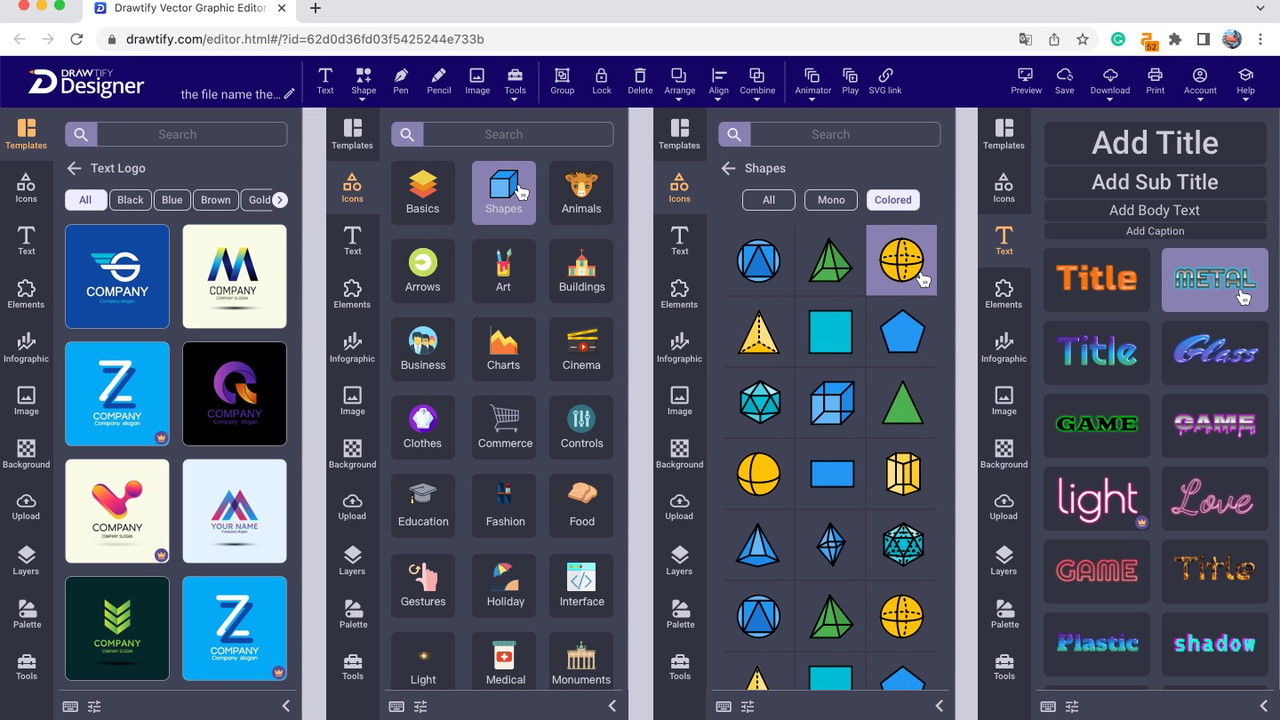
One of the platform’s most helpful features is its library of editable design templates. You’ll find templates for:
-
Logos
-
Posters
Sponsored
-
Flyers
-
Infographics
-
Business cards
-
YouTube banners
-
Animated social media posts
Each template is professionally designed and fully customizable. You can also access a wide range of design elements like icons, shapes, art text, and infographic elements to speed up the creation process.
Animation Tools
Drawtify sets itself apart with built-in animation tools — something that’s rare for online design platforms. You can animate logos, text, and vector elements, making it ideal for YouTube intros, social ads, or animated explainers.
Animations are timeline-based, giving you control over movement, transitions, and effects — without needing advanced video editing software.
Chart, Diagram, and Map Plugins
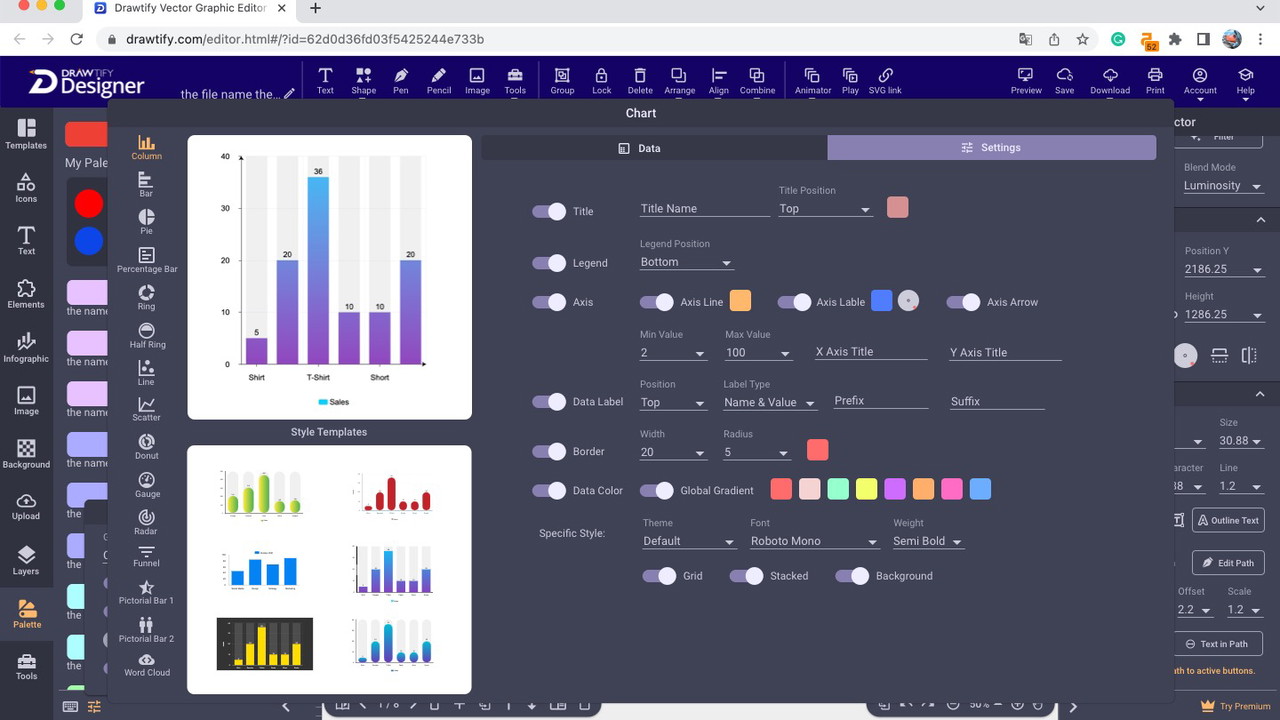
For professionals creating reports, infographics, or presentations, Drawtify offers plug-ins for:
-
Charts (bar, pie, line, radar, etc.)
-
Diagrams and workflows
-
Customizable maps
This makes it an excellent option for educational content, business reports, or any design that needs data visualization.
100M+ HD Photos via Unsplash
Drawtify integrates with Unsplash, giving you access to over 100 million high-resolution photos. These can be easily dragged and dropped into your design, eliminating the need to search through stock photo sites separately.
You also get built-in photo editing tools — crop, resize, filters, and effects — to enhance images directly within the design canvas.
Export Options and File Compatibility
Designs can be exported in various formats, including:
-
PNG
-
JPG
-
SVG
-
PDF
-
MP4 (for animations)
You can also save projects to the cloud for easy collaboration or future edits. For professionals who need print-ready files or scalable vectors, the export functionality is solid and reliable.
Pros and Cons
Pros
-
Web-based platform — no installation required
-
Intuitive UI suitable for beginners and pros alike
-
Powerful vector tools comparable to Illustrator
-
Massive template and asset library
-
Built-in animation and chart features
-
Integrates with Unsplash for photo resources
-
Affordable pricing with a generous free tier
Cons
-
Internet connection required for use
-
Some advanced features may require a learning curve
-
Not as feature-rich as Adobe Illustrator for complex tasks
Final Thoughts: Is Drawtify Worth It?
If you’re looking for an online vector design tool that bridges the gap between simplicity and professional-grade power, Drawtify is a fantastic choice. It’s flexible enough for seasoned designers but friendly enough for newcomers.
In my experience, it’s one of the most complete design platforms available in-browser today — especially for those who want more than Canva but don’t need the full complexity (or cost) of Illustrator. From animated logos to business graphics, Drawtify empowers you to create stunning designs quickly, affordably, and with total control.
Whether you’re designing for web, print, or social media, I’d highly recommend giving Drawtify a try. It might just become your new favorite tool.







