


DarkMySite - WordPress Dark Mode Plugin Review: All Your Questions Answered
If you're building or managing a WordPress website in 2025, you're likely already aware of how important user experience, accessibility, and customization are to your success. One subtle but powerful way to enhance all three is by implementing a dark mode. After testing dozens of plugins, DarkMySite stood out to me as a game-changer. This one-click WordPress dark mode plugin doesn’t just flip the colors—it intelligently adapts your design to provide an aesthetically pleasing, comfortable, and modern experience.
Whether you're a blogger, developer, or small business owner, enabling dark mode helps prevent eye strain, especially for night-time readers, while also aligning your site with the preferences of today’s users. DarkMySite goes far beyond basic color inversion. It’s equipped with features like OS-aware settings, time-based automation, admin panel dark mode, custom switches, and compatibility with all major page builders. It even works flawlessly with WooCommerce and WordPress Multisite setups.

In this review, I’ll walk you through everything you need to know—based on real usage—so you can decide if DarkMySite is the right fit for your WordPress website.
What is DarkMySite?
A Smart and Seamless Dark Mode Plugin
DarkMySite is a lightweight yet powerful plugin that brings advanced dark mode functionality to WordPress. Unlike many other solutions that just darken your site arbitrarily, this plugin understands your website’s structure and applies a clean, cohesive dark design that looks natural and polished.
With just one click, it transforms your frontend and admin panel into an eye-friendly experience. More than that, it adapts to user preferences, browser settings, and even local time, making it one of the most intelligent dark mode plugins available today.
Key Features of DarkMySite
One-Click Frontend Dark Mode
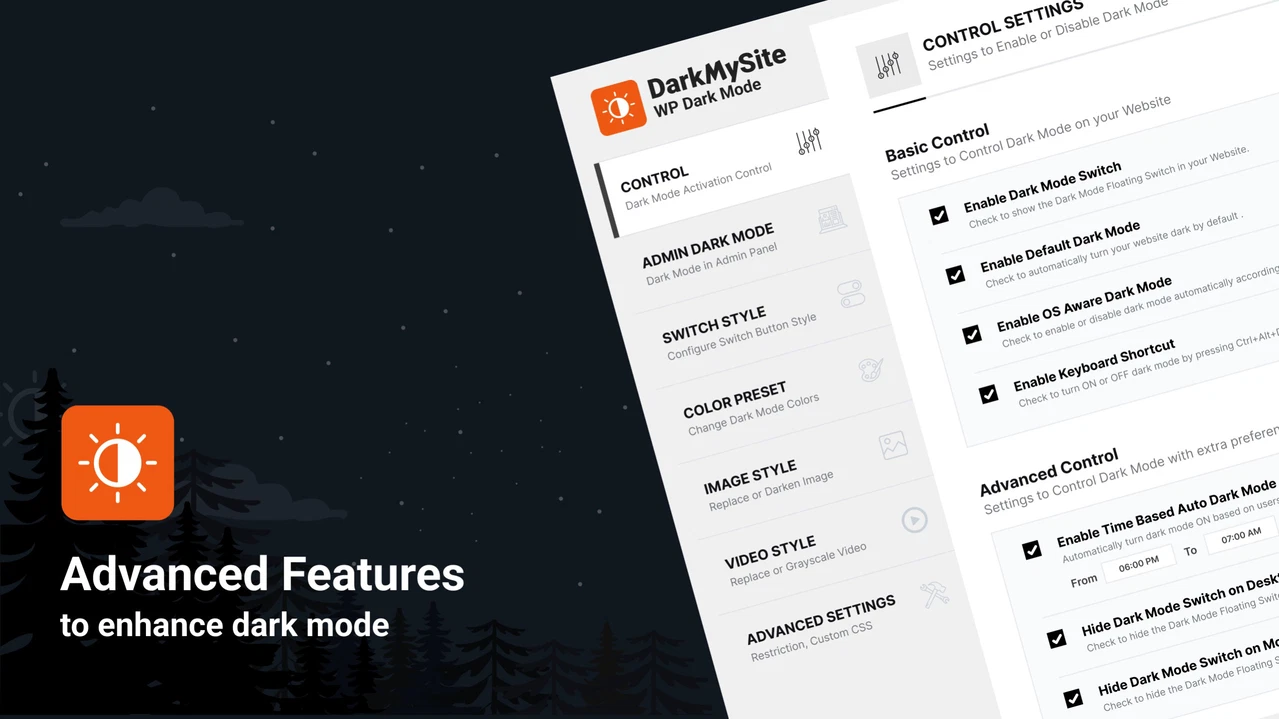
The primary appeal of DarkMySite is its simplicity. A floating switch appears on your site, giving users instant access to toggle dark mode on or off. This helps make your website more accessible and user-centric.
Admin Panel Dark Mode
I particularly love how DarkMySite applies dark mode to the WordPress Admin Panel too. This is great for content creators and developers who spend hours editing pages and posts—giving your backend a modern, comfortable interface that reduces visual fatigue.
OS-Aware Dark Mode
DarkMySite automatically detects the user's operating system theme settings. If someone has dark mode enabled on their device, your site will match that preference without requiring them to toggle it manually. This not only enhances the user experience but also demonstrates attention to detail and personalization.
Time-Based Dark Mode
You can also configure the plugin to enable dark mode based on the user’s local time. For example, dark mode can automatically activate during nighttime hours and switch back to light mode in the morning. This intelligent feature reflects thoughtful UX design, especially for global audiences.
Customization and Flexibility
Brand-Matching Switch Design
DarkMySite doesn’t just add a toggle—it lets you customize the dark mode switch to match your site’s branding. Adjust the position, colors, and icon styles so the toggle feels like a natural extension of your website rather than an afterthought.
Color Presets and Custom Schemes
The plugin includes multiple color presets, which are ideal if you want a quick start. But for those who want full control, DarkMySite allows for complete color customization. You can match your brand colors precisely and even set different styles for specific content blocks.
Image and Video Replacement
Another underrated but impressive feature is the ability to replace specific images or videos in dark mode. This ensures content always looks good, even with altered background colors—something most plugins ignore entirely.
Compatibility and Performance
Works With Any Page Builder
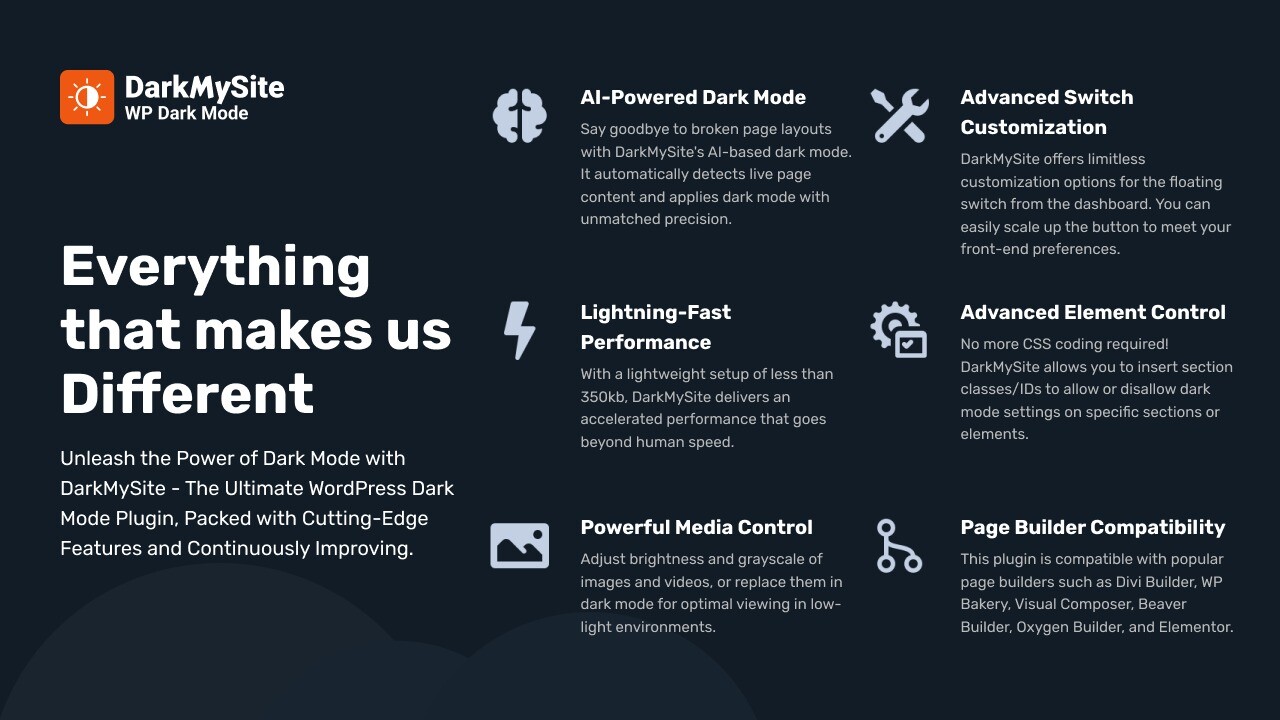
One of the concerns I had before using DarkMySite was whether it would play well with page builders like Elementor, WPBakery, or Beaver Builder. I was pleased to discover that it integrates flawlessly with all of them—no extra configuration needed.
Fully Compatible With WooCommerce
If you're running an eCommerce store, DarkMySite ensures that your product pages, cart, and checkout experiences are equally polished in dark mode. It supports WooCommerce out of the box, which makes it ideal for online sellers.
Supports WordPress Multisite
For developers managing multiple sites under one WordPress instance, the plugin’s Multisite support is a huge plus. You can activate and customize dark mode across different sites from a single dashboard.
Practical Use Cases
Bloggers and Content Creators
DarkMySite helps bloggers reduce bounce rates by making content easier to read during late hours. Readers appreciate the added comfort, which translates to longer time on site.
Developers and Designers
As a developer, you’ll appreciate how little configuration this plugin requires and how flexible it is when needed. You can write custom CSS, disable dark mode for specific sections, and even place the switch in your menu.
Small Businesses and Agencies
For businesses and agencies, having a professional dark mode option adds a modern touch to your site. Whether your audience is tech-savvy or you simply want to offer a sleek design alternative, DarkMySite delivers.
Is DarkMySite Worth It?
In my experience, absolutely yes. DarkMySite checks all the boxes—it’s lightweight, fast, user-friendly, and offers customization without the bloat. The one-click setup combined with advanced features like OS detection and time-based toggling make it feel like a premium solution.
Whether you’re looking to improve accessibility, reduce eye strain for your users, or simply offer a more dynamic site design, DarkMySite is one of the best WordPress dark mode plugins available today.
Final Thoughts
Dark mode isn't just a trend—it’s becoming a user expectation. And thanks to DarkMySite, enabling a fully-functional and beautifully styled dark mode on your WordPress site is easier than ever.
If you want to stand out, enhance user experience, and stay aligned with modern design practices, I highly recommend giving DarkMySite a try. It’s one of those plugins that once you install, you wonder how you ever ran your site without it.







