


Crop.photo Review: The Ultimate AI Image Retouching Solution for E-commerce
As eCommerce businesses continue to grow, the demand for high-quality product images has never been greater. But when you’re managing hundreds, or even thousands, of product photos, image retouching can become a time-consuming task. That’s where Crop.photo steps in. This AI-powered cloud-based image retouching platform offers an innovative solution to help you streamline your image editing process, saving you hours of manual work. Whether you're a photographer, graphic designer, or an eCommerce business owner, Crop.photo's suite of tools can significantly improve your productivity.
In this review, I'll dive into the key features, benefits, and how Crop.photo can help you take your eCommerce product images to the next level. From automatic cropping to content-aware scaling, the platform is designed to make high-quality image editing faster and more efficient than ever before.

What is Crop.photo?
Crop.photo is a cloud-based image editing platform powered by artificial intelligence that specializes in bulk retouching. This means you can process thousands of images at once, eliminating the need for manual adjustments in Photoshop or other traditional image editing software. Whether you need to crop, resize, or remove backgrounds, Crop.photo streamlines these tasks using AI algorithms to give you professional-looking results in just a few clicks.
The platform is ideal for anyone working with large volumes of product images, including eCommerce businesses, graphic designers, photographers, and more. Instead of spending hours editing individual photos, Crop.photo offers an automated and efficient solution to handle image retouching at scale.
Key Features of Crop.photo
Let’s dive deeper into some of the standout features that make Crop.photo a must-have for anyone looking to automate image retouching:
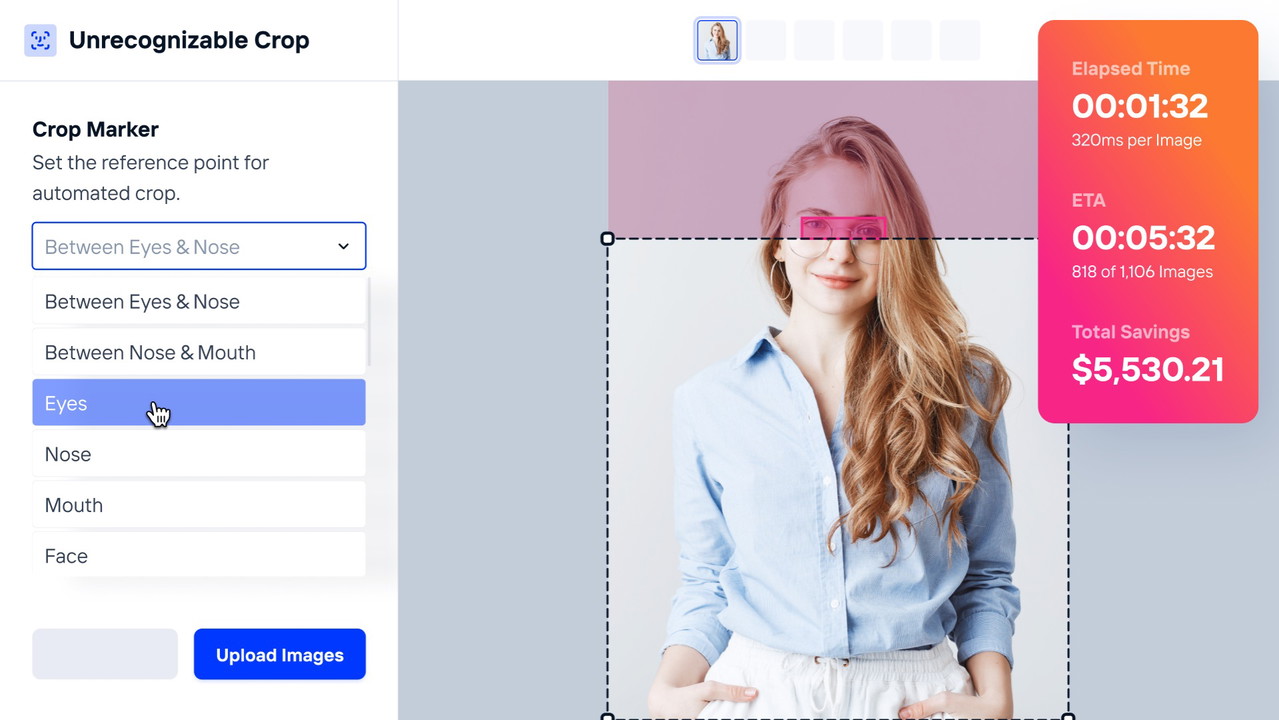
1. Automatic On-Model Crops Using Face Markers
One of the most time-consuming aspects of editing product photos for eCommerce is cropping images, especially when they involve models. With Crop.photo’s AI-powered face recognition engine, cropping images becomes effortless. The platform automatically identifies the desired face or body part and crops the image accordingly. This means you can process entire batches of images in seconds, saving you hours of work that would otherwise be spent manually adjusting each photo.
Whether you're dealing with fashion photos or product images featuring models, Crop.photo ensures that your images are ready for the marketplace without needing to open Photoshop. This feature is particularly useful for wholesale channels or catalogs where you need consistent and professional-looking images.
2. Content-Aware Scaling with Smart Resizer
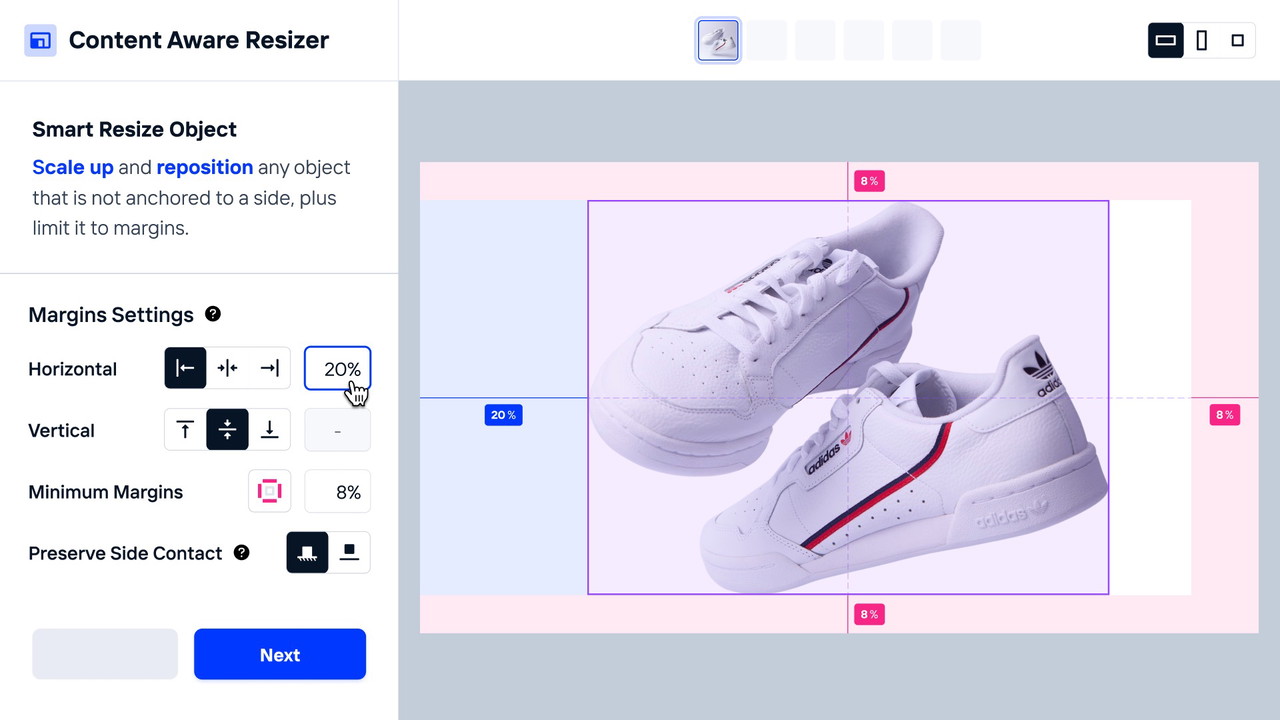
Different eCommerce marketplaces require product images in specific sizes and aspect ratios. Aligning, resizing, and scaling your photos to meet these requirements can be a real hassle, especially when you're working with large volumes. That’s where Crop.photo’s content-aware smart resizer comes into play.
This AI-powered resizer automatically adjusts your images to the correct aspect ratio without accidentally cropping out key product details. Unlike other image resizers, Crop.photo uses object recognition to ensure your product is always correctly aligned, making it ideal for flat lay images, apparel photos, and more.
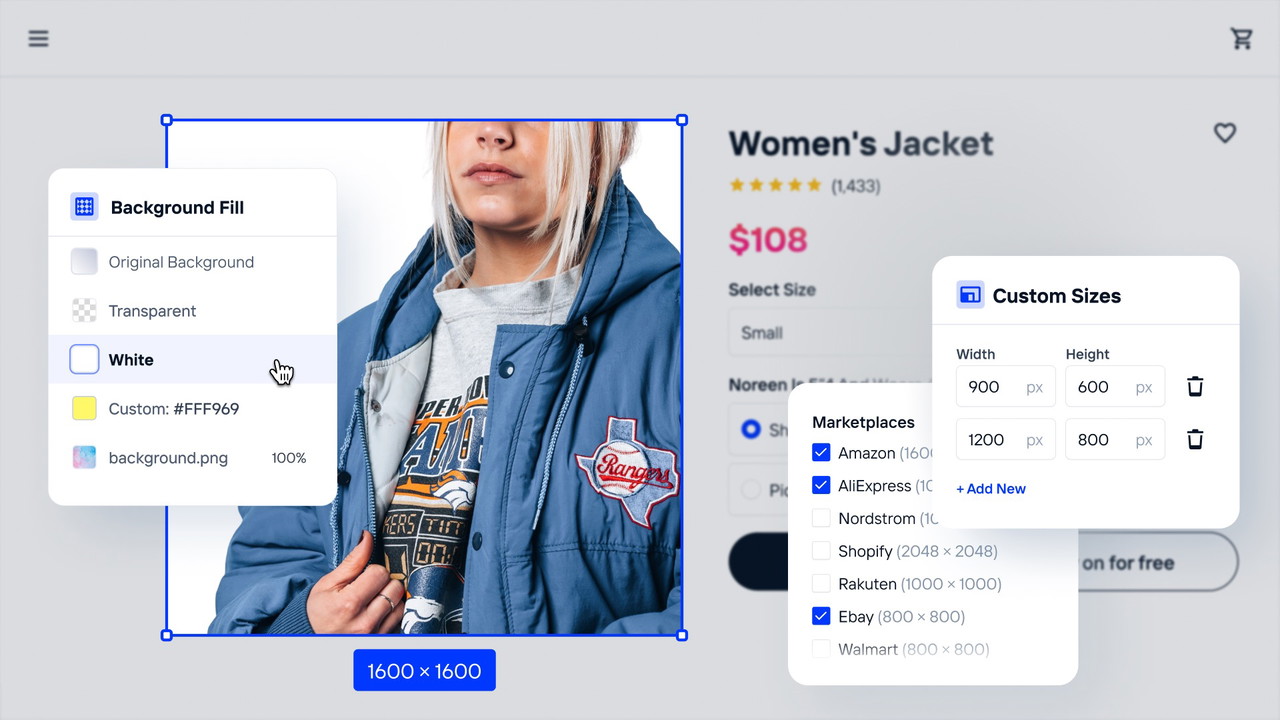
3. Bye-Bye Backgrounds: Effortless Background Removal
Removing backgrounds from product images is essential for creating clean, professional-looking photos. Whether you’re dealing with products, models, or graphics, Crop.photo’s background removal tool makes this process quick and easy.
In just a few clicks, the platform can remove or replace backgrounds in bulk. And if you need a little extra precision, Crop.photo allows you to add your own background image across thousands of photos, all with just a few simple steps. This is a game-changer for anyone working with large numbers of product images that need consistent, high-quality backgrounds.
4. Background Clean Up Tool for a Human Touch
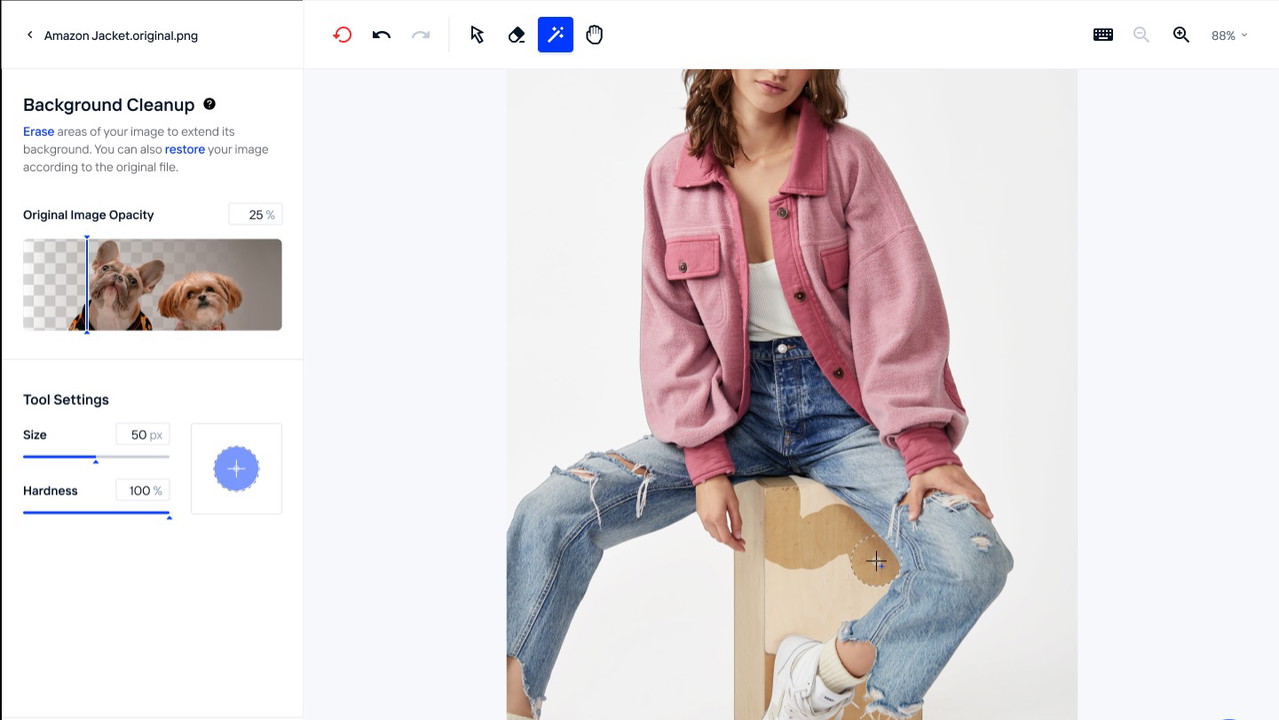
While Crop.photo’s AI is impressive, it’s not always perfect, especially when it comes to tricky areas like hair strands or complex edges. For those moments when you need a more refined touch, Crop.photo offers a Background Clean Up Tool.
This tool allows you to manually clean up areas that the AI might have missed or where you want to add a bit of human precision. You can easily touch up areas that require fine detail, without the need to open Photoshop. Once you're done, the platform automatically recreates all your selected file sizes, saving you time and hassle.
5. AI-Powered Bulk Image Retouching
One of the biggest benefits of Crop.photo is its ability to process large batches of images at once. The platform allows you to retouch thousands of images in just a few clicks. Whether you need to crop, resize, remove backgrounds, or clean up images, Crop.photo can handle it all, making it a powerful tool for businesses and individuals who work with eCommerce product photos at scale.
6. Seamless Integrations
Crop.photo integrates seamlessly with a variety of platforms, ensuring it fits easily into your existing workflow. Whether you're uploading images from your computer or directly from cloud storage services, the platform makes it easy to manage and edit images without the need for multiple tools.
Why Choose Crop.photo for E-commerce Image Retouching?
There are many image editing tools available, but Crop.photo offers several advantages over traditional image editors like Adobe Photoshop:
-
AI-powered automation saves you time by eliminating manual tasks like cropping and resizing.
-
Bulk image processing lets you edit thousands of images at once, which is perfect for eCommerce stores with large product catalogs.
-
Background removal is quick and accurate, providing high-quality results without needing advanced editing skills.
Sponsored
-
The clean-up tool offers a human touch when needed, ensuring that your images are flawless.
Conclusion: Is Crop.photo Worth It?
If you run an eCommerce business or work in graphic design, photography, or any field that involves editing product images, Crop.photo is a game-changing tool. The platform's AI-powered automation, combined with its easy-to-use interface, makes it an invaluable resource for anyone looking to save time and improve image quality.
By leveraging AI technology for tasks like background removal, content-aware resizing, and bulk retouching, Crop.photo helps you create professional-looking product images without the need for expensive software or manual labor.
Start using Crop.photo today and see how it can transform your image editing workflow!







