


Creatica Review: Your New Favorite Tool for Background Design
Creating standout designs often starts with the perfect background—but getting that right can be time-consuming and repetitive. That’s why I’m excited to share my thoughts on Creatica, an intuitive tool I’ve been using to generate unlimited vector backgrounds. Whether you're a graphic designer, web developer, or social media manager, Creatica offers a no-fuss way to level up your visuals. In this Creatica review, I’ll walk you through everything from its core features to who it’s best for, plus how it compares to tools like Canva.

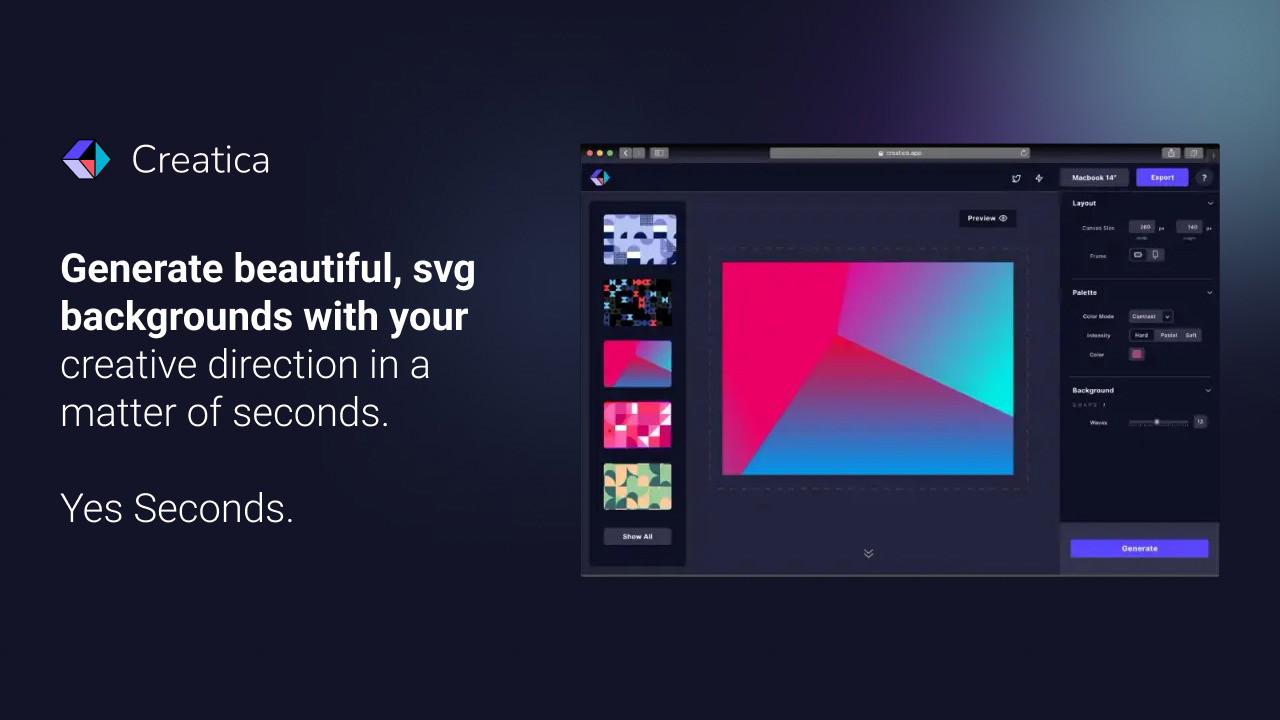
What makes Creatica shine is how effortlessly it helps you produce high-quality SVG backgrounds—the kind that pop on a landing page, give your UX an edge, or bring life to digital mockups. With 50+ background generators, easy color customization, and real-time previews, it’s built to boost your design workflow without the steep learning curve of more traditional tools. And the best part? No attribution is required for your work, and the platform updates weekly, so your creativity is never boxed in.
If you're tired of relying on stock visuals or spending hours tweaking patterns manually, this is the background generation tool you've been waiting for. Let’s dive into why Creatica deserves a spot in your design toolkit.
What is Creatica?
Creatica is a background generator that enables users to create vibrant, unique, and fully customizable SVG vector backgrounds in just a few clicks. With its growing library of generators, patterns, gradients, and layout tools, Creatica removes the complexity of background design and replaces it with intuitive, user-friendly functionality.
From professional branding to casual content creation, Creatica fits into almost any creative workflow.
Who is Creatica Best For?
Creatica is ideal for
Graphic Designers who need fresh, customizable backgrounds for branding or client projects
Social Media Managers looking to enhance engagement with visually striking posts
Web Designers and Developers who want scalable vector backgrounds that won’t slow down a website
UI/UX Designers in need of clean, responsive visuals that integrate easily with Figma or Illustrator
Content Creators wanting to personalize thumbnails, covers, or wallpapers
If you’re in any of these roles, Creatica can streamline your workflow significantly.
Key Features of Creatica
Unlimited Unique Backgrounds
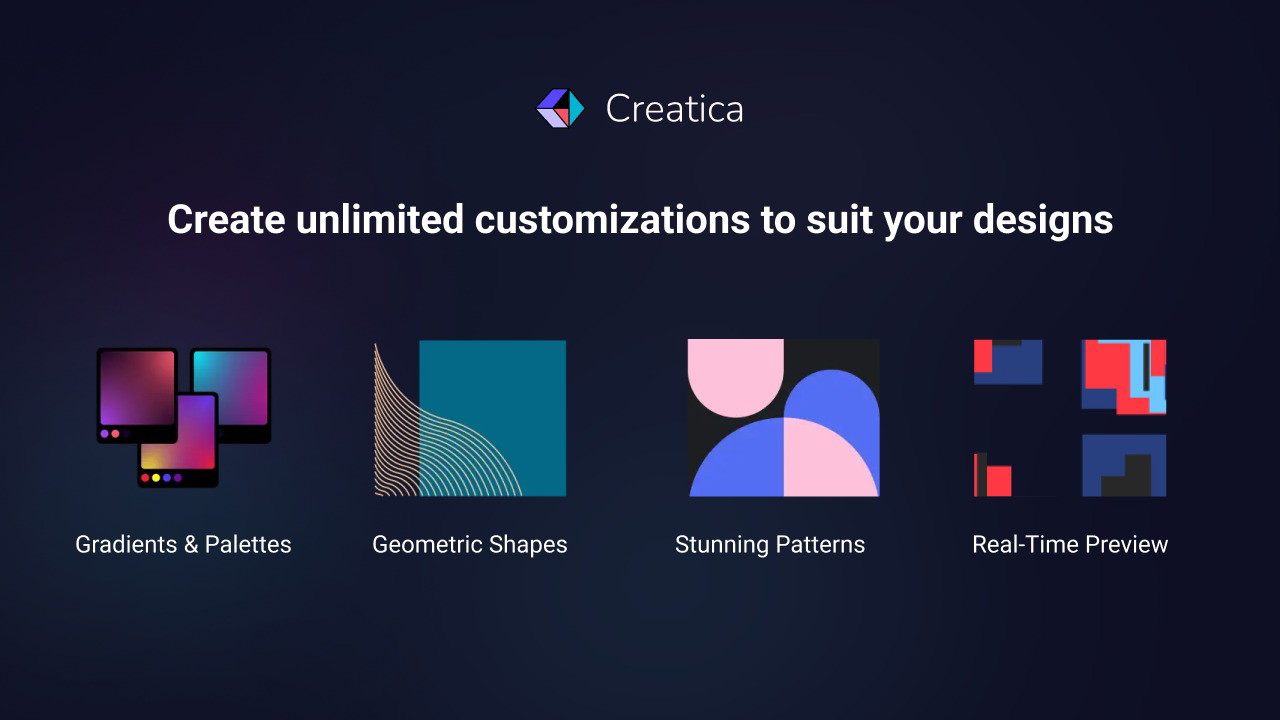
Creatica offers unlimited background generation, meaning you can explore as many combinations of color, layout, and pattern as you want—without ever running out of creative juice.
Custom Patterns and Styles
You’re not locked into templates here. With Creatica, you can
Adjust pattern density and spacing
Mix and match pattern types
Experiment with grid-based layouts for that perfect symmetry
This freedom ensures each background feels tailored and original.
Color Palettes and Gradients
Whether you're matching brand colors or playing with seasonal aesthetics, Creatica's gradient tools and pre-made palettes make color customization seamless.
You can also fine-tune hues using a color picker or input your HEX codes directly for brand consistency.
Instant Preview
See your changes live as you make them. The real-time preview eliminates the back-and-forth between design and export, making it easier to iterate quickly.
50+ Generators
Each generator in Creatica has a unique visual style, from geometric and abstract to organic and layered. This variety helps prevent creative fatigue and ensures your designs remain fresh and engaging.
How It Integrates with Your Workflow
One of the standout features for me is Creatica’s seamless integration with Adobe Illustrator and Figma. You can export your SVG designs and drop them directly into these platforms for additional editing or use.
This makes it incredibly convenient if you're already using a design suite but want a faster way to generate high-quality backgrounds.
No Attribution Required and Why That Matters
Unlike many free tools or marketplaces, Creatica allows full commercial use with no attribution. This is a huge win for professionals—especially when working on client projects, digital products, or branded assets. You can confidently include backgrounds in your work without worrying about licensing complications or hidden fees.
Weekly Updates and New Features
Creatica is not a stagnant product—it’s regularly updated with new generators, patterns, and palettes, keeping your work aligned with current design trends.
These frequent updates show that the creators are actively invested in improving the tool, which speaks volumes about its long-term value.
Creatica vs Canva: How Does It Stack Up?
While Canva is a fantastic all-in-one design platform, Creatica focuses exclusively on background generation—and it excels in that niche.
Creatica
Background Variety: 50+ Generators
SVG Export: Yes
Real-time Preview: Yes
Custom Patterns: Full Control
Attribution-Free: Always
Canva
Background Variety: Limited Templates
SVG Export: Only on Pro Plan
Real-time Preview: Limited
Custom Patterns: Minimal
Attribution-Free: Often Required
If you already use Canva for overall design work, Creatica can be a powerful companion tool specifically for backgrounds.
Final Thoughts: Should You Use Creatica?
Absolutely. Creatica is perfect for anyone looking to
Save time without sacrificing design quality
Maintain creative control over backgrounds
Keep visuals sharp and scalable thanks to SVG
Avoid attribution or licensing headaches
Stay ahead of design trends with weekly updates
As someone who works across various creative platforms, I’ve found Creatica to be a game-changer. It's simple enough for beginners yet powerful enough for pros. And with unlimited generation and real-time previews, it’s truly built for a modern design workflow.
Unlock your creative potential today with Creatica—your new go-to tool for stunning, custom-made backgrounds.







