


Apipheny Review: Does It Live Up to the Hype?
Save Time and Automate API Data Imports with Apipheny
If you’re tired of manually exporting data from software platforms and copying it into Google Sheets, it’s time to stop. (Seriously, step away from the spreadsheet!) Apipheny is an API integration tool that automates this entire process, saving you time and eliminating manual errors.
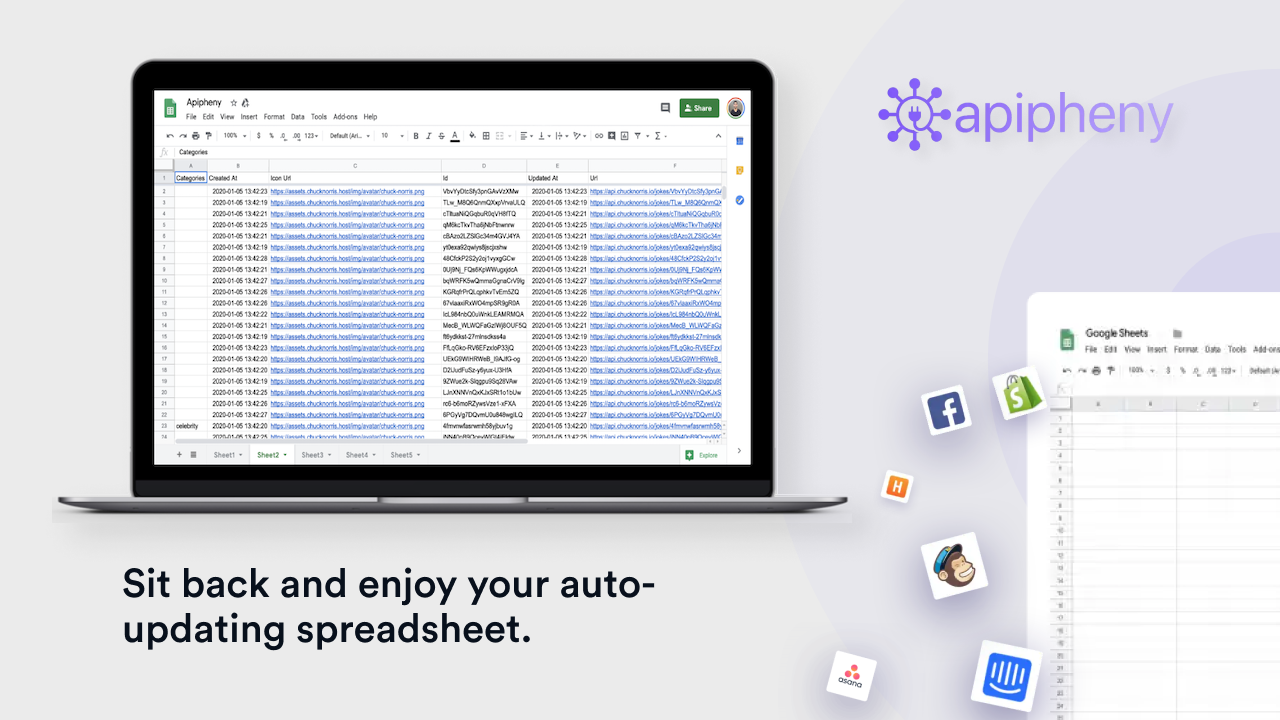
With Apipheny, you can connect Google Sheets with APIs in just a few clicks. Instead of writing complex code or struggling with API authentication, you simply enter your API URL, set parameters, and click “Run.” Your data will automatically populate in your spreadsheet, ready for analysis.

For marketers, consultants, and business owners who rely on real-time data, this tool is a game-changer. Whether you need to import API data from social media analytics, advertising platforms, or financial dashboards, Apipheny simplifies data integration with seamless automation.
In this detailed review, we’ll explore how Apipheny works, its key features, pricing, and whether it’s the right tool for you.
What Is Apipheny?
Apipheny is a Google Sheets add-on that allows users to import API data without any coding knowledge. It acts as a bridge between your spreadsheet and external applications, enabling direct API connections that automatically pull data into your Google Sheet.

How Does Apipheny Work?
-
Install Apipheny – Add the extension from the Google Workspace Marketplace.
-
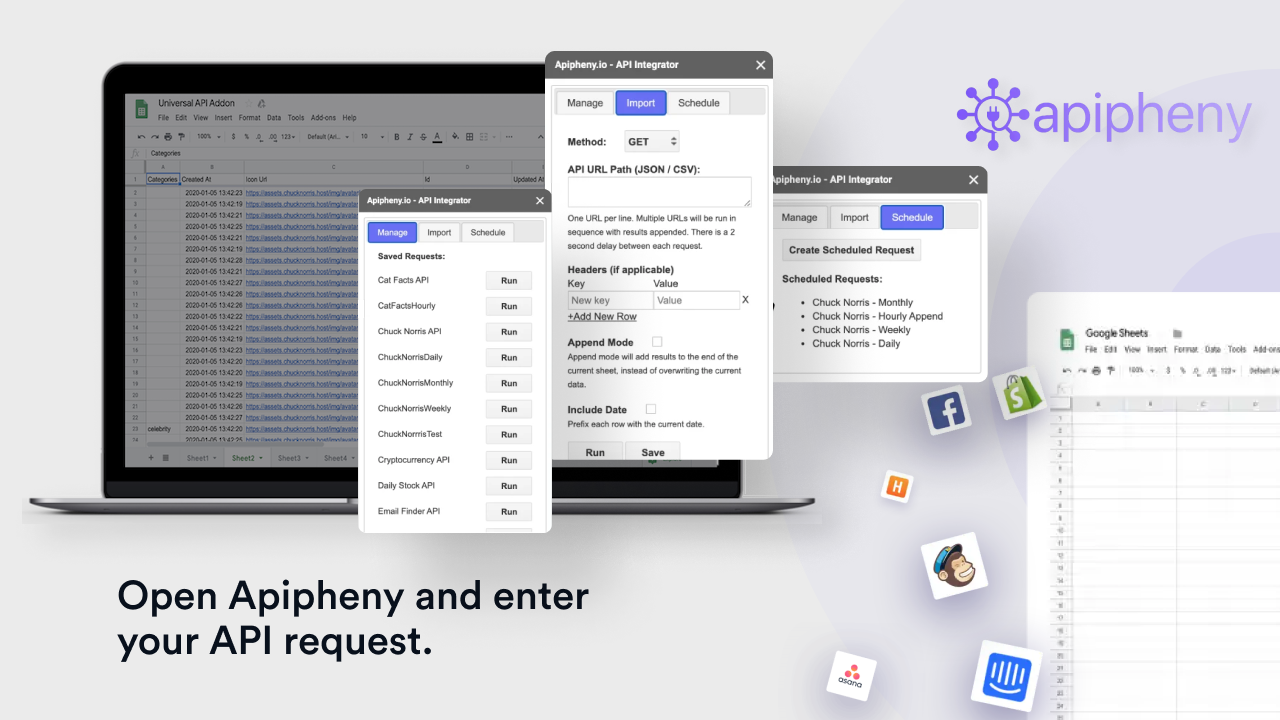
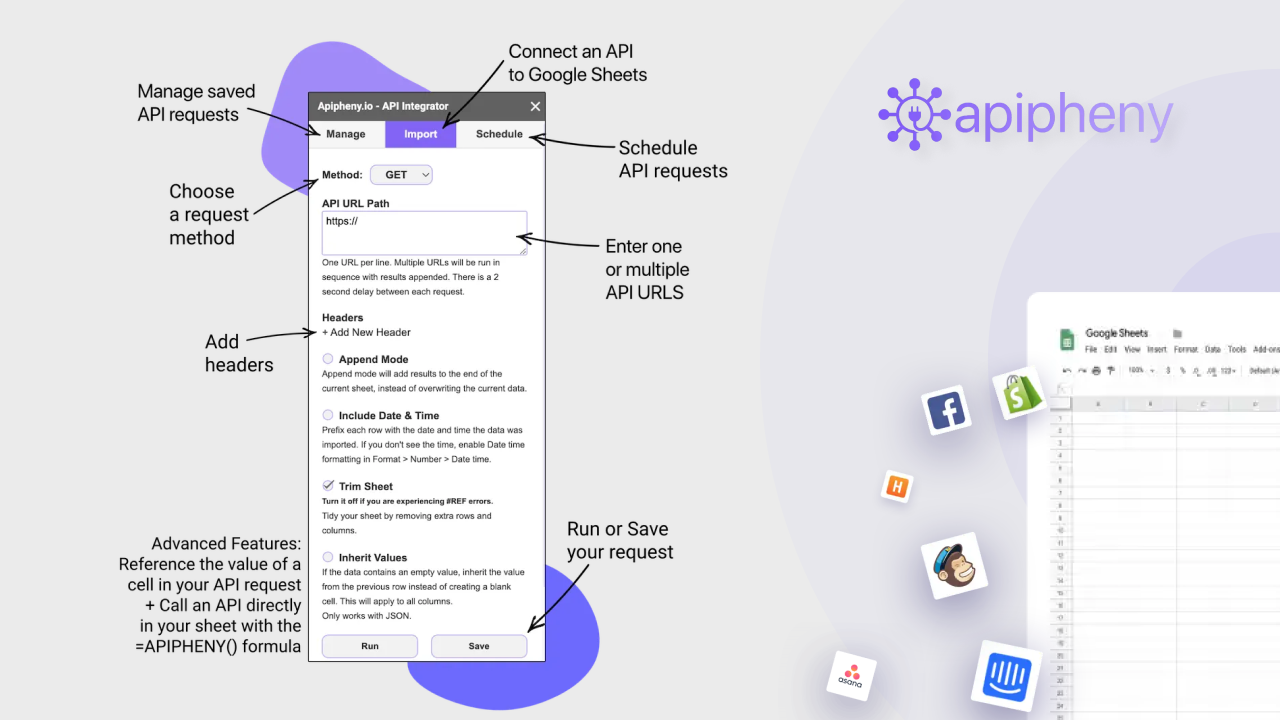
Enter Your API URL – Provide the API endpoint you want to connect with.
-
Set Parameters & Headers – Customize your API request based on requirements.
-
Click “Run” – Instantly import API data into your Google Sheet.
Sponsored
-
Schedule API Requests – Automate data imports at set intervals to keep information up to date.
With Apipheny, no programming skills are needed. It simplifies data retrieval, ensuring accurate, up-to-date records at all times.
Key Features of Apipheny
No-Code API Integration
Apipheny eliminates the need for complex coding. You simply input an API URL, adjust a few settings, and click “Run.” This makes it accessible for marketers, business owners, and analysts who need data without dealing with technical barriers.
Scheduled API Requests
One of Apipheny’s standout features is automated scheduling. Users can set their API requests to run every hour, day, week, or month, ensuring real-time data updates without manual intervention.
Supports Multiple API Methods
Apipheny works with both GET and POST API methods, allowing users to retrieve and send data as needed. It supports JSON and CSV responses, providing flexibility for various data sources.
Edit and Save API Requests
Users can save API requests for future use, making it easy to re-run queries without re-entering details. You can also edit request names, change associated Google Sheets, duplicate requests, or delete them as needed.
Works with Any API
Unlike some API tools that limit integrations, Apipheny supports any API with an accessible endpoint. This means you can pull data from platforms like Facebook Ads, Google Analytics, Shopify, Twitter, and more.
Who Should Use Apipheny?
Apipheny is designed for anyone who needs to import API data into Google Sheets regularly.
Best For:
Consultants – Automate reports and keep client data updated.
Marketers – Pull data from multiple platforms for comprehensive analysis.
Marketing Agencies – Streamline analytics and reporting for clients.
Developers & Analysts – Extract and manipulate API data without writing scripts.
If your work involves data tracking, reporting, or business analytics, Apipheny can drastically improve efficiency.
Pricing: Is Apipheny Worth It?
Apipheny offers a free trial, allowing users to test the tool before committing. The paid plans provide additional features such as:
-
More API requests per month
-
Priority customer support
-
Advanced scheduling options
Sponsored
Compared to hiring a developer or using complex scripts, Apipheny is a cost-effective solution that simplifies Google Sheets API integration.
Pros and Cons of Apipheny
Pros:
No coding required – Simple setup for non-technical users.
Works with any API – No platform restrictions.
Scheduled updates – Automate API imports to keep data fresh.
Saves time – Eliminates manual copying and pasting.
Affordable pricing – Compared to hiring developers for API connections.
Cons:
Google Sheets limitations – Large datasets may require additional processing power.
Learning curve – Some APIs require understanding of authentication and parameters.
Final Verdict: Should You Use Apipheny?
If you’re looking for a reliable, no-code API tool for Google Sheets, Apipheny is a fantastic choice. It saves time, reduces errors, and ensures real-time data updates with minimal effort.
For marketers, consultants, and businesses dealing with frequent API data imports, Apipheny provides a seamless and automated solution. With its affordable pricing and user-friendly interface, it’s well worth considering for anyone who relies on data-driven decision-making.
Ready to try it out? Get started with Apipheny today!







